Search

Email Advantages
Get your FREE
email updates from
Adorama:
Expert tips
Special offers
New products
First Name
Email
Privacy Policy

HACKER SAFE certified sites prevent over 99.9% of hacker crime.

BBB Logo

BizRate Customer Certified (GOLD) Site

Adobe

Our Price

$269.95

Quantity:

Need Help? Call Our Experts!

1-800-223-2500

Hours of operation

Item Includes Description Features Specifications

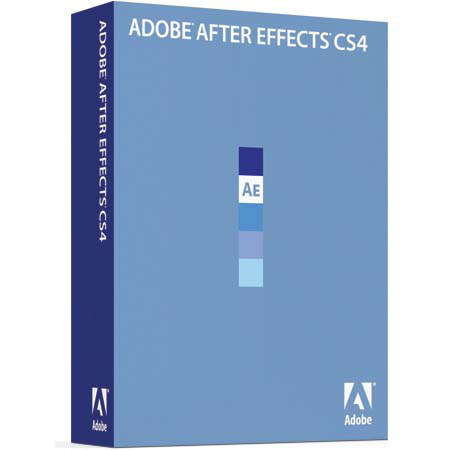
Adobe After Effects 9.0 CS4 Software for Windows, Upgrade from After Effects Standard or Professional

Mfr. Part: 65009935     SKU: ABAE9CS4WUA

Adobe After Effects 9.0 CS4 Software for Windows, Upgrade from After Effects Standard or Professional
enlarge image

Product Rating Write a Review

Description

The Adobe After Effects 9.0 CS4 Software helps you to create compelling motion graphics and blockbuster visual effects with flexible tools that help save you time and deliver unparalleled creative power. Use QuickSearch to instantly locate any element or even missing footage in a comp or project; navigate quickly between nested comps using the new Mini-Flowchart.

Import 3D models from Adobe Photoshop CS4 and then bring them into After Effects to composite them with other elements, adjust lighting and more. Adobe provides end-to-end software solutions to deliver compelling experiences on film, video, DVD, the web and mobile devices.

Features

2D and 3D element combination: Work in 2D or 3D, or freely combine 2D and 3D elements in the same composition without having to change modes or redo your work
Streamlined user interface for designing 3D compositions: Benefit from numerous changes that enhance the use of 3D space inside After Effects CS4, including the ability to keyframe x, y and z values separately
Unified camera tool: Take advantage of three-button mice for more intuitive 3D control with the unified camera tool
Multiple, versatile 3D cameras for each composition: Cut between multiple cameras in the same composition. Define cameras by angle of view, lens length, image area size, aperture, depth-of-field blur and a host of other keyframeable parameters
Camera data: Import 3D camera and null animation data in the Alias Maya (MA) format - directly from Maya or from any 3D tracking software that can export MA files, such as 2d3's boujou
Multiple 3D lights with shadows: Add multiple lights to a scene and animate them. Choose from different light types, set their color and define their shadow darkness and diffusion individually
Adjustment lights: Set a 3D light to illuminate select layers in a composition
Material options for each 3D layer: Define how each 3D layer in a scene responds to lights, including control over size and intensity of the specular highlight
Projection layers and colored shadows: Project light through a layer to create colored shadows, stained-glass effects and the look of projected slides
Real-time design with OpenGL acceleration: Take advantage of advanced OpenGL capabilities including support for blending modes as well as motion blur, anti-aliasing, track mattes, high-quality shadows and transparency and accelerated rendering of common effects
Parenting: Work with parent and child layers. A child layer inherits all transformations applied to the parent, including the parent's anchor point, while maintaining its own local animation
Adjustment layers: Create adjustment layers, similar to those in Adobe Photoshop software, to apply effects to any layers that appear below them
Stencil, Silhouette and Preserve Transparency: Define individual layers to cut out all the layers below. Or have layers above honor the transparency of layers underneath
Subpixel positioning: Enable the position of each object to be calculated to finer than 1/65,536th of a pixel for extremely smooth motion
Adaptive motion blur: Adjust motion blur on a layer-by-layer basis to produce more realistic animations. You control how the motion blur is calculated to customize its look and enhance its smoothness
Nested compositions: Use a complex composition as a single-layer source in another composition. Multiple comps can feed into one, or a single source comp can be used multiple times, allowing upstream changes to ripple throughout a project
Collapse Transformations: Combine the transform properties of nested compositions with higher level comps to reduce the number of times the pixels of a layer are processed, preserving their fidelity
Overlay and Ripple Insert Edit; Lift, Extract and Trim Comp to Work Area: Using basic editing tools, easily add and extract content from the Timeline in your compositions without having to rebuild a comp from scratch
Intuitive text creation and versatile text animation with per-character 3D text: Type, edit and format characters, words and paragraphs. Mix and match fonts and other attributes on a layer
Shape Layers: Easily create and animate vector graphics with Shape Layers. Add properties such as stroke, stroke type, fill and gradients to shapes and animate those properties
Text conversion to shapes or masks: Convert text into editable paths so you can animate the individual vertices of each character. New in Creative Suite 4 is the ability to convert text to shape paths or mask paths
Shape path operators: Modify and animate hand-drawn or parametric shapes by applying a series of specialized shape effects, including Merge Paths, Offset Paths, Pucker & Bloat, Repeater, Round Corners, Trim Paths, Twist, Wiggle Paths, Zig Zag and the Repeater
Web-ready text animations: Export animated text as vector-based SWF files to create innovative, web-friendly animations
Solid layers: Create simple solid shapes that can have effects applied and that can be masked and animated
Continuous rasterization: Enable Adobe Illustrator artwork, text, shapes, solid layers and vector components of PDF and SWF files to be continuously rasterized, maintaining sharpness regardless of their scaling

Specifications

Processor requirement Windows1.5GHz or faster processor
Operating system requirement WindowsMicrosoft Windows XP with Service Pack 2 (Service Pack 3 recommended) or Windows Vista Home Premium, Business, Ultimate, or Enterprise with Service Pack 1 (certified for 32-bit Windows XP and 32-bit and 64-bit Windows Vista)
Minimum RAM Required2GB of RAM
Hard-disk space Required1.3GB of available hard-disk space for installation, plus 2GB of space for optional content; additional free space required during installation
Display Required1,280x900 display with OpenGL 2.0-compatible graphics card
Drive RequiredDVD-ROM drive
Software RequiredQuickTime 7.4.5 software required to use QuickTime features
Internet connection requiredBroadband Internet connection required for online services
Software languages availableEnglish
French
German
Italian
Japanese
Korean (Windows only)
Spanish
WarrantyAdobe warranty
  
 
Home · Shopping Cart · Account Info · Contact Us · New Products · Specials · Links · FAQ · Site Map · Closeouts · Cameras/Lenses · Flash/Lighting · Filters · Photo Essentials · Digital · Tripods · Binoculars/Scopes · Filing/Storage · Video · Audio Visual · Film · Darkroom · Underwater · Bags/Cases · Digital Prints · Used Equip. · Digital Cameras · Rental Department

Adorama Camera, Inc. 42 West 18th Street New York, NY 10011  Any problems with this site please contact Webmaster