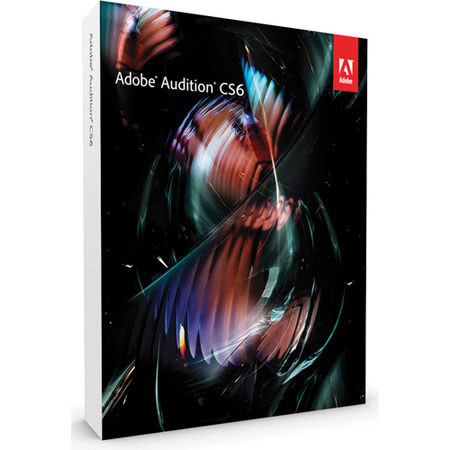
Adobe Audition CS6 Software for Windows
SKU: ABAUDCS6W
This item is no longer available.
Share:
Overview
Compare
Learn
Specs
Protection




About Adobe CS6
Adobe® Audition® CS6 software is the cross-platform audio editor that speeds up production for video, radio, music, games, and more with uncompromising quality and intuitive workflows. Integrate with Adobe Premiere® Pro software and exchange files with other DAWs and NLEs for smooth collaboration. Edit efficiently, mix using control surfaces, fine-tune using powerful audio restoration tools, and quickly deliver projects that are compatible with the latest volume standards.
TOP NEW FEATURES IN ADOBE® AUDITION® CS6
Faster, more precise editing Work faster with dozens of timesaving audio editing enhancements, including clip grouping, edit preview, view markers for all files in the Markers panel, and more.
Real-time clip stretching Stretch clips nondestructively in real time. Preview changes and settings, and render for higher quality results. New varispeed mode adjusts speed and pitch together.
Automatic speech alignment Quickly align and replace location dialogue with studio recordings, even with noisy production tracks. Fixing lip sync issues can now be completed in a fraction of the time.
EUCON and other control surface support Work with control surfaces that use Mackie Control and Mackie Logic protocols, as well as Avid Artist Series control surfaces with native EUCON support.
Parameter automation Automate entire mixes with new write, latch, and touch parameter automation modes.
Powerful pitch correction Correct pitch problems automatically or with manual control. Compare pitch adjustments with the original in the spectral view.
Tools for efficient session management Work more efficiently with the new Media Browser for easy preview and import of assets, the Quick Search field in the Files panel, customizable session templates, and more.
Loudness standard compliance Match volume to ITU BS.1770-2 loudness standards for advertising volume and noise.
Expanded output options Deliver and archive your projects with more flexible delivery options such as output to audio CD, session archiving that saves all files, and other mixdown options.
HD video playback Import and play back HD video without transcoding.
New effects Design sounds with new effects including Pitch Bender, Generate Noise, Tone Generator, Graphic Phase Shifter, Doppler Shifter, and more.
Powerful effects routing and VST3 support Enjoy increased flexibility for mixing and effects channel routing, improved third-party plug-in compatibility, and open up options for new effects wtih VST3 compatibility.
Simplified Metadata and Markers panels View and edit XMP metadata, including BWF schema, enabling automated workflows within Adobe Creative Suite® Production Premium software and other production systems.
Expanded audio and video file formats Import, play back, convert, and mix down to more video and audio formats such as FLAC, OGG, HE-AAC, WMA, MPEG-1 Layer 2, RAW, and more.
Improved batch processing Streamline your workflow with improved batch processing that enables you to convert files to new formats or sample rates and apply favorites at any time.
User-driven workflow improvements Enjoy many new and updated features in Adobe Audition CS6 that are user requests, such as CD burning, multiple clipboards, the Metronome, and more.
Clip grouping Edit multiple clips simultaneously, even if they are not in the same group. Use the new Suspend Groups feature to make edits to individual clips while maintaining the grouping.
Editing preview with selective skipping Preflight deletions and fine-tune selections by listening to just the pre-roll and post-roll around a selection.
Trim to Selection Make clip lengths automatically match a selection with the new Trim to Selection command in theMultitrack Editor.
Multiple clipboards Keep multiple selections in memory for fast access to audio you wish to use repeatedly.
Support for more frame rates Work with all types of footage with broader support for many video formats and framerates, such as 23.976fps and 59.94fps.
Save effects rack as favorite Apply your most commonly used effects combinations easily by saving them as favorites.
Automatic retrieval of CD titles Include CD track names automatically during import from audio CD.
Improved keyboard shortcut manager Customize your workflow and increase productivity by configuring keyboard shortcuts more easily.
Metronome Keep time accurately when recording audio with the new Metronome.
Sum to Mono Quickly check your mix for phase problems with the new Sum to Mono command.