Search

Email Advantages
Get your FREE
email updates from
Adorama:
Expert tips
Special offers
New products
First Name
Email
Privacy Policy

HACKER SAFE certified sites prevent over 99.9% of hacker crime.

BBB Logo

BizRate Customer Certified (GOLD) Site

Adobe

Our Price

$519.95

Quantity:

Need Help? Call Our Experts!

1-800-223-2500

Hours of operation

Item Includes Description Features Specifications

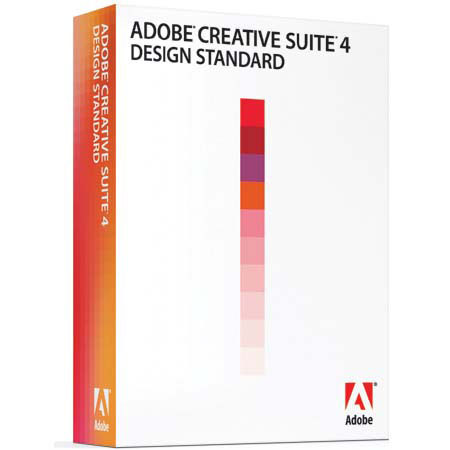
Adobe Design Standard 4.0 CS4 Software Suite for Macintosh, Upgrade Suite

Mfr. Part: 65019696     SKU: ABDS4CS4MUS

Adobe Design Standard 4.0 CS4 Software Suite for Macintosh, Upgrade Suite
enlarge image

Free Shipping view details

Product Rating Write a Review


Item Includes

Adobe InDesign CS4 - Photoshop CS4 - Illustrator CS4 - Acrobat 9 Pro - Adobe Bridge CS4 - Adobe Device Central CS4 - Version Cue CS4 - Adobe Warranty

Description

The Adobe Design Standard CS4 Software Suite is the essential toolkit for print design and production. Discover new tools and efficiencies for delivering your ideas in print with confidence. Run with your ideas using full new versions of your favorite tools in a comprehensive design environment. Deliver breathtaking images, sophisticated graphics, exquisite typography and precise layouts that print reliably.

Realize your creative vision more efficiently than ever before. New, simpler ways of working help you do more in less time, moving smoothly among design tools from concept to print. Work live with clients and colleagues, near and far, by hosting a web meeting or sharing your screen. Learn from an extensive community of Adobe experts by accessing technical content online - from inside your design software.

Features

Master deadlines in design and print production: Adobe Creative Suite 4 Design Standard is the essential toolkit for print design and production
Latest and greatest design tools: Discover new levels of creative opportunity and efficiency with all-new versions of professional Adobe tools for print, web, interactive and mobile design
Common user interface: Come up to speed quickly with the help of the consistent interface across all of the creative tools
Exceptional integration: Work more productively than ever thanks to the exceptional integration of the tools in Creative Suite 4 Design Standard. Easily exchange native file formats to streamline content creation across design disciplines
Support for industry standards and best practices: Take advantage of the professional output options you need for every design discipline, from print to web to mobile. Adobe's ongoing focus on open standards means your work can easily go wherever you want
Support for the latest Mac OS and Windows systems: Experience the ultimate in performance by running Design Standard natively on Intel based Macs and computers running Microsoft Windows Vista
Efficient installation and management: Simplify installation and software management using a single installer and serial number. Install all components at once, or install only those you most need now and add more components later (one user per license)
Creative possibilities: Create stunning designs in Adobe InDesign CS4 using tools that enable free-flowing expression, with fine control over graphics, typography, color, transparency, effects and placed images
Productivity that flows: Move between tasks naturally and efficiently for fast, productive page layout in a flexible design environment
Persuasive content: Create high-impact, personalized content and long documents tailored for unique audiences using logical, condensed steps and advanced features such as automatic page addition and deletion
Rich interactive documents: Build rich content using Adobe Flash technology and create engaging PDF documents that include professional typography and top-quality page design
Access to full editing power: Take greater advantage of all that Adobe Photoshop CS4 offers with a more intuitive user interface and features that put you in control
Amazing results: Bring your vision to life with industry-leading tools that let you enhance images and create composites that help meet your highest standards
More efficient way to work: Be more productive by taking advantage of smooth integration with other Adobe software and enhancements that leverage the power of today's faster graphics processors
Adjustments panel: Simplify image adjustment by easily accessing every tool you need to nondestructively adjust and enhance the color and tone of your images; on-image controls and a wide variety of presets are also included in the new live and dynamic Adjustments panel
Masks panel: Quickly create and edit masks from the new Masks panel. This panel offers all the tools you need to create editable pixel- and vector-based masks, adjust mask density and feathering, easily select noncontiguous objects and more
Smart Filters: Experiment by adding, adjusting and removing filters from an image without resaving the image or starting over to preserve quality. Nondestructive Smart Filters allow you to see the changes without altering original pixel data
Smart Objects: Perform nondestructive scaling, rotating and warping of raster and vector graphics with Smart Objects. Even preserve the editability of vector data from Adobe Illustrator software
Industry-leading color correction: Enjoy dramatically enhanced color correction with reengineered Dodge, Burn and Sponge tools that now intelligently preserve color and tone details
Black-and-white conversion: Instantly convert color images to black-and-white with easy-to-use presets and then make on-image adjustments of tonal values and tints to immediately see the results. Even create and save your own custom presets
Channel Mixer: Take advantage of a host of presets in the Channel Mixer to create high-quality grayscale, sepia tone, or other tinted images
32-bit high dynamic range (HDR) support: Combine multiple exposures into a single, 32-bit image that preserves the full range of a scene - from the deepest shadows to the brightest highlights
Richer painting and drawing toolset: Create or modify images with a wide assortment of professional, fully customizable drawing tools, paint settings and artistic brushes. Simply drag to resize brushes and adjust for hardness as you paint and preview brush strokes
Expert retouching: Retouch images more easily and precisely by previewing source pixels within the cursor of the Clone Stamp and the Healing Brush. Set multiple source points, scale and rotate in the Clone Source palette
Perspective-based editing: Create packaging mockups and more with Vanishing Point, which lets you create multiple planes in an image, connect them at any angle and then wrap graphics, text and images around them

Specifications

Processor requirement MacPowerPC G5 or multicore Intel processor
Operating system requirement MacMac OS X v10.4.11-10.5.4
Java Runtime Environment 1.5 required for Adobe Version Cue Server
Minimum RAM Required1GB of RAM or more recommended
Hard-disk space Required8.2GB of available hard-disk space for installation; additional hard-disk space required during installation
Display Required1,024x768 display (1,280x800 recommended) with 16-bit video card
Some GPU-accelerated features require graphics support for Shader Model 3.0 and OpenGL 2.0
Drive RequiredDVD-ROM drive
Software RequiredQuickTime 7.4.5 software required for multimedia features
Internet connection requiredBroadband Internet connection required for online services
Software languages availableBrazilian Portuguese
Chinese Simplified
Chinese Traditional
Czech
Danish
Dutch
English
French
German
Hungarian
Italian
Japanese
Korean
Polish
Russian
Spanish
Swedish
Turkish
Ukrainian
WarrantyAdobe warranty
  
 
Home · Shopping Cart · Account Info · Contact Us · New Products · Specials · Links · FAQ · Site Map · Closeouts · Cameras/Lenses · Flash/Lighting · Filters · Photo Essentials · Digital · Tripods · Binoculars/Scopes · Filing/Storage · Video · Audio Visual · Film · Darkroom · Underwater · Bags/Cases · Digital Prints · Used Equip. · Digital Cameras · Rental Department

Adorama Camera, Inc. 42 West 18th Street New York, NY 10011  Any problems with this site please contact Webmaster