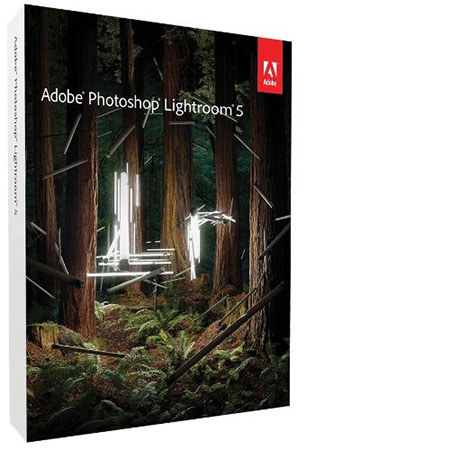
Adobe Photoshop Lightroom V5 Upgrade, Windows and Mac OS
SKU: ABLRV5MWU
This item is no longer available.
Recommended Alternatives




Share:
Overview
Compare
Learn
Specs
Protection
Reviews about this item
Review Summary
2015-03-23T21:00:00
Rated 5 out of 5
pretty much had to have the upgrade
Happy with my purchase. I needed the upgrade to go with my new canon 70d to support newer raw files. Everything works great now.
John L.
2014-07-21T21:00:00
Rated 5 out of 5
Great price for Lightroom 5
I am enjoying Lightroom 5. It had a free fix included after download to 5.5 so did that too. LR is best program for organizing photos and new improved editing module is a stand alone for enhancing pic. I use PSE and Topaz Labs side by side with LR . Many of the webinar and classrooms online are using LR as their main photo edit teaching application, instead of PS, so I was at point where I had to upgrade from vers 3 and get on board. I also took a LR class online from Kim Klassen cafe.com I highly recommend her class for learning to utilize LR to its potential.
Katzcloseup
2014-07-21T21:00:00
Rated 5 out of 5
Adobe Lightroom 5
The program was set up easily and works. I have not used it extensively but I have a lot of experience on Lightroom 4. It does not have the more sophisticate photo editing features but it has enough features that I need and it is easy to use.
c c.
2014-05-20T21:00:00
Rated 5 out of 5
Awesome upgrade
I needed to upgrade from LR3 to LR5. It shipped quickly and on time, and the installation process was as simple as can be. I'm really loving some of the new features in LR5. My old presets haven't totally seamlessly integrated, but otherwise, it was well worth the update.
ANN C.
2014-02-24T19:00:00
Rated 5 out of 5
Perfect
I needed to upgrade my lightroom 3 to lightroom 5 and this worked perfect. You just enter the code that comes on the box and it automatically worked. Was able to use it as soon as I got it in the mail.
K P.
2014-02-21T19:00:00
Rated 5 out of 5
Awesome
My favorite new feature, which is a must, for cityscapes is the straighten tool. So easy, quick, and intuitive! This was the real reason behind my decision to upgrade. Well worth it!
Fidel S.
2013-11-18T19:00:00
Rated 5 out of 5
Amazing
I have been using all the older versions of Lightroom and recently upgraded to Liaghtroom 5. My number one hobby is photography and I use Lightroom 5 on all my editing. One of the additions to this new version is the Spot-removing tool which I really like so much. Very easy to use and produce clean results.
DELIO J.
2013-09-04T21:00:00
Rated 5 out of 5
Money worth spending - Lightroom V5 upgd
I've been using Lightroom since introduction - this is the best Lightroom upgrade so far. I have it installed on my Windows 8 desktop, and on my MBP laptop.
DEL Y.
2013-09-02T21:00:00
Rated 4 out of 5
As advertised
I use PS to edit so I have not used Lightroom to edit am told it works very well now. To save and organize it is very nice ,if you take time to set up a tag you can find a photo lots better than looking over and over
jwear
2013-08-26T21:00:00
Rated 5 out of 5
Continues To Get Better
There's not much more to say other than with each upgrade, Lightroom continues to get better. Since you're looking at the upgrade product, I assume you already use Lightroom so go for it!
JOE D.
2013-08-04T21:00:00
Rated 5 out of 5
Excellent Addition to Lightroom 4
The product was very easy to upload to my Mac and it has added some great features which Lightroom 4 did not have. The 2 features that I find most helpful are the straightening and the clone and heal. These features take bit of getting used to but do work fine after you figure them out
ROBERT K.
2013-07-16T21:00:00
Rated 5 out of 5
LIghtroom 5 upgrade
I have been user of Lightroom 3 and 4 and 5 is even more spectacular. The new features or very helpful and more user friendly.
N/A
2013-07-15T21:00:00
Rated 4 out of 5
Viewable Lightroom
On upgrading, the first thing I noticed was an ability to easily read the text on the screen; what a breakthrough: legibility!! I use LR5 with my photos to attempt wall-quality prints, along with Photoshop support as needed. I'm not in the business; strictly an enthusiastic amateur.
Stanley H.
2013-07-15T21:00:00
Rated 3 out of 5
Problems with exporting downsized files
Adobe seems to be taking its customers for granted. There are problems in exporting downsized files with some of the corrections applied being lost if the image is ~<50% its original size. Essentially images exported at less than 1/3-1/2 of their original size may not retain Output Sharpening and Noise Reduction settings. No patch yet despite this being discussed.
ROBERT M.
2013-07-15T21:00:00
Rated 3 out of 5
Has some bugs
Has a problem importing files. You need to select folder and flies to order to get timely importing. LightRoom 4 did not do this.
Maisydog
2013-07-08T21:00:00
Rated 1 out of 5
Disapointment with update
I was very disappointed when I recieved my copy of the Lightroom5 Update, when I found that I could not load it to my Windows Vista system. It states the system has to be Windows 7 or newer.
Larry
2013-07-08T21:00:00
Rated 4 out of 5
The best upgrade yet
The new features of the local adjutment brush makes the upgrade worth it. Backing up catalog takes some time but might be 'cause the amount of images I have in catalog.
indy p.
2013-07-08T21:00:00
Rated 4 out of 5
Good looking but a little slow
The new features are great without a doubt, however the speed of the adjustment's sliders have suffered. When using a slider to adjust an aspect of the photo there is an anoying lag in responsiveness which you can easily adjust to. In LR4 you could make the slightest barely perceptable incremental change in position and you imediately saw your result. In LR5 the slider moves a visable and considerable amount before the image responds and you have to readjust it in the oposite direction to get the desired result. It is still very much worth having and I do recomend it. If the delay in response were not a part of the deal I would easily have given 5 stars.
THOMAS C.
2013-07-08T21:00:00
Rated 4 out of 5
"Awesome"
Retouching, New features like, the radial and spot healing tools are fantastic.
Jimmy A.
2013-07-08T21:00:00
Rated 5 out of 5
WELL WORTH THE UPGRADE
The impressive array of features makes this software the "go-to" for processing my raw photos. As a fan boy since Lr1, the software is intuitive, quick and produces results my clients appreciate. I struggled with Photoshop because I shoot in raw and although originally intended for both the design and photography communities, it is now more of a designer software tool. I now enjoy processing my raw photos much more. I occasionally have to "round trip" between Lightroom and Photoshop but Lightroom has important new features that significantly reduces my dependency on Photoshop. BTW: I shoot across all genres of photography.
WILLIAM C.
2013-07-08T21:00:00
Rated 5 out of 5
Lightroom 5 ypgrade
Same great program, with new features that make for less trips to Photoshop. Worth the upgrade price.
TIMOTHY B.
2013-07-08T21:00:00
Rated 5 out of 5
Worth It
I use Lightroom to import all my photos to organize them, and to do a variety of "fixes." I've used the program since it first came out and upgraded regularly. The new features are excellent; I particularly appreciate the automatic correct perspective tool. And since Adobe is messing around with how Photoshop will be (online monthly cost), my reliance on LR will increase. I do periodically refine adjustments in CS6. In any case, this version of LR is well worth it. Excellent program.
LORIN C.
Adobe Photoshop Lightroom V5 Specifications
Related Articles & Videos
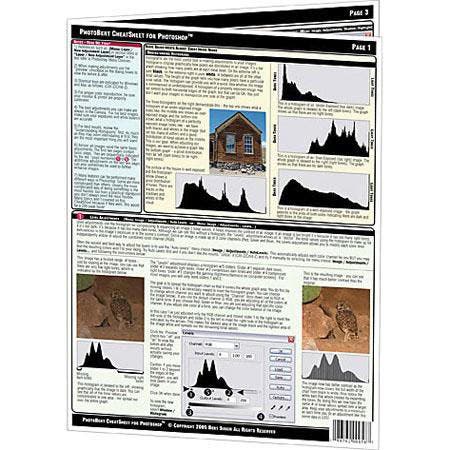
Automatic picture protection
There are lots of ways to accomplish this laudable goal, but I prefer to use a method that makes an official copyright notice a part of the image file. That way, the scoundrels who purloin your precious images can’t claim they weren't put on notice, and you have clear proof of misuse of your pict...
SpyderMan
Almost every day somebody asks me: “Why don’t my prints look like what I see on my screen?” Actually, the print probably looks exactly what your software and printer think the monitor is displaying.
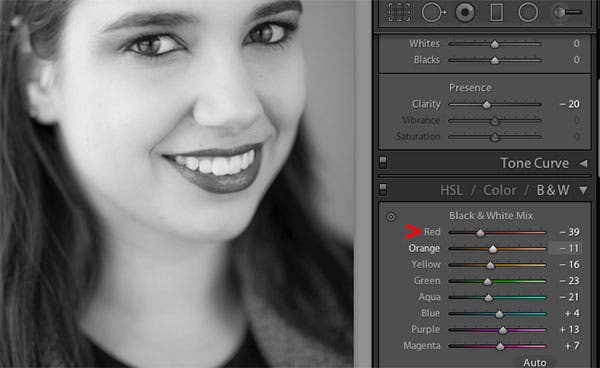
Quick and Easy Black and White Conversions in Lightroom
Adobe Photoshop Lightroom has a robust set of black and white tools that make it easy for you to convert your RAW files. While many photographers who prefer black-and-white images will convert their color originals in Adobe Photoshop of Photoshop Elements, if you shoot RAW you may want to do...

Mark Wallace's Four Favorite Adobe Lightroom 5 Features
In this episode, Mark Wallace shares his four favorite features of the new Adobe Photoshop Lightroom V5, which was just released and is available now at Adorama. He'll talk about the Uprig...
Read moreAbout Adobe Photoshop Lightroom V5
The Adobe Photoshop Lightroom V5 Upgrade (Windows, Mac) provides a comprehensive set of digital photography tools, from powerfully simple one-click adjustments and features to cutting edge advanced controls. Get the best from every pixel in your photos, whether you shot them with a pro DSLR camera or a camera phone. Lightroom includes a comprehensive set of advanced tools for tone, contrast, color, noise reduction and much more.
