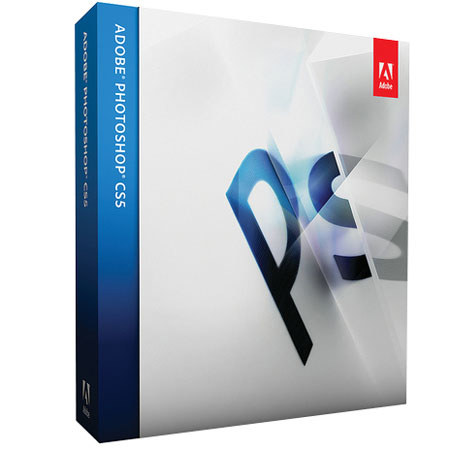
Adobe Photoshop CS5 12.0 Image Editing Software Upgrade for Windows from CS4,CS 3, CS2

SKU: ABPSCS5WUCS4

This item is no longer available.

Overview
Compare
Learn
Specs
Protection

Reviews about this item

Review Summary

2011-11-20T19:00:00

Rated 4 out of 5

content aware is nice

The content aware feature is a real time saver with taking things out of a picture, and the main reason for the upgrade. the Float in widow feature is a pain and an extra step when editing multiples on the screen. It can be shut off but seems to default back on restart. It is not compatible with an older Sony Snap Lab printer and the driver upgrades do not work correctly. scroll to enlarge an image is nice. there are some other new features that I have not utilized yet. Don't ditch your CS3 or 4 until you make sure all is compatible and familiar

Jim K.

2011-10-02T21:00:00

Rated 5 out of 5

Adobe CS5

I love this programs and find it easy to use, With the help of "You Tube" to learn those not so easy parts of the program.

CAROLYN D.

2010-10-30T21:00:00

Rated 5 out of 5

Good to have, gets better & better

I've used photoshop since version 4. This upgrade rocks for HDR photography.

Ed

Adobe Photoshop CS5 12.0 Upgrade for Windows Specifications

Related Articles & Videos

On Content-Aware Fill in Adobe Photoshop CS5 and the Onus of Editorial Integrity

On Content-Aware Fill in Adobe Photoshop CS5 and the Onus of Editorial Integrity

There's been much grumbling in some quarters about the potential misuses of Content-Aware Fill in Adobe Photoshop CS5. Jack Howard takes a pragmatic look at the situation.

Read more
Product Review: Adobe Photoshop CS5

Product Review: Adobe Photoshop CS5

Adobe Photoshop CS5 is out, and it incorporates too many improvements to name, providing new power with basic adjustments for the user who wants the out-of-the-camera look, and offering some amazing new tools ...

Read more

About Adobe Photoshop CS5 12.0 Upgrade for Windows

Adobe Photoshop CS5 software redefines digital imaging with powerful new photography tools and breakthrough capabilities for complex image selections, realistic painting and intelligent retouching. Enjoy cross-platform 64-bit support and a wide range of workflow enhancements. Achieve superior results in fewer steps when you remove noise, add grain, create vignettes, correct lens distortions, sharpen and create HDR images. And enjoy better-than-ever raw file conversion.

Explore fresh design possibilities with powerful new tools. Paint naturally and realistically with on-canvas color blending and textured brush strokes. Warp or stretch graphics, text, or image elements to create unique looks. Explore fresh design possibilities with powerful new tools. Paint naturally and realistically with on-canvas color blending and textured brush strokes.

Together, Photoshop and Photoshop Lightroom software provide the ultimate photography solution, enabling you to import, process, manage, edit, composite and showcase your images. Take advantage of tight integration between Adobe InDesign and Photoshop to create visually compelling layouts for print and digital publications. Enhance your Adobe Illustrator vector art in Photoshop or combine it with Photoshop imagery for delivery via a variety of media.