Software & Tutorials
Photo & Graphics Software
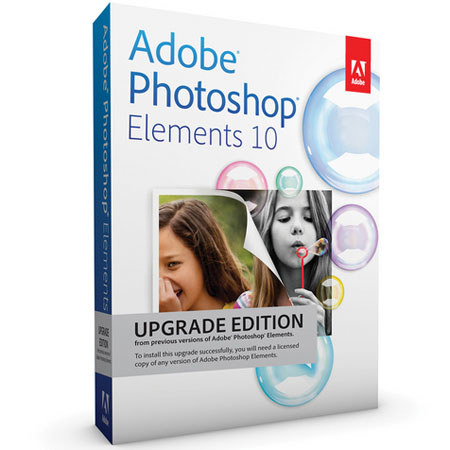
Adobe Photoshop Elements 10.0 for Windows and Mac, Upgrade Version
Adobe

Adobe Photoshop Elements 10.0 for Windows and Mac, Upgrade Version, Membership Services, Mini Box

SKU: ABPSE10UGWM MFR: 65136765
Why Adorama?
Easy Returns, Fast Shipping, Trusted for over 35 years.

Need help? Call 800-223-2500 / 212-741-0052

Our Price

$79.95
Free shipping
Qty:

Add to Wishlist

About this item

Adobe Photoshop Elements 10 for Mac & Windows is a comprehensive yet simple solution to managing, enhancing, and sharing your digital photos and video clips. The software supplies all the tools you need to crop photos, add effects & text, create online albums, and upload photos & videos to your favorite social-networking sites. With Guided Edits, you get step-by-step assistance with many common tasks, making them less like chores and more like magic tricks.

With simple, powerful tools that offer built-in guidance, Elements helps every photo look its best: Whiten teeth instantly, crop according to Rule of Thirds composition, and adjust colors to specific image areas. Based on Adobe's industry-standard image editing software, Photoshop Elements 10 also offers powerful Photomerge technology, which lets you stitch together panoramic images easily and match one photo's style to the next.

When you're done, you can create scrapbooks or add templates to groups of photos to create online albums. Or simply share your results with your closest few hundred friends by employing the program's direct upload to Facebook, with integrated tagging based on your Friends list.
What's Included With This Item

  • 6513

Key Features

  • Edit & Manage All Your Photos with One Simple Program: Use Adobe Photoshop Elements 10 software for all your photo needs. Edit, enhance, and find photos; make custom creations; share via print, the web, and mobile devices; help protect photos; and view photos virtually anywhere you are
  • Photos on the Go: Easily share your photos with your social network and view photos virtually anywhere you are. Photos are synced between your desktop and devices so you see the same ones at home and on the go
  • Easily Find Photos & Video Clips: Easily find all your media in the convenient Organizer. Use automated options to find your best photos and clips - or photos of specific things and people. Then dive into a range of creative activities and start enjoying your memories
  • From Flawed to Phenomenal in Mere Seconds: Use one-step shortcuts to whiten teeth; make skies bluer; and fix color, contrast, and lighting - and then choose the best result from a group of adjustment previews. Instantly unclutter photos, and use crop guides to improve composition
  • Easy Photo Transformation: Enhance specific areas of your photos with brush-on effects, including 30 all-new options. Convert your color originals to elegant, nuanced black-and-whites, or use color curves adjustments to get the perfect exposure
  • Step-by-Step Assistance: Want to easily fix a scratch, simulate depth of field, or design a scrapbook page? Use Guided Edits to get help with key steps so you can get the results you want fast
  • Photomerge for Style Matching & Panorama Creation: Take advantage of amazing Photomerge technology to easily match the style of one photo to another; create fuller panoramas, perfectly lit shots, and great group shots; and combine elements of different faces for entertaining results
  • Creative Inspiration: Bring your ideas to life with relevant how-to's that appear just when you need them. New how-to's help you explore creative possibilities
  • Fresh Online Album Templates: Show off your photos and videos in one-of-a-kind, interactive Online Albums with your choice of animated templates. Share them in public or private galleries - friends and family won't have to register to look
  • Flexible Layouts for Photo Printing: Make scrapbook pages, cards, and more in minutes using professionally designed templates, or customize every aspect of your creations. Get fun, fresh looks with new artwork and templates
  • Paint Effects for Specific Photo Areas: Simply paint on 1 of 100 effects and patterns, including 30 new options, to enhance areas of your photos. New effects include Snow, Pencil Sketch, and Oil Pastel
  • Guided Edits for Step-by-Step Assistance with Effects: Use new Guided Edits for step-by-step assistance when you want to highlight your subject by simulating depth of field, add a diffuse glow to create a dreamlike Orton Effect, or break a photo up into a fun collage of snapshots
  • Add Curving, Flowing Text: Give photos or creations added flair with text that curves or flows any way you wish
  • Fast Facebook Tagging: Use your Facebook Friends list to quickly tag faces in your photos and easily share them on Facebook
  • Find Specific Objects in Photos: Want to find shots that include your surfboard, your grandma's house, or the Eiffel Tower? Let Object Search automatically find your photos based on what's in them
  • Crop Guides for Assistance with Composition: Make any photo more interesting or energetic using new crop guides. Choose either the Rule of Thirds or Golden Ratio option to create the best composition for your photo
  • Manage Large Photo Libraries: Let Photoshop Elements automatically detect duplicate or near-duplicate photos so you can quickly group them or delete the ones you don't need. And count on improved search to find photos that have common content and color characteristics
  • Fresh Template Looks: Impress friends and family by sharing photos in eye-catching new templates for printed photo creations and Online Albums
  • Flexible File Saving: Enjoy the flexibility to print, upload, and share your photo creations just about anywhere thanks to the ability to save to JPEG and PDF file formats
  • Upload to YouTube: Upload your video clips to YouTube directly from the Organizer

Technical Specs

System Requirements: Windows 1.6 GHz or faster processor (including single-core support)
Microsoft Windows XP with Service Pack 3, Windows Vista, or Windows 7
1 GB of RAM (2 GB for HD video functions)
4 GB of available hard-disk space (additional free space required during installation)
Color monitor with 16-bit color video card
1024 x 576 display resolution
Microsoft DirectX 9 compatible display driver
DVD-ROM drive
Internet connection required for Internet-based services
System Requirements: Mac Multicore Intel processor
Mac OS X v10.5.8 through v10.7
1 GB of RAM (2 GB for HD video functions)
4 GB of available hard-disk space (additional free space required during installation)
1024 x 768 display resolution
DVD-ROM drive
QuickTime 7 software required for multimedia features
Internet connection required for Internet-based services