

This item is no longer available.
Review Summary
2013-05-20T21:00:00
The iMac is very easy to set up and is amazingly quiet. I did not get the Fusion Drive. I felt the cost of the Fusion Drive was better put towards a faster processor and/or faster graphics card. I ordered the iMac with only two options; the fastest i7 Intel processor and the top 680MX graphics card. The internal hard drive is a 1TB 7200rpm mechanical drive. As far as RAM is concerned, I got it with the standard 8 Gigs. If I find I need more RAM, I'll buy it from a third party since Apple charges way too much for RAM. On the 27-inch it's very easy to install RAM yourself. So far (I've had the iMac only about a week), I'm not finding any urgent need for more RAM. But, I tend to have only one application open at a time. If you like to open multiple apps and keep them open, you may want to get more RAM. I use the iMac mainly for Photoshop CS6 with very large Photoshop files (up to 2 Gigs in size). It handles those files well. I also use the computer for video editing and multi-track audio. So far I've run into no problems. The audio is good, but not great. If you want the best sound get external speakers or use headphones. I love the wireless mouse and keyboard and all the familiar Apple software that comes with the computer. The only things I wish were better have to do with the monitor. While the monitor looks great, it isn't ideal for critical Photoshop work. Although the screen is less glossy than previous iMacs, it is still too glossy. No matter where it is placed, you'll still get some reflections that show up mostly in dark areas of the image. Also, the glossy screen makes images look more saturated and contrasty. In general, that looks fine for watching movies, surfing the net, and doing most non-critical work. But, for color correction and retouching, the screen is not ideal. It would be nice if there was more control over the monitor settings and if the controls were easily accessible. To be fair, all Macs now have glossy screens. So the same issues are present with the MacBooks and Air laptops. I still prefer matte displays. I've used Macs for over 20 years and this iMac is one of the best I've used. I'd recommend this system as long as you are aware of the monitor issues.
FRED M.
Accidents happen where life happens. Protect your favorite Adorama products and purchase a protection plan to stay covered from accidental damage, mechanical or electrical failure, and more.
If we can’t fix it, we’ll replace it at no additional cost.
Protect your product from drops, spills, and more.
Enjoy your gear without fear. We have you covered!
When regular use of your product over time results in mechanical or electrical failure.
We will never charge you a deductible after the purchase of a plan.
Our claims process is simple & easy and our customer service team is happy to help.
Adorama Protect powered by Extend is available for purchase to customers in the United States. Not available for purchase Internationally or in U.S. Territories.
Browse our FAQ

Getting the right depth and drama in an architectural interior can be tricky. Read this tutorial for tips and tricks to make your photographs better.
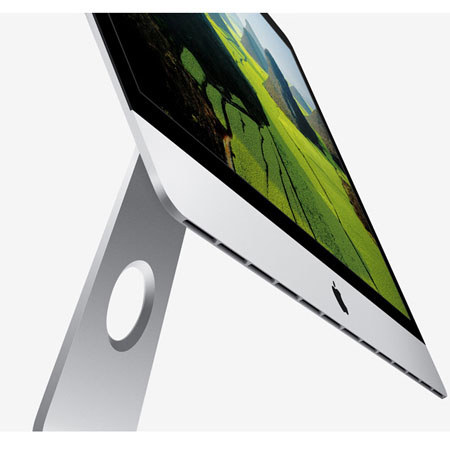
Sit down in front of the new iMac and something incredible happens: The world around you seems to disappear, and you lose yourself in the big, beautiful display. To create an experience this immersive, Apple pushed every limit, rethought every detail, and advanced iMac in the most astonishing ways. The new iMac includes the most advanced, most brilliant desktop display they've ever built, and it's filled with the latest high-performance technologies. Yet it's just 5mm thin at its edge with up to 40 percent less volume than the previous generation.
Powered by third-generation Intel Core processors, the new iMac is the fastest yet. Across the line, the new iMac features advanced NVIDIA GeForce graphics processors built on the Kepler architecture, delivering up to 60 percent greater performance for graphics-intensive tasks. You'll see more frames per second in 3D games, and you can edit HD home videos with more speed and responsiveness than ever before.
The new iMac introduces a breakthrough storage option called Fusion Drive, which combines a high-capacity hard drive with high-performance flash storage. Fusion Drive automatically and intelligently manages your data so that frequently used apps, documents, photos, and other files stay on the faster flash storage, while infrequently used items move to the hard drive. You'll enjoy shorter boot times, and as the system learns how you work, you'll experience faster application launches and quicker file access.






