
This item is no longer available.
Review Summary
2026-03-22T20:00:00
This is the greatest printer I have ever owned, and I have had many. In fact, I have now bought my second printer of the exact same model. I have a home-based business, and this fulfills all my needs quickly and easily.
KH A.

2025-03-24T20:00:00
MFC-9970CDW is a very good item. I've had minimum problems with it.
Edward S.
2025-02-23T19:00:00
MFC-9970CDW is a very good item. I've had minimum problems with it.
Edward S.
2025-02-22T19:00:00
My printer was fine with little use, until a sensor for a magenta cartage went bad and now the printer does not work properly. The Brothers help team could not fix the problem. Whet can Brothers do to help me.
not r.
2023-11-19T19:00:00
MFC-L2750DW I am reviewing a different printer/scanner shown as there is no review for the printer I purchased. My Brother printer is excellent and I have no problem with it. I would like to review the scanning software that came with my printer. The scanning software is very poor and Brother should take some time to improve it. For example Brother could take a look at the HP scanning software as and example of good bundled scanning software. Just my 2 cents.
Hank
2023-11-19T19:00:00
This is a very user unfriendly printer. It does not work with WiFi. I would like to return it and get a credit.
John S.
2023-11-19T19:00:00
Pretty Good Product. No regrets. If you need something for home user or small business.
Cozachevici
2023-11-19T19:00:00
Working great so far. Going to test printing a holiday card. Meeting all expectations. Quality printing from an affordable printer. Easy set up and operation. Thanks Brother!
KarenW
2023-11-19T19:00:00
This works perfectly! Love it. It was easy to set up and get going.
Lisa
2023-11-18T19:00:00
Little noisy when printing, but overall, very nice machine.
HAPPY
2023-11-17T19:00:00
I've only had this printer for a few months now but so far so good. I signed up for the auto printer ink delivery. I haven't yet done the math so I'm not sure if this is a savings but I can tell you it's definitely convenient.
Anne
2023-11-17T19:00:00
The output is good. However a failed main board took 3 weeks to repair at an authorized shop, mainly because of difficulty contacting brother staff. I received a new printer. At the very least it should come with a years guarantee just like the original one did.
Andrew H.
2023-11-15T19:00:00
Appreciate the easy use and quality of my Brother printer.
Roadrunner
2023-11-14T19:00:00
Terrific price for a competent printer, scanner, copier. Would recommend.
Phil V.
2023-11-14T19:00:00
I can not get the printer to work. My husband couldn't get it to work.
Caro
2023-11-14T19:00:00
Service is not good. I had to put the printer into storage and go biy a printer that is not a Brother.
David
2023-11-14T19:00:00
Replaced an HP. Quality good. Still learning what it can do.
Tuttle
2023-11-13T19:00:00
It works well but after 6 prints the ink already disfunction so not very please
tittuk
2023-11-13T19:00:00
This is the best purchase I've made on printers. It works really well. I have no issues at all. I would strongly recommend this printer to anyone.
Tendi
2023-11-13T19:00:00
I love this printer. Was easy to set up. Had a sample toner cartridge in the box. My first laser printer will never go back to ink cartridges. Makes working from home so much easier.
Shelly S.
2023-11-13T19:00:00
Easy to set up on network. Very dependable. Best printer I've owned.
Allan M.
2023-02-12T19:00:00
Easy to use workhorse. Has all functions if you need them including wireless.
Zeeman
2022-11-13T19:00:00
Have had this unit for 10 years+. Love it. Drivers could be a little better... God forbid it dies one day. I would have to try to find a good one again. Have had many HP's and epson but they all are horible. Dont even think about inkjets.... Brother...can u plz optimize drivers for WIN11 ? THNX
Dolf
2022-11-04T20:00:00
I replaced the yellow toner cartridge but, the machine still says to replace the yellow toner cartridge
Hammer 4.
2015-02-18T19:00:00
This printer is literally the worse printer my business has ever had. 1 It curls the pages so badly when printing that when you flip the pages over to print on the other side (we can't do double sided prints automatically on some of our programs) the printer only feeds three or so sheets in and jams. The "option" for less page curling in the printer settings does absolutely nothing but frustrate the user because they knew this was a problem before they put out the printer. 2) This is the only printer where it can't eject pages when done printing nicely. They are all messed up and takes a while to collate. There is a difference of about 4" between pages. The little grey thing I think that is supposed to keep that from happening only causes the printer to jam. 3) The MP tray is the cheapest thing I've ever bought for over $500. You can only fit about 25 sheets in it, it's difficult to get them loaded right because of the cheap tray. Most of the time you end up with pages bent up at the front, so it jams the printer when they get fed through. 4) This printer jams, no matter what, at least every 25 pages. And jams in the back. So it tells you to wait 10 mins to let it cool down every time it jams. I don't know about other businesses, but it's extremely en-cumbersome to have to turn this heavy printer all the way around to do the four steps you must do to clear out jams.... every 25 pages. This printer should not jam this much. 5) The scanning application for the desktop is completely unreliable. We have simply decided to just scan everything to a usb. What a complete waste. 6) There is constantly random flakes of ink on every print we make. 7) The default scan setting is for 100dpi and there is no way to change this without having to change it every time we scan something. Who even uses 100dpi? 8) While all this ^ is going on, there is an incessant beeping sound that my whole store has learned to hate this sound. It beeps, loudly, at least six times every time this machine runs out of paper, jams, completes a task, or completely randomly... 9) I have more menu functions on my telephone, on my inkjet printer with a tiny screen than I do on this printer. For such a large LCD screen there should be way more options for fine tuning this printer. Because of all of this, this printer has been named the Struggle. Every time things have to get printed we cringe, and now printing double sided things for the store is the most hated task. The only reason this printer hasn't been returned is because we had to return the other horrible printer we bought from brother and they wouldn't trade it out twice. This one was $200 more. Terrible products. I'd pay good money for a decent printer. The last laser printer we had was a dell that cost less money and ran my store great for six years. We decided to switch brands because the brother had a fax machine. Horrible choice.
tshirtninjafairy
2014-12-23T19:00:00
This machine takes absolutely forever to spool up and pages are lost if one closes the file before the printing is completed. Cartridge low warning shows up very early on and pops up and has to be dismissed several times daily while waiting for that particular cartridge to reach it's end.
WMJV
2014-09-21T20:00:00
I am finally able to print quality professional type brochures at the office!!! So much quicker and easier than other different brand machines I have worked for. Speediness with quality has been a delight. No crooked printing as the paper slides in properly every time.
OperationsManager
2014-08-06T20:00:00
I received my first one for work and when I quit I had to give it back. My husband said that I had to go buy another one because he loved it and we needed one for his business. He calls it the workhorse.
Catagal
2014-07-22T20:00:00
We have had our printer for over two years now and have had not a single difficulty with it. It prints clear, professional documents, scans, copies and all that is claimed. I love it.
nameless10000
2014-07-21T20:00:00
The black & white and color printing seems to work well almost all of the time. It is the strength of this unit. Copying also works well as long as you are not using the automatic feeder to do duplex copying. It has a difficult time either lining the page up with the scanner or determining the proper size. Anything larger than 8X11 is often cropped. The same holds true for scanning and faxing. It is better when only doing a single side. I've had to take some documents to work in order to get them scanned properly. The biggest issue I've had is scanning to my PC or my laptop. It often loses the connection and I had to reboot or mess with setting for it to find them again. I called Brother one time about it. They couldn't fixed it and blamed it on my router. I fixed the problem by turning of the printers WAN and then turning it back on. Overall we are happy with the unit because printing and single sided operations are our primary usage.
Slydell

Accidents happen where life happens. Protect your favorite Adorama products and purchase a protection plan to stay covered from accidental damage, mechanical or electrical failure, and more.

If we can’t fix it, we’ll replace it at no additional cost.

Protect your product from drops, spills, and more.

Enjoy your gear without fear. We have you covered!

When regular use of your product over time results in mechanical or electrical failure.

We will never charge you a deductible after the purchase of a plan.

Our claims process is simple & easy and our customer service team is happy to help.
Adorama Protect powered by Extend is available for purchase to customers in the United States. Not available for purchase Internationally or in U.S. Territories.
Browse our FAQ
Color Laser Technology
4 Toner Cartridges and Drum
30ppm Black
30ppm Color
Up to 2400 x 600 dpi
300-Sheet Input Capacity
LT-300CL (500 sheets)
50-Sheet Multi-Purpose Tray Capacity
Yes
Wireless 802.11b/g, 10/100 Base-TX Ethernet and Hi-Speed USB 2.0
Yes/No
256MB Memory
Up to 512MB (DDR2 16 bit, 144pin)
Windows & Mac OS
Brother iPrint&Scan free app download for wireless printing (JPEG, PDF, web page & e-mail) and scanning to your Apple, Android or Windows Phone 7 (JPEG only) mobile device
PCL-6, BR-Script 3
Yes
60,000 printed pages
750 to 4,000 pages
B/W & Color Faxing
33.6K bps
Approx. 2.5 seconds per page
Yes
Yes
Fax: No/No/Yes
340 locations
Yes (390 locations)
Approx. 2.5 sec/page
Yes
Yes
Yes
Yes
Yes
256
MH / MR / MMR / JBIG / JPEG
Yes
Up to 500 page fax memory
Yes (Monochrome only)
Yes
Yes
B/W & Color Copying
Flatbed
Copy: 50-Page ADF
30cpm Black
30cpm Color
Yes (no PC required)
25% - 400%
Yes
Yes
2in1 / 4in1
No
Legal
Yes
B/W & Color Scanning
Yes
Scan: 19,200 dpi x 19,200 dpi
Up to 1200 x 2400 dpi
48-bit
Windows/Mac OS
Brother iPrint&Scan free app download for wireless printing (JPEG, PDF, web page & scanning) and scanning to your Apple, Android or Windows Phone 7 (JPEG only) mobile device
TIFF/BMP/MAX/JPEG/PDF
E-mail, Image, OCR, File, FTP, USB, Network Folder, E-mail Server
Printing, Scanning, PC Fax Send / Receive, I-Fax, Corporate Address Book (LDAP)
ARP, RARP, BOOTP, DHCP, APIPA (Auto IP), WINS/NetBIOS name resolution, DNS Resolver, mDNS, LLMNR responder, LPR/LPD, Custom Raw Port/Port9100, IPP/IPPS, FTP Client and Server, CIFS Client, TELNET Server, SNMPv1/v2c/v3, HTTP/HTTPS Server, TFTP client and server, SMTP Client, ICMP, LLTD responder, Web Services (Print), SNTP Client, APOP, POP before SMTP, SMTP-AUTH, SSL/TLS (IPPS, HTTPS, SMTP, POP), 802.1x, Kerberos
NDP, RA, DNS resolver, mDNS, LLMNR responder, LPR/LPD, Custom Raw Port/Port9100, IPP/IPPS, FTP Client and Server, CIFS Client, TELNET Server, SNMPv1/v2c/v3, HTTP/HTTPS server, TFTP client and server, SMTP Client, ICMPv6, SNTP Client, LLTD responder, Web Services (Print), APOP, POP before SMTP, SMTP-AUTH, SSL/TLS (IPPS, HTTPS, SMTP, POP), 802.1x, Kerberos
WEP 64/128 bit, WPA-PSK (TKIP/AES), WPA2-PSK (AES), 802.1x (LEAP, EAP-FAST, PEAP, EAP-TLS, EAP-TTLS)
AOSS, Wi-Fi Protected Setup capable routers
Setting Lock, Secure Function Lock, Store Print Log to Network
Plain Paper: Xerox 4200DP 20 lb., Hammermill Laser Paper 24 lb., Labels: Avery Laser Label #5160, Glossy Paper
Plain Paper, Thin Paper, Thick Paper, Thicker Paper, Recycled Paper, Bond, Label, Envelope, Env. Thin, Env. Thick, Glossy Paper
Letter, Legal, Executive, Folio, A4, A5, B6
Width 2.75" to 8.5", Length 4.57" to 16"
16-28 lbs / 7.26 - 12.70 kg
16-43 lbs / 7.26 - 19.51 kg
5.8" x 5.8" / 147.32 x 147.32 mm
8.5" x 14" / 215.9 x 355.6 mm
17-24 lbs / 7.71 - 10.89 kg
150 sheets (face down)
5" Color Touch Screen
Yes
110V-120V AC 50/60Hz
1.8W/75W/615W
Yes
50deg. F - 90.5deg. F
20-80% (w/out condensation)
33 dB/57 dB
19.3" x 20.7" x 20.9" / 490.22 x 525.78 x 530.86 mm
62.8 lbs / 28.49 kg
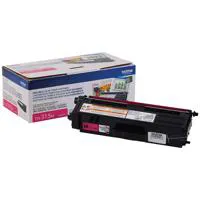
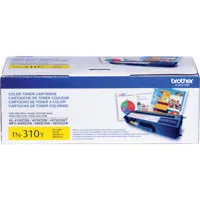
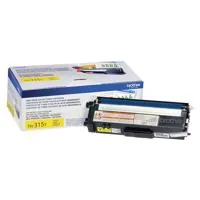
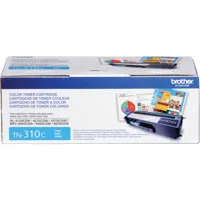
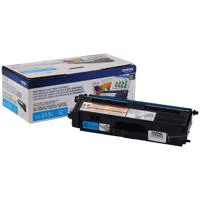
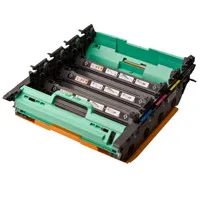

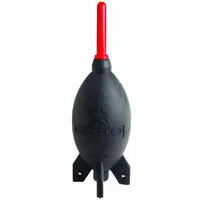
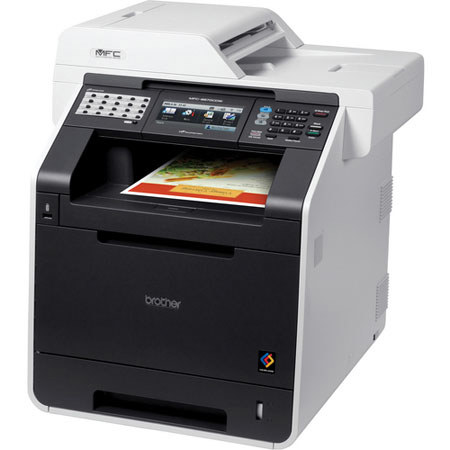
The Brother MFC-9970CDW Color Laser All-in-One Printer combines print, copy, scan and fax in one powerful device. It produces high-impact color output at impressive print and copy speeds of up to 30 ppm and offers flexible connectivity with wireless, Ethernet and USB interfaces. It features a 5" color touchscreen display for easy navigation and menu selection. Also, this flagship model offers automatic duplex print/copy/scan/fax and optional high yield toner cartridges to help lower your operating costs - making this All-in-One a smart choice for a business or workgroup.