
This item is no longer available.
Review Summary
2013-04-08T21:00:00
Hands down. This is the best choice to built home server and remote music/video player at the lowest budget. Just google it and find better use of it!
Jay
2013-04-01T21:00:00
I knew nothing of how to set up linux or samba to be a full scale multuser windows like server but just followed the directions here: OBIHOERNCHEN'S BLOG pogoplug Now I don't need pogo software on clients nor client access licences, but it no longer acts like a pogoplug cloud either just a unix server. Other people use them for more like slickbeard or torrent service, DLNA, backends for xbmc or what have you.
Anthony W.
2013-02-04T19:00:00
I received P21 model just as stated in the title. I was blown away by how easy it was to set up. I have windows pc, linux pc, and an android. I have no problem accessing the pogoplug from anywhere. You access your pogoplug in two ways. One is to go through the web browser and the other is to install a program so that you can access it as a local drive (p:). There is a linux version of the program (no support) so thatyou can mount the pogoplug via network. I was able to watch movies going through the local drive method and double clicking on it. Then it uses the default movie viewer of your current PC. I was not able to watch it through a browser on a PC. It requires the video to be TRANSCODED first (Optimize video option), which takes forever. It was taking 15 minute video several hours. HOWEVER, I was able to watch it on an android tablet using their app (even if the video was not transcoded). Other than it is DIRT slow, I love the simplicity of this machine. My original plan was to either 1. make one of my computer to a file server using FreeNAS, 2. make this pogo into a file server by installing arch linux, but I am happy with as it is.
SH
2013-01-16T19:00:00
After I tried different browsers and disks I can say I'm very surprised by the responsiveness of the setup and how easy it is to setup. I can't wait to see what other uses I can find for it.
Felipe V.
2011-12-18T19:00:00
I use this to access one of my drives remotely - I love it! I've tested it via 3G and wifi and I'm impressed. I will be attaching more drives soon. I'm able to stream my own music and movies from my drive at home on my cell phone. The music player software that's part of Pogo is basic - I'm sure there's a way to use your own player instead just haven't had the time to investigate yet. Very easy setup....honestly, I'm impressed. I bought a couple more as gifts.
HASSAN K.
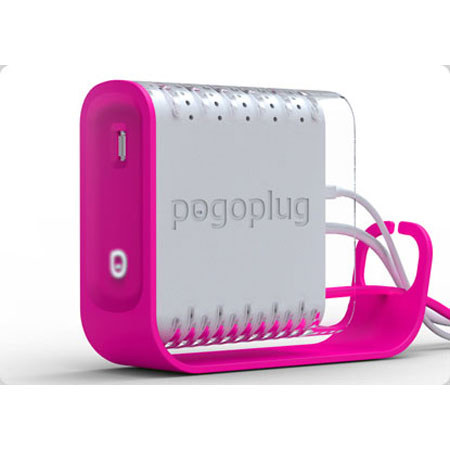
Pogoplug POGO-B01 is a multimedia sharing device that lets you connect any external hard drive and then access and share your content over the internet. Installation takes less than 60 seconds and there are no monthly fees.
The Pogoplug can be configured in a matter of minutes. The web-based setup program detects the device on your network, and allows you to create a username and password so that you can securely access your files from any web browser, anywhere. Mobile access is also available via the iPhone, iPod touch, Android, Palm, and Blackberry.
Photos, videos, and music can be viewed with ease -- the Pogoplug will automatically find them on connected hard drives. You can also browse the drives manually, allowing you to download any stored file, regardless of its type. There are no hidden fees with the Pogoplug for remote access -- the account is completely free, ensuring that your only cost for the device is the cost of the device itself.
Optional software is available for your Mac, Windows, or Linux computer. It provides desktop access to drives connected to the Pogoplug, and can also copy files to files stored on your Pogoplug drive automatically. Simply configure "watched" folders -- any files added to those folders will automatically be copied to a connected drive on the Pogoplug, ensuring that your latest downloads are available remotely.