2020-01-16T19:00:00
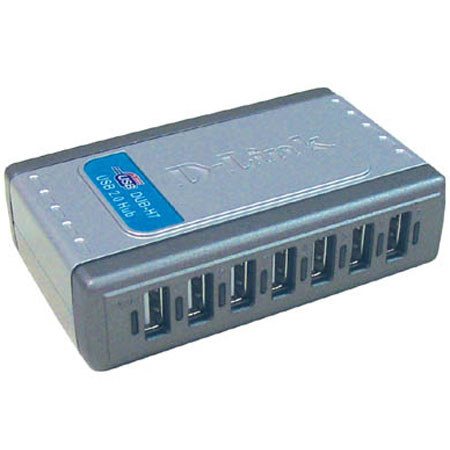
Only thing I don't like is the short freaking power cord (not the usb cord, but the power cord. To give you an idea how short and if you will have a problem with it --- I have a power-strip, also called a plug-strip (strip with multi plug slots) on the table up against the side of my bed, and the strip itself, is at the edge of the table only 1" from my bed, so it's really close. To give you an idea- I have a phone cord that is only 0.08meters long - 3 inches. So I had to have it close.. So that being said, when I'm sitting on the bed with my laptop, I'm 3 inches away from the edge and the table is about 6 inches away from me (so I could reach my phone lol), the laptop is right in front of me about an inch away from my knees, which puts the latop about 12inches (1 foot) away from the plug-strip. My usb to plug this 7-port into is on the left side of laptop. So when I plug this into my laptop, I have to move the hub all the way as far as the usb cord will let me, to the right, in order for the power cord to reach the hub and plug it in, and even then the power cord is stretched to it's max to reach. So if you're like me, esp with a laptop, your normal wall plug or plug-strip HAS to be within a couple feet of where you put the usb in the pc. Not a few away, a couple feet.. If I was using a desk, it wouldn't reach unless the plug on the wall or plug-strip was directly under the desk, or touching the side of the desk->on the side you need to plug in the usb part to your pc. You can fix this issue by buying a 5 foot or 10foot USB cord and giving the hub a little more room to move away from your pc so the plug can reach, I just haven't been able to do that yet, so I'm still annoyed with it lol. **In addition to that cord thing, I got a 7-port hub online 6 months ago, one of the ones that doesn't have a power cord/plug, it just gets power from the pc when the usb is plugged into the pc. And that thing was terrible, and would stop aknowleding my mouse if I unplugged the mouse from the port and then plugged it back in. I would have to put it in a different slot to get it to aknowledge it again, among other common port issues like lag. So I was worried this one would do the same things as that one did, but it doesn't. It works great. *~*Some usb ports on the market have issues with lag- where the mouse click/moving is 1/2 a second or more later than you did the action, because the electronic info has to travel through all the 'connections' to get from mouse to the port, then the right port hole, and then to the pc, and then the pc registering the action and and then doing it.*~* With THIS one there is NO lag between the time moving the mouse or clicking, so that is very much worth dealing with the short power cord.
shortypeep
Originally posted at

2013-01-10T19:00:00
Rated 2 out of 5
* Read Small Print *
Please read the small print if you want to use this to charge an iPad or other mobile device. For you to use it as a charger, you need to unplug the hub from your computer. There is a charge utility if you use Windows that you have to download, but if you have a Mac, you cannot charge and sync. Customer service is also very poor at D-Link, they will ask you for a lot of personal information before they even get to know your question. It took 10 minutes just to ask my question, then after 30 minutes, I had to hang up. There have to be better hubs than this one, and I had great hopes for it. Also, the picture on the front is not the item, you have to click on the picture to see the real item. On the package there are even disclaimer codes however there is no key to what the codes mean. You should look elsewhere for a 7 usb hub.
JLS33
Originally posted at
2012-09-19T20:00:00
Rated 5 out of 5
USB Port Expansion Plus
When I needed to add USB ports to support additional devices I selected this hub not only because of the number of ports but also that two of these ports had their own power source. This was important since devices like my iPad 2 had update issues when connected to bus powered ports. Setup was a snap and I have a few ports to spare.
EricCoon
Originally posted at
2011-12-08T19:00:00
Rated 5 out of 5
Just what I needed
This is just what I needed. Using multible hard drives, printer, mouse and keyboard (All USB I needed more ports than I had. I have 2 in the front of my compter and 4 in the back yet I was out of places to plug in anything like my camera and webcam ect. This solved that problem and now I have a few empty ports as well for in the future.
JimmytheLizard
Originally posted at
2010-06-22T20:00:00
Rated 5 out of 5
Works Great
I just purchased a second port. These work well and never give any issues. They have a small footprint and stack well together. So stop looking at the comments and buy one now!
JWFlorida
Originally posted at
2010-02-09T19:00:00
Rated 5 out of 5
Just what I needed
Excellent product at a fair price, I have always had very good luck with D-Link products and this one is no exception,Realy a big help in the every increasing battle with USB Conections!
Jimmers8560
Originally posted at
2008-11-04T19:00:00
Rated 5 out of 5
Great way to get hooked up with multiple USB's
Despite my concern for durability, I feel that this is a great product and reasonable price. I have no regrets in my purchase and would recommend it to anyone.
cfdfyrfyter
Originally posted at
2007-10-08T20:00:00
Cheap and worth it.
Mikeyb2204
Originally posted at