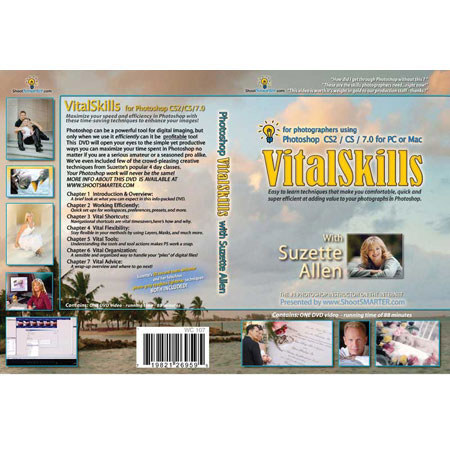
ShootSmarter Digital DVD: Vital Skills for PhotoShop CS or 7 - with Suzette Allen
SKU: DVWC107
This item is no longer available.
Share:
Overview
Compare
Learn
Specs
Protection
About ShootSmarter Digital DVD: Vital Skills for PhotoShop CS
Content:
• Proper Photoshop technique to make the professional photographer much more efficient in their image retouching and enhancement
Experience Level:
• Professional to Student.
Suzette Allen's monthly Photoshop tips reach over 40,000 shootsmarter.com viewers with easy to learn techniques designed to make professional photographers more efficient in their daily workflow.
• After hundreds of requests from readers to make a video, we're proud to present what could be the finest Photoshop DVD to date - VitalSkills. Suzette's smooth methods and cheerymanner make learning this valuable info a breeze. This DVD was created with the menu placement and keystrokes for Photoshop version CS and 7 but all the techniques are 100% compatible with version CS2.
Take a look at all the terrific areas of Photoshop you can improve your skills on:
Chapter One:
INTRODUCTION AND OVERVIEW - A brief look at the upcoming content and how you can take full advantage of it. - What you can expect from Photoshop's magic touch.
Chapter Two:
WORKING EFFICIENTLY - Saving your workspace preferences. - File browser customization. - Setting the preferences windows. - Color settings window for traditional portrait workflow. - Loading actions. - Tool presets that make your life easier.
Chapter Three:
VITAL SHORTCUTS - The shortcut keys. - Suzette's One Second Motivator. - Mastering the zoom tool. - Awesome tips on the Brush tool. - Deleting the airbrushes! - Setting up the brush picker. - Using presets.
Chapter Four:
VITAL FLEXIBILITY - Advantages of working in layers - all the time. - Third party plug-ins that rock! - The right way to make composites. - Layer masks are the most powerful tools in Photoshop. - Don't use the Eraser tool! - Conquering adjustment layers. - Ever use Snapshots? - You won't believe what the History Brush can do for you!
Chapter Five:
VITAL TOOLS - Resolution resolved. - Cropping pitfalls to avoid. - Prepping files for lab printing. - Dodge & Burn - keeping it real. - Accurate selections. - Clone tool, patch tool, healing tool - when to use each of them. - Groovy gradients!
Chapter Six:
VITAL ORGANIZATION - File size management. - Setting up a workflow system to simplify your hard drive. - Folder naming structures that make sense. - Backups! - Duplicating your proofs. - Resizing your files. - Using Batch Actions. - Automating your actions with ACDSee. - Naming final output files. - Should you use layered TIF's? - Archiving.
Chapter Seven:
VITAL ADVICE - Closing words for success. - The big payoff is... - Where to find more info from Suzette.