
This item is no longer available.
Review Summary
2019-05-27T20:00:00
This applies to several S400 scales -- we have a lot at this company.... Followed the directions precisely in the "Portable Digital USB Shipping Scale User Guide" which state "1. While the scale is off, press and hold kg/lb button. 2. While holding kg/lb button, press Power button. The display shows A.OF and then 0.0 when ready. The scale now remains on until manually turned off. Turning off the Auto Shut Off feature is temporary. You need to repeat this procedureeach time you turn on the scale." None of this procedure worked .... EVER... NOT EVEN ONCE! If you (Dymo have change the programming, and this feature is no longer available, then this needs to be reflected in product descriptions and manuals.
Chris G.

After three minutes of inactivity
Under 110 lb: +/-1 lb
Over 110 lb: +/-2 lb
50deg. - 104deg. F (10deg. - 40deg. C)
USB 2.0 Low Speed HID Scale Device
110 V AC adapter, USB, or 3 AAA alkaline batteries
400 pounds (181 kg)
Windows XP, Windows Vista or Windows 7 2
Mac OS v10.4 or later 3
0.2 lb (0.1 kg)
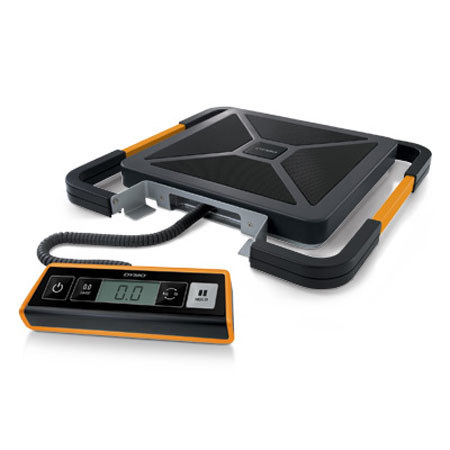
The Dymo S400 Portable Digital USB Shipping Scale you'll save time, money - and just maybe your back! Weigh packages up to 400 lbs (181 kg). Grab the built-in handle and carry the scale to heavy items - instead of lugging heavy items to the scale! Or connect the scale via USB to a PC or Mac to use popular online mailing and shipping services - including Endicia InstaRate, Dymo Stamps and software. The Dymo S400 includes a detachable LCD display for convenient hand-held or wall-mounted viewing, time-saving hold and tare features and much more.