EyeSee360 PhotoWarp 2.5 for Macintosh OS X and Windows
SKU: ESGPW25V
This item is no longer available.
Share:
Overview
Compare
Learn
Specs
Protection
About EyeSee360 Photowarp
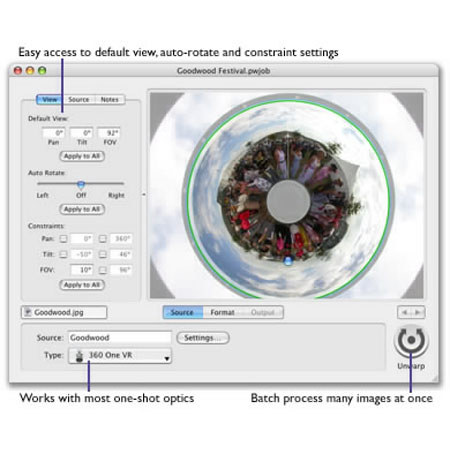
Eyesee PhotoWarp 2.5 is the premier tool for panoramic image processing. Particularly designed for users of one-shot optics, PhotoWarp 2.5 lets you produce quality panoramic images along with custom web pages in minutes. Whether you use the own 360 One VR optic, or a third party one-shot from BeHere, Egg Solution, Remote Reality or 0-360, PhotoWarp will unwarp images with pristine quality.
PhotoWarp has been calibrated for each optic to deliver highly accurate geometry to ensure that panoramas are distortion-free. The results are often more accurate than the original software that came with the optic. Traditional unwarping software requires you to go through several steps to unwarp a single one-shot image.
With PhotoWarp, you can simply drag a collection of image files onto the application to process them as a batch. Just click "Unwarp" and PhotoWarp will process all the images in turn. PhotoWarp supports a broad range of panoramic viewing software, giving you the choice to deliver your images the way you want. QuickTime VR, Java applets including Zoom Viewer and PTViewer, even the new FlashVR viewer can all be generated automatically. You can even use multiple viewers simultaneously and PhotoWarp will generate web page code that will automatically choose the right viewer for the client.