This item is no longer available.
Review Summary
2020-04-06T20:00:00
I installed this scanner about four years ago and it always worked fine with the software provided. Since that time, I upgraded to Windows 10. I'm no using the standard Windows 10 Scan program. That program seems to work flawlessly, however the scanner stops mid scan about one in ten scans. The solution is simple, just unplug the scanner and plug it back in. Once that is done, it functions fine for at least as long as I need it.
Jolly R.

2018-05-23T20:00:00
I bought this scanner about 4 years ago and it is still working perfectly. I have never had a single complaint. I use it to scan drawings at a high resolution for editing in Photoshop. Can't recommend enough!
Mali
2017-10-03T20:00:00
I don't use it very often, but when I do I realize I should use it a lot more often! I like to scan all my important travel documents, then email copies to myself and family back home in case I lose my originals while on the road. Super easy to use, even for low tech consumers such as myself.
Happy S.
2015-10-21T20:00:00
I've been using this scanner for easily five years, and am greatly impressed with it... and I'm grateful to HAVE this simple-to-use scanner.
Krinda
2015-04-13T20:00:00
Got the Cannon LIDE 110 less than 1 year ago. It now sys there is an error or its scanning black and wasting all my ink. Not a good buy
Retired
2015-01-27T19:00:00
After having two LiDE 110 scanners, both of which resulted in broken hinges in less than a year of service each, I decided to upgrade to the LiDE 120 model...WRONG MOVE! No only is the chassis the same (more breaking hinges, but software is completely changed and is much more inefficient to use. Previously, I could enter the file name, press SCAN and when completed, change the page and continue with another scan for a multi-page PDF (with one click)...NOT ANY MORE. Also, every tmie I want to scan, I have to click preferences to open a window in order to change the file name. Also, this window always defaults to Auto, not Document, so that's another click. Really inefficient. Not to mention that it took over an hour to get the operating system to recognize the scanner...turns out that the cables between the 110 and 120 aren't compatible. Really??? Don't waste your money with this scanner.
JW
2014-10-16T20:00:00
I purchased my canoscan 110 with ease and without any problems and it was delivered in a fair amount of time, I like the ease of operation just by pushing the " Email button it imeadetly scanned the document and opened the email program and was sent without a problem. The whole machine is small and about 1 1/2 square feet of desk space. I am very happy with this scanner
alphandyman12
2014-10-02T20:00:00
I recently installed my new LiDE 110 scanner and found the manual to be most helpful. This scanner is easy to use and has more features than I knew of when I purchased it. Nice product, and great service when I needed it.
Petey
2014-09-09T20:00:00
I am having great difficulty getting my Acer Aspire to connect with the CanoScan LiDE110. I continually get error number 5,155,55
drylandsailor
2014-09-04T20:00:00
Was a nice scanner for the price, buttons and everything works good after a year having it. Not the fastest, but does a very good job.
bkerr
2014-08-17T20:00:00
OK, so it's not the LiDE110, it's the LiDE70! BUT I'll bet the speed and resolution has improved a bunch. I've been using the '70 for about 5 years and its portability suits my needs (fits in my backpack WITH my laptop and only one cable needed. Nothing broke, everything works, one-button scanning is great, software a bit quirky but works just fine. Once pointed to the directory of your choice it drops your scan right where you want it. Pretty awesome, if you ask me... but you didn't so I thought I'd just tell you anyway. If price AND features is what you want, then this is it.
Alabama A.
2014-04-24T20:00:00
I was in need of a basic scanner and this scanner fulfilled all the requirements. It has a compact design and is easy to use. It's not the fastest, but the scan resolution is high. I like that fact that I don't need to plug in the scanner to a power outlet and instead can just plug it into a usb slot. After using this item for a few months, I now hear unusual sounds when scanning and is louder than usual. It only happens when the scanner light is scanning and passing the document and is fine when the scanner light is moving back to it's regular position.
pun
2014-04-12T20:00:00
Simple scanner for all my documents. Works great. Software has unnecessary directory stuff, so I configure to send directly to a folder on my desktop at a good resolution for legal docs, and skip the software dialogs.
Nate
2014-01-16T19:00:00
I have been using this product for 3 years to transfer all those ancient pictures to the computer. It is so easy! Even for a retired person. Now the kids gave me a new computer and the installer just plugged the scanner in... of course it would not work and I cannot find the CD-ROM One call to Canon and the wonderfully patient CSR helped me download the software.... Will be trying to scan more old photos soon! Thank you, English guy in VA!
anna
2014-01-03T19:00:00
I have a Canon LIDE 110 and have lost the command for it. The buttons to select to make the scanner to work. How can I find them? I was having a lot of trouble with my PC so we took it back to the state it was in when I purchased it Jan 15, 2013. I copy all that I could t5hink of to reinstall on the PC but I guess I overlook the scanner The scanner is hooked up and, before doing this, it has woked Okay for a couple of years now.
JRL3
2013-11-24T19:00:00
My firm purchased this scanner for me in order to scan some documents from the National Archives which is quite particular about equipment used with their documents. First off, this scanner fit beautifully in my carry-on with my laptop and stored under the seat in front of me. Easy set up made things a breeze in my daily tasks and break down at nights. While this may not be the fastest scanner in the world and may not have all of the bells and whistles, it is an excellent value and works beautifully for straight forward tasks.
Archive G.
2013-10-15T20:00:00
I love this new scanner -- needed one for our newer computers as our older (still working 110) does not do PDF's!! I highly recommend this scanner for everything -- especially love the auto-crop feature!!
Tina
2013-10-11T20:00:00
The scanned is difficult to use and forward scanned images. It is also slow but I recognize I did buy a lower quality machine. I have had it for less than months and use it about once a week. the light source quit working. I should have purchased a more expensive model
jerry
2013-10-09T20:00:00
I lost the CDROM that comes with the scanner, and discovered it when i wanted to install them on my new laptop. i was very glad to find all what i wanted on Canon website and to proceed to install both the driver and software easily. Thank you. Note to other users: while installing the driver, do wait for the process to be complete, it takes sometimes; actually i got a message saying that the installation wasn't done successfully; but when i waited a minute more, the installation was completed successfully. (the flag detecting the installation seems to need tuning)
Scimon
2013-09-20T20:00:00
I just started using the scanner this evening and it works very well. The details in my documents show as if I used a scanner at a university library. It is a bit slower in scanning, but I find it more pleasant to scan from home than have to drag my documents elsewhere. My project is huge. I scanned in 10 pages as a test. Worked fine. I scanned in 65 pages and deliberately stopped because I was concerned I would overload my processor or usb drive. I am giving it a rest now. It works just fine! Canon provides you all the support you may need, too.
Toots
2013-09-04T21:00:00
I love this scanner! I am a Creative Director / Graphic Designer, and this scanner has been great for any purpose I have used it for - anything from expense receipts (auto-detects edges and also auto-converts to PDF), to notes, documents and pencil or pen illustrations. I have used this scanner extensively for illustration purposes, and the resolution is great, the saved files are easy to file and find and the final images work great in software like Photoshop or Illustrator. Keep in mind, like any scanner, or camera, you will always have to adjust contrast and color a bit in some soft of editing software, though it is usually pretty close. If you are a designer or just an everyday user, this is a great scanner for an awesome price! Canon products always deliver amazing results, and this scanner is no exception!
Rosaleen G.
2013-08-24T20:00:00
The construction is flimsy. My lid snapped-off at the plastic hinge. Now it has no top so it can't scan. The software is a usability nightmare. something from 1990's. couldn't get quick-buttons to work. Takes 3 interface screens to actually initiate the scan functionality. Scans quickly, but takes to long to generate and save the scan file. Returning it today.... :(
ScannerDarkly
2013-07-16T20:00:00
The price was really good! It does a really great job. I have been buying canon products for over 20 years. I have not been disappointed yet. I like the front buttons on this scanner, and I really like being able to scan docs to a PDF format. I AM VERY HAPPY WITH IT!
GLOW450
2013-07-08T21:00:00
Easy to set up, easy to use. I use it to scan travel receipts. It's all I need. Scans plenty fast enough for me.
Alan
2013-05-20T21:00:00
great scanner. I shoot a bunch of 35mm film and the negatives and prints come out perfect. I would recommend this scanner to anyone
CORY H.
2013-05-10T20:00:00
This is the least reliable scanner I have ever used. The software it comes with looks like it was designed in the mid-90s. I've had about one day of good usage, and the rest of the time it doesn't even connect to my PC. Spend a bit more, and avoid this scanner like the plague.
somatherapy
2013-04-25T20:00:00
Scanner is slow, when it does work. Only works about 10% of the time, and completely randomly. Stay away from.
jeff123
2013-03-21T21:00:00
I bought this as a replacement for a microtek slimscan c7 that wouldn't work with my new computer that came with windows7 64 bit. It works better than that scanner and is easier to use for making copies and scanning pictures into the PC. Unlike some reviews, I did have to use the supplied disk to load the software, but that was quick and easy and not too intrusive. Overall, I'm very happy and would purchase again!
GARY H.
2013-03-21T20:00:00
I have four Canon cameras + a very highend lens for one, but why they are skimming the bottom of the pond with this item is beyond me. I only need about 10 scans a week, so no need to spend big bucks. This little device is simply nasty with an iMac. I tossed a perfectly good, 10yr old scanner because the screen was becoming opaque. This has a nice size, cheap price and single USB connection. But, it took me a while to discover you cannot hook it to an unpowered hub. I am used to hardware sending an alert to the screen; "Not enough power for this operation." (or to that effect) But besides scanning upside down, I must unplug and re-plug the cable each time when the iMac goes to sleep. This is a 'real' pain in the you-know-what. Arrrrg! Jim
JimCan
2013-03-18T21:00:00
For those who still don't have an all-in-one printer, this is a solid low cost scanner. I use it mainly to scan in medical bills, packing slips, really any form of paper I have received that I want to keep, just not in space wasting paper form. In my case, two of my computers are housed in LAN party cases which are the exact width of this scanner, so I just set the scanners on top of the computer cases and I don't lose any desk space. The scanner software and driver work with Win8, Win7, Vista, XP, and who knows what else. It's not the fastest scanner in the world, but for my needs, who cares? The software is easy to work with. I own three LiDE 110 scanners, and all work well and are reliable. I had never ordered from Adorama before, but this transaction went smooth as silk, and delivery was quick.
wamaruna
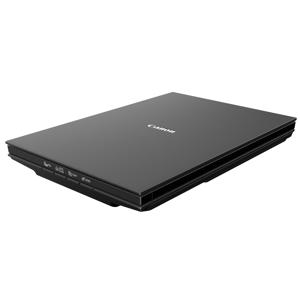
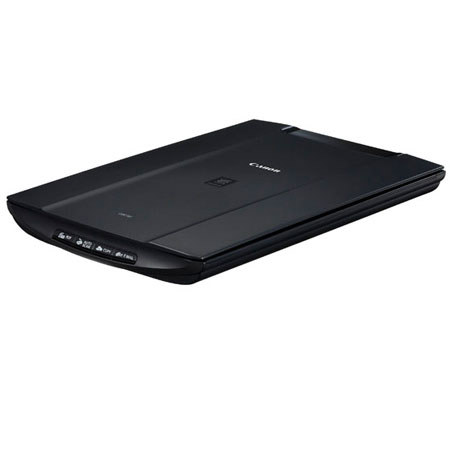
Are you looking for a dedicated scanning solution with great quality, versatility and a compact design? Then the CanoScan LiDE110 Color Image Scanner is sure to impress. The CanoScan LiDE110 features the quality, speed and ease of use you need with a maximum resolution of 2400 x 4800 (Optical) dpi for excellent scanning quality for both photos and documents.
You'll immediately notice how easy the CanoScan LiDE110 is to use. Auto Document Fix automatically delivers beautiful, easy-to-view scans by advanced image analysis and area-by-area data correction while the Auto Scan Mode feature automatically detects the original and saves its appropriate settings.
Need to share information? The CanoScan LiDE110 has Four EZ Buttons that enable you to scan, copy, email or create a PDF faster than ever. Speaking of speed, the CanoScan LiDE110 delivers a letter size color scan in approximately 16 seconds! You'll also be able to proudly join the Generation Green initiative as its one USB Cable for data and power provides lower power consumption.