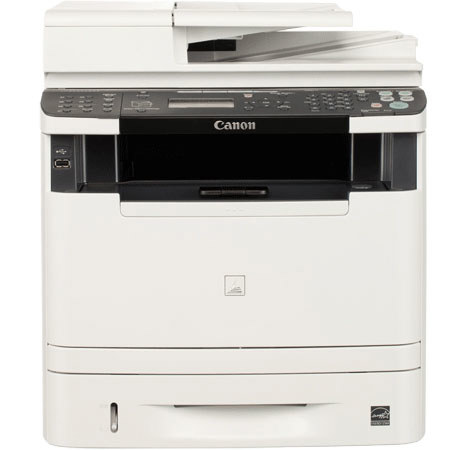
Canon imageCLASS MF5960DN Multifunction Monochrome Laser Printer, 35 ppm / 35 cpm Speed, 600x600dpi Resolution, USB Interface
SKU: ICAMF4960DN
This item is no longer available.
Recommended Alternatives
Share:
Overview
Compare
Learn
Specs
Protection

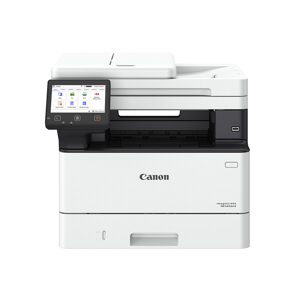
About Canon MF5960DN
The Canon imageCLASS MF5960dn combines professional-quality multifunction capabilities with features that help businesses save time, making it the perfect device for today's small to medium sized business environments.
Featuring a 50-sheet Duplex Auto Document Feeder (DADF), 250-sheet cassette plus 100-sheet multipurpose tray and an optional 500-sheet paper cassette pedestal and handling paper sizes up to legal, the MF5960dn delivers print speeds of up to 35 pages per minute single-sided and 17 pages per minute double-sided in black and white. With Canon's Quick First Print Technology, your first print arrives in approximately 6 seconds.
The MF5960dn is also outfitted with tools such as all-mode auto duplex functionality, energy-saving technologies and Department ID Management, which enables you to set limits on who can use the machine and how much they can print, copy or scan. You will be able to manage the device from your desk through an embedded web server (Remote UI), which will give you the freedom to view and modify network settings or retrieve an activity log. With built-in Fax Forwarding and Send functionality, the MF5960dn allows you to send incoming faxes, internet faxes and scanned documents to an email address, network folder or another fax number.
With a built-in security features and an Ethernet port, the device can be shared by one or many users. For on-the-go users, the MF5960dn offers a USB port to facilitate scanning files directly to, or print files directly from a USB drive. Additionally, you will find support for PCL 5e/6 as well as host-based driver support (UFR II LT), which takes full advantage of your PC's processing power, so your printer does not require additional memory to perform high-speed processing.
The MF5960dn uses approximately 2.3 watts of energy during Energy Saving Mode and meets Energy Star guidelines, saving you money on energy costs. And like many imageCLASS products, it is part of the Generation Green program, Canon's initiative to reduce environmental burdens in all stages of a product's life-cycle.