

This item is no longer available.
Review Summary
2014-12-02T19:00:00
I have had this printer for a little over a year. I have had nothing but issues. I finally checked to see if there was a fix for my problems. There was a download that was suppose to fix the issues. I finally got the mailed fix and had to have a USB cord to fix a wireless printer. That was about 4 months ago. I am having the same issues again. Also, it is slow to print and uses cartridges like they are free. I am looking for a new printer. One plus is it looks very nice on the desk. Very smartly designed if it would only work correctly.
Nana

2014-11-26T19:00:00
I have been using your products for decades and you have really come of age with is machine. I like how there is no ugly trays hanging all over the place, just this neat little box that delivers the best photo color I have seen in a long time. Great work Canon.WTG
violetbunny

2014-11-04T19:00:00
INK runs out way too fast, and although I have only printed a couple pictures, the grey ink is used up by printing Black and white text. The inability to print basic small envelopes or cards with put trying to reinvent the wheel. Produces great prints is you are willing to mess with it. Most annoying thing I have yet to be able to center text on a doc. It always creates an imbalanced border. It should be WYSIWYG.
MBMACC

2014-07-21T21:00:00
Very easy to install printer, it was ready in less than 10 minutes. Quality is excellent and after three weeks using it, no issues have come up. I don't know yet, but it seems to me that ink cartridges have excellent yield. Price is unbeatable considering the quality and functionality.
Victor C.
2014-06-24T21:00:00
No ink tanks, useless like this.
RLEE R.
2014-06-02T21:00:00
I have it set up wirelessly so I don't have to connect my desktop to it. Prints are nice. I've also tried printing on CD/DVD and it prints great.
Rashid
2014-06-02T21:00:00
This was replacement for my old Lexmark X4550 AIO printer. I had the lexmark for about 4 years and was looking for good photo printer. Unboxing and setup was breeze with clear instructions. Make sure to follow the ink loading instructions carefully to avoid damage or leakage. Uses very little energy while sleeping. Wakes up little slow but its and inkjet printer so its understandable. Once awake, prints faster than most inkjet I have used (and I've used many in my workplace). Very quiet. Very attractive housing in the white we bought.
jyoti7dm
2014-03-03T19:00:00
Now i can connect and print any page from my phone tablet and computer , the wireless system. Is very efficient
MANUEL V.
2014-02-10T19:00:00
Very easy to set up, looks like an Apple product and not cumbersome like other printers. The ink is expensive like every printer i have ever used, so I might consider using non canon ink. Overall, it is an awesome printer!
Inbal M.
2014-01-11T19:00:00
I am not happy with the mg6320,i would gladly trade it for a mg5320,all the new features are not good. For example the tray that paper comes out is just a 4 inch track and holds about 2 papers at most. Also the feature to use envelopes is a pain you have to remove paper and out in envelopes ,the 5320 was much better loaded from rear.
jimbo

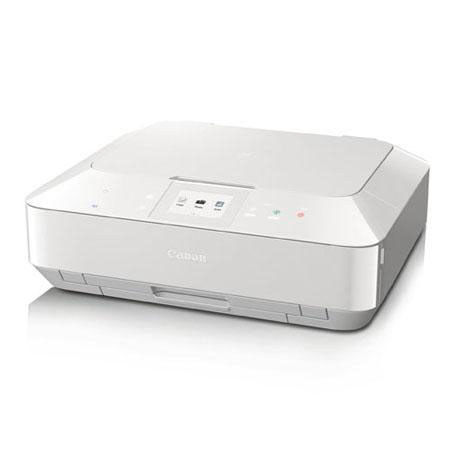
The Canon PIXMA MG6320 Wireless Inkjet Photo All-in-One Printer (White) delivers superior quality, versatility and ease of use. Built-in Wi-Fi technology allows you to easily print and scan wirelessly virtually anywhere around your house. For a genuine interactive imaging experience, Canon's Intelligent Touch System and a 3.5" touch screen makes operation easy by giving you only the buttons you need, only when you need them.
The PIXMA MG6320's ink system features six colors, including Gray ink, improving contrast, color vibrancy and helping you achieve truly professional-looking black and white prints. The MG6320 also features the ChromaLife100+ system, the advanced technology that improves the beauty and longevity of printed images with a combination of Canon dye ink and Canon genuine photo papers. Send photos directly from your camera without a PC with its advanced PictBridge WLAN. And with Google Cloud Print, PIXMA Cloud Link, Canon Easy PhotoPrint or Apple AirPrint you can print wirelessly from your compatible Smartphone or tablet.
The PIXMA MG6320 Inkjet Photo All-in-One also offers a feature that is shared by all of the new PIXMA printers: My Image Garden software. My Image Garden lets you easily access all of your favorite memories in one place so you can print beautiful, borderless photos to share and enjoy. It provides creative templates in various colors and patterns for your fun photo projects, automatically. Plus, your memories are automatically pla ced in a new calendar view and can even be organized by subject, thanks to built-in facial recognition. All the great software features that come with PIXMA printers - Full HD Movie Print, Fun Filter Effects, Auto Photo Fix II and more - are included in My Image Garden software.
You can even use My Image Garden to easily access photo sharing sites and CREATIVE PARK PREMIUM, where you can download exclusive content. When it comes to media, the PIXMA MG6320 offers two front paper cassettes, direct disc printing and Auto Duplex Printing, which lets you automatically print on both sides of the paper, helping reduce paper usage by up to 50%.
