

This item is no longer available.
Review Summary
2013-05-13T21:00:00
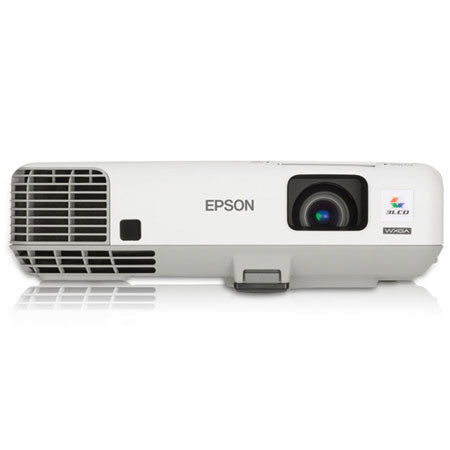
I purchased this projector to ceiling mount in an American Legion hall for our own use and for renters. One of the main reasons we chose Epson was for the USB interface which makes it very easy for one time and occasional users to set up video and audio from a computer. When connected to a computer, the projector appears as an extenal storage device. You install the drivers from the projector itself once on each computer and then it just works automatically every time you plug it in to one of the computers. There are no keys to press on the computer and there is a USB input key on the remote. The main drawback to this is that the USB interface is not fast enough for video. It gets jerky. It's best to use the HDMI interface for full motion video projections. We are also using the network interface for our internal use. We did not buy the WiFi adaptor. We simply hard wired the Ethernet port to our router. We can then use WiFi from a computer to connect to the projector wirelessly. Once the computer is connected to the WiFi and the Epson network projection software is installed on the computer you just run the software to project both video and audio. This works very well and is simple with the same caution about not being quite fast enough for full motion video without some jerkiness at least in our situation with. One caution, when setting up the software be sure to select the "Advanced" option and not the "Basic" option when connected to a router. Basic will attempt a peer to peer connection with the projector and take over your computer WiFi adaptor disconnecting it from your router until the program is terminated. Advanced locates the projector(s) on the network and allows simultaneous Internet or other network operations while projecting. One other small thing is that the remote does not have a laser pointer built in like some others do. insteal there is an on-screen pointer that can be toggled on and moved around with the arrow buttons on the remote. I don't find this particularly convenient. Overall, we are very pleased with the projector and how it operates.
bill
Easily project media-rich content with the widescreen PowerLite 96W. Make an even bigger impact with the built-in microphone and premium speaker, featuring sixteen watts of powerful sound. And, with HDMI digital connectivity, this projector can deliver both powerful audio and brilliant video with just one cable. Display presentations over the network for remote instruction or broadcast messages from any networked location. It's all possible with this affordable, high performance projector.