


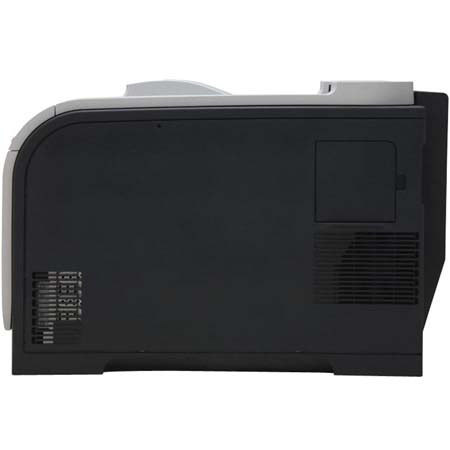

This item is no longer available.
Review Summary
2012-05-03T20:00:00
I am a REALTOR and when I upgraded to Windows 7 my HP3550 was not compatible, when I called HP they recommended the CP2025 printer as a replacement for my HP3550, telling me it was better. This printer claims to print up to 21 pages per minute in color, don't believe it! I just sent my color flyers to print and it took 1 hour to print 24 flyers. Another note, the quality of the printing is very poor, it does not print the colors correctly, it faded out the top of some of the flyers, and printed some of them correctly. My HP3550 printed 50 in less than 10 minutes. I am very unhappy with this printer and would not recommend it to anyone.
suewhite402001

2012-03-07T19:00:00
This is our second model of this printer. They are good, reliable printers. They do have a bad habit of going through their cleaning cycle pretty frequently and they aren't as fast as others, but we've not had any problems with them at all. They network easily, which is a plus as we're on a LAN.
BoxerBetty
2012-02-17T19:00:00
Moving from a Color LaserJet 2600 to the new 2025 is a noticeable bump in speed, print quality and ease of use. I haven't had it for more than a month, but so far I love it.
gvoo
2012-02-16T19:00:00
I had the HP LaserJet 2600n prior to this printer and LOVED it. I was told this is the most comparable printer. The print is good; however, it's loud when it prints and there's a clicking noise after the printing stops. I returned the first one, thinking it was a bad printer, but the second one does the same. I would not recommend this printer.
dcf00
2012-02-07T19:00:00
I'm a scrapbooker and do lots of color printing. I worried that the laser photo paper that I use would be too costly. I found that I could use brochure paper instead. I love the fact that the printouts are permanent and won't discolor over time. There are no streaks on the photos and the color is vibrant. I know that I made the correct decision when I bought an HP.
librarygrad
2011-09-30T20:00:00
The printer is great but what would one expect from a HP, my only problem with it is the toner cartridge. I purchased the printer about 5 months ago and I have to replace the black toner cartridge already. I did not print 2800 black documents as of yet. The color toner cartridges will need to be replaced soon. At $122 for black toner cartridges it should last a little longer than 5 months.
Lace
2011-07-28T20:00:00
Print quality is excellant. We purchased this to just print our vacation and deduction slips that is about the same size as a #10 envelope. The printer prints one then cleans, prints one then cleans... after EVERY slip. Our ofd HP laserjet never did this. If I haden't burned the first box that printer would be going back just like this one is. I guess nobody prints more than one small piece of paper at a time.
canoe141
2011-07-20T20:00:00
HP Color LaserJet CP2025 - has truly excellent print quality. It disappoints on two points: 1 - The operating decibel level. This printer is LOUD, especially printing from the bypass tray. If you don't need a printer in close proximity to your computer, then this model would still be a consideration. 2 - Speed - it truly takes 20 seconds for the first page to print, every single print job. So if print quality is more important than speed, this model would still be a consideration.
Rhipley
2011-07-07T20:00:00
I like the way toners are replaced. My old HP laserjet had a rotating carousel; the 2025 has a drawer making it easier to access toners. I've not used it a lot but with the files I've printed, including photos, I've found a color print speed of about 15-20 pages/minute. This is the biggest plus. Photos do have a gloss which I don't like as much as those from my old laserjet. Some reviews mention paper curling; this does happen but I let them sit for 20 minutes and then print the second side and I've not had any problems. I think this will happen with any laser printer due to the heat. I've also used some inkjet photo paper without any problems.
Hank2
2010-08-31T20:00:00
I am a big fan of HP products. I like that they typically all work together and have spent several thousand dollars over the past 15 years on HP products. However, the HP2025dn was my latest and worst purchase since my very first HP Pavillion desktop. I have spoken to tech support for several hours regarding overriding the toner out problem. I have spoken to tech support for several hours regarding the wireless network connection I am supposed to be able to get. I was advised to purchase a new wireless router which I did, even though I had an mac airport. Still, even after spending yet another hour on the phone with tech support I have only been able to print 2 test pages wirelessly. Once I turned the printer off for a few days and then turned it back on to print a document, it wouldn't print wirelessly. at $500 bucks for the printer and $500 for the toner, it should print which it doesn't (only if plugged into the pc). I have to say that I am not buying anymore HP products and will be speaking to my agency as well regarding HP products. I think we would be better suited using a different brand.
PreciousH
2010-04-20T20:00:00
I purchased this printer to replace an HP LaserJet 2605DN. I was very happy with the previous printer, the number of prints I got out of the toner cartridges and the fact that they were around $80-$90 a piece. I could live with that. This printer...I don't know what HP has done differently but I get no where near the pages I used to get out of a toner cartridge with the old printer AND these cartridges are $125 A PIECE! Why the huge price increase?! And the printer is constantly having to run a "cleaning mode" which sometimes once it's done it seems to forget to start printing again. PROS: - great quality print - easy to load toner cartridges (as opposed to the old printer) - no too bad of a footprint size wise CONS: - you'll go broke buying toner (do I eat? do I buy toner?) - needs to run a cleaning mode QUITE often - sometimes loses copy count (only when printing multiple copies, I don't seem to have a problem when one doc is 100 pages but do sometimes when printing 100 copies of a one page doc - will print 50 copies and then quit)
eatcake
2009-11-09T19:00:00
Overeall, I love this printer. The print quality is outstanding and I love not havign to worry about dried out ink cartridges. The printer is relatively easy to use and support is there for you. But then I tried to print an envelope. Envelops are 3 5/8 by 6.5. I see them everywhere and bought them at WalMart. When I try to print I get a blank envelope. Afteer seven (7!) calls to tech support (and about six hours of my time wasted) I finally found a technician who could set me up to print to a #10 envelope and who said the size I was trying to print "is not supported by my printer". So now I mail with #10 envelopes insteqad of the size I wanted to use. I'll make sure my next printer will support the size I want. It just seems to me HP should be able to come up with a driver that will let me do what I want.
envelolpechallenged
2009-10-23T20:00:00
I love this printer." The setup was easy. The print quality especially the color is excellent. I made a 7-page brochure in less than 2 hours. The only concern I have is the price of the black & color cartridges are expensive,however, the print speed is worth it for me:)
jcoby
2009-09-30T20:00:00
We have had this machine now for over 1 month and it has been great. I would highly recommend this to others. Very fast and great quality color picture. We have been using a lot less ink, which has been a huge savings compared to an older unit of HP.
CheesePizza
2009-09-13T20:00:00
This printer is terrible, it will print three pages then stop to clean, if I print a large document it takes forever, and that is only if it prints the entire document which many times it will print only garbage. I would strongly reccomend this printer be avoided at all cost.,
frustratedcat
2009-07-16T20:00:00
2055dn is a great machine. Very easy install Up and running in 5 minutes Envelope printing could be easier to set up.
MathProfessor
2009-02-18T19:00:00
This is my first color laser. Print quality is superior to color inkjet printers used for printing photos! My only concern is for replacement of the toner cartridges. Costs more than the printer itself.
mlh48
2008-11-29T19:00:00
-Power sw: Up front where it belongs. -Cartridge Loading: Easy, Sensible, no carousel -Installed easily, no problems (XP Pro SP3) -Servicibility appears Good. No service centers around here so that's important to me. The expiring 2550n was a nightmare and a half. -Cartridges on the expensive side but OK -Shipment was FAST -Kind of a silly thing: at one point it prints a lost if installed languages the printer can't print - and if htere are none, it spits out a BLANK sheet of paper! A little non-intuitive. -Documentation could be more inclusinve but it's all there if you look. -FAST first page out; surprisingly, first printer that seems to actually do what the ads say it'll do tha tway. First I've come across anyway, including other HP printers. -Cable shipped separaetly - followed printer by 2 days! Somethign should be done about that - silly to not put it in the box, IMO, or at least ship from same place at same time. Printer came, toner came, no cable. Had to rob Peter to get it going. -Tray1 an improvement - doesn't stickway out where it's easy to break & relatively more robust than other HP printers. RELATIVELY, I said. -Smooth installation; put in CD, press a couple keys, and follow instructions. IMPORTANT TO REMEMBER SEQUENCE OF WHEN USB GEtS PLUGGED IN FOR REINSTALLS! - Toolbox & the several different adjustments possible are great, but a little spread out and non0intuitively located for knowing just where to find something specific. Lot of control adjustment possible but all defaults are fine. Have not made a new profile yet - don't seem to need to. -Some say to fan paper, some say not to, before putting in tray, this one says nothing. I find fanning seems to be best but only jam so far was a crmpled page in the pile. -PRINT QUALITY of color & grayscale is GREAT! So far as good or better than the expensive ones, but have only had pinter a short time comparatively speaking. -FAST at getting first page ou. -FAST at B&W hi-speed printing. A single color MIGHT meet the specs, but no photographic image would come near it, though it is still faster than I expected. -If the complexity of your graphics is very high, you might want to add more RAM. I'm going to have to do so. Good product at a decent price and with good feature set. I'll review it again after another few months & see how it fares.
Twayne

Accidents happen where life happens. Protect your favorite Adorama products and purchase a protection plan to stay covered from accidental damage, mechanical or electrical failure, and more.

If we can’t fix it, we’ll replace it at no additional cost.

Protect your product from drops, spills, and more.

Enjoy your gear without fear. We have you covered!

When regular use of your product over time results in mechanical or electrical failure.

We will never charge you a deductible after the purchase of a plan.

Our claims process is simple & easy and our customer service team is happy to help.
Adorama Protect powered by Extend is available for purchase to customers in the United States. Not available for purchase Internationally or in U.S. Territories.
Browse our FAQ
Up to 21 ppm
Up to 21 ppm
Up to 21 ppm
Up to 21 ppm
As fast as 17.2 sec
As fast as 17.7 sec
Up to 40,000 pages
750 to 2000 pages
Up to 600 x 600 dpi
Up to 600 x 600 dpi
HP ImageREt 3600
4 (1 each black, cyan, magenta, yellow)
2 (one is 50-sheet multi-purpose tray)
3
Up to 300 sheets; tray 1: up to 50 sheets; tray 2: up to 250 sheets
Manual (driver support provided)
Tray 1: letter, legal, executive, 8.5 x 13 in, 3 x 5 in, 4 x 6 in, 5 x 8 in, envelopes (No 10, Monarch); tray 2, optional tray 3: letter, legal, executive, 8.5 x 13 in, 4 x 6 in, 5 x 8 in, envelopes (No 10, Monarch)
Tray 1: 3 x 5 to 8.5 x 14 in; tray 2, optional tray 3: 3.94 x 5.83 to 8.5 x 14 in
Paper (bond, brochure, colored, glossy, letterhead, photo, plain, preprinted, prepunched, recycled, rough), transparencies, labels, envelopes
Sheetfed
128 MB
384 MB
540 MHz
No
HP PCL 6, HP PCL 5c, HP postscript level 3 emulation
Hi-Speed USB port; built-in Fast Ethernet 10/100Base-TX
Windows 2000, Windows Server 2003: any Pentium II processor or higher, 64 MB RAM, 250 MB hard disk space, SVGA 800 x 600 with 16-bit color display, Internet Explorer 5.5 or higher (full install), CD-ROM drive, USB port; (print driver only).
Windows XP-32 Home, Windows XP-32 Professional: any Pentium II processor (Pentium III or higher recommended), 128 MB RAM, 250 MB hard disk space, SVGA 800 x 600 with 16-bit color display, Internet Explorer 5.5 or higher, CD-ROM drive, USB port; (full install).
Windows XP-x64: any Pentium II processor (Pentium III or higher recommended), 128 MB RAM, 250 MB hard disk space, SVGA 800 x 600 with 16-bit color display, Internet Explorer 5.5 or higher (full install), CD-ROM drive, USB port; (print driver only).
Windows Vista-32 Home, Windows Vista-32 Professional: 1 GHz processor, 512 MB RAM, 250 MB hard disk space, SVGA 800 x 600 with 16-bit color display, Internet Explorer 5.5 or higher (full install), CD-ROM drive, USB port; (full install).
Windows Vista-64: 1 GHz processor, 512 MB RAM, 250 MB hard disk space, SVGA 800 x 600 with 16-bit color display, Internet Explorer 5.5 or higher (full install), CD-ROM drive, USB port; (full install).
Mac OS X v 10.2.8, v 10.3, v 10.4 or higher; Power PC G3, G4, G5, or Intel Core processor; 150 MB available hard disk space; CD-ROM drive; USB port
Yes
Windows 2000; Windows XP Home; Windows XP Professional; Windows Server 2003; Windows Vista; Windows XP Media Center; Windows XP Professional x64; Mac OS X v 10.2.8; Mac OS X v 10.3; Mac OS X v 10.4 or higher
59 to 86° F
15.9 x 17.9 x 12.7 in
15.9 x 25.9 x 12.7 in
50.0 lbs
HP 1 year limited warranty
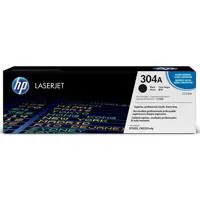
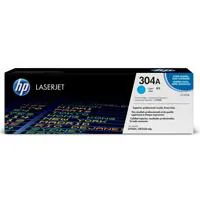
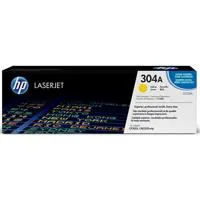


The HP Color LaserJet CP2025N Printer features fast black and color print speeds of up to 21 pages per minute (ppm) on letter-size paper. Start fast and finish sooner. Typical office print job time to completion can be nearly three times faster with Instant-on technology. Avoid interruptions and increase productivity with proactive printer management.
HP ToolboXFX provides easy access to printer settings, status information, the user guide and self-help and troubleshooting tips. Easily share the printer and efficiently utilize resources with built-in Ethernet/Fast Ethernet networking.
Join VIP PRO
Earn 2X Points + Exclusive Perks!
Request a Callback
Chat one-on-one with an expert
Sell or Trade your Gear
Get started in 3 easy steps