This item is no longer available.
Review Summary
2022-04-22T20:00:00
I buy printers for my office. We go through them fairly frequently. This is one of the worst ones that I have every bought. It is worse than the home ones. The save energy feature is stupid. It goes to sleep and doesn't wake up. Have to manually wake it up. The processing speed is incredibly slow. How can this be considered a commercial printer. Setup was easy but who cares if it doesn't print.
Can c.

2018-01-03T19:00:00
Our company has used the P2035 model for years, it was discolored, dusty, loud, but it held true. We purchased an M401 and have regretted it ever since. One main job is that we printed out labels on the P2035 and although the new printer is sleek, smaller, and quieter, we cannot print one label whatsoever. Everything is pushed to the left, and left off the label. Margins are set exactly right, down to the hundredth of an inch. Yet we couldn't get the labels to print out correctly. Hours wasted. Now shopping for our old model once again. Take note kids, just because something is new, doesn't mean that it's better.
Newdoesntmeanbetter
2016-04-26T20:00:00
I appreciate that HP allows these reviews. With that I have to be honest and note that these new 'energy saver' printers are more trouble than they are worth. When the printer goes to 'sleep' it will half the time not 'wake' when you send a print job in a wifi office network. You have to manually 'wake' and or restart the printer half the time. There is no 'energy saver' in that method if you have to always be hands on with the printer! HP should install a 'frustration saver' and allow us to completely disable the 'energy saver' modes!
MikeRyd
2015-09-27T20:00:00
I've been using a 1320 for years in the office so I was really excited about getting this new check printer....boo. I've installed and uninstalled and wasted more of my boss's money than if I'd purchased a bigger, color model. This printer locks up after every other job. I cannot delete the jobs from my que. I'm going to return it and bribe the new girl for my old printer.
amazinggrace
2015-08-27T21:00:00
We have 7 printers in our office. All of them are HP, but only two are the LaserJet Pro 400 M 401's. They are superior in speed, easy to use and reliable. We intend on replacing all of our older printers with the Pro 400 M401's in the near future.
MT
2015-05-05T20:00:00
I WOULD SUGGEST ADDING MORE MEMORY SINCE IT TAKES SOME TIME TO PROCESS WITH THE STANDARD MEMORY AN UPGRADE WILL BE NECESSARY FOR FASTER PROCESSING AND PRINTING
barre
2015-04-30T20:00:00
Bought four of these printers for our office and they have done a great job. Easy to set up and simple enough for my fellow employees to use. It doesn't matter if it's letters, envelopes, label's or checks, these printers have worked flawlessly right out of the box. They work so well I'm thinking of buying one for my home office.
Andrew06
2015-04-27T20:00:00
Used in a home business, this printer is reliable with great printing speed and quality. Very happy!
teb0210
2014-05-01T20:00:00
On the good side, the printer arrived almost next day. On the negative side, as another reviewer mentioned, HP confuses purchasers in regard to this printer being black and white. The fact that this was not a color printer was not evident in the HP online description. Until it arrived and I opened the box, I thought I had bought a color printer; the model numbers HP assigns are very similar so they make it easy to get confused. However since I got a good deal, and needed a monochrome printer, I decided to keep it. Seems to work well. Fast. I like the power saver features. I hope it will be a long term asset for my home office.
lotsofHPproducts
2014-03-10T20:00:00
I bought this as a replacement for my ancient Laserjet 1200 which gave out a year or two after I thought it was going to last forever. This one appears to be just as good; time will tell. It certainly prints much, much better. I like the one page at a time feed. My only complaints are 1) after you punch print on the screen you also have to punch the print button on the printer (this may be a setting; if so, I couldn't find a way to change it.) 2) It's very easy to push one of two other buttons that are right next to the print button. 3) When buying I had the impression that HP is trying to keep it a secret that this is a black and white machine.
BillyJoeEb
2014-03-05T19:00:00
Good printer for the price. Easy to set up. Tends to jam more than I'm used to but not to the point that I'm ready to trash it.
miker6
2014-01-31T19:00:00
Pros include smaller footprint, really fast printing, clear documents (we do black/white only), successful installation by a novice like me, easily operated separate tray for printing envelopes special papers, etc., and easy network connections. The only cons are the small capacity paper tray and what I have come to recognize as HPs "good but somewhat confusing" installation instructions. Overall, we are very pleased with this machine wishing only that it had a larger paper tray.
PaulkIsMe
2013-10-31T20:00:00
The printer installed easily using the HP website for driver downloads. It prints good quality pages and is especially nice to use for printing from the iPad.
Sari70
2013-09-30T20:00:00
Our company has always bought HP products due to their reliability. However the most recent purchase, a 401N purchased 14 months ago for use as a check printer has already stopped working. HP should continue to sell the old reliable models, rather than put out new ones that do not last. The price of the 401N is good, but not if you have to buy a new one every year.
Tomin626
2013-04-21T20:00:00
This LaserJet is even better than the last one we had. It is slightly smaller, quieter, produces great copies and was very reasonable especially with the coupon. It was also extremely easy to set up. I would recommend this to everyone.
Marti57
2013-03-14T20:00:00
I chose this printer because of the high reviews. However, after installing it as instructed, I can get 2-3 jobs done before the printer freezes and won't print my documents. I then have to restart my computer as it won't cancel the current jobs. This is the third HP printer we've had in our office that does this. I'm not sure why it's so had to build a printer that stays connected to the computer as it should.
Quince
2013-03-05T19:00:00
Its an HP Laserjet, nothing further needs to be said. Hp Laserjet is the only printer I buy.
SkylerNine
2013-02-16T19:00:00
I recently purchased and iMac and to print my business docs I purchased this printer. After 2 calls to HP and numerous hours trying to figure out what is wrong I'm at a dead end. This printer is advertised as printing 35 wpm. The one I have I'm lucky if it prints 5 pages per minute. I have tried all types of configurations and Adobe Acrobat, even converting the PDF files to word, then it prints maybe 10 sheets per minute. I was assured by the marketing department that this printer would work with my model iMac, they obviously don't know the limits of their products.
Rod39
2013-02-06T19:00:00
I was very happy with both the functionality and features this printer has. The only thing that I was somewhat disappointed in is more related to our environment. I was told this was the replacement model for the 2035n which we used for payroll printing on preprinted paperstock. The paper feed and the side the printing goes onto is different for the manual feed tray. Great printer but had that issue in our environment. I would recommend it, speed is good, not overly loud, and functions well
razziahaze
2013-02-05T19:00:00
Great quality printing at the speed of light!!!
Jane09
2013-01-21T19:00:00
As a Mac using, type junkie, communications designer, I'm glad I chose this model and not a home-office model. Blacks are rich, type is crisp, and it's speedy. Although I print sparingly it's great to see this kind of professional result when needed. Like it better than my old 2420; printing quality seems more like my old 5MP which was a great machine. Only reason I didn't give it four stars is that I've had it less than a month, but so far, so fine.
hart
2012-12-05T19:00:00
Since we use the Ethernet connection I like the fact that the LCD screen shows the address in ready mode. This a great aid when doing setup. I setup and maintain the printers with the browser interface. We use several of these for printing A5 card stock on the factory floor. They do the job OK, but we do find the paper pickup assembly wears out twice a year. I think we ask a lot from such a small printer. Also loading the driver is easier that it used to be. I would recommend this printer.
DbqLuthier
2012-12-04T19:00:00
Good option if you don't want to spend a lot of money. Construction is not as heavy duty as I am used to, plastic feels cheap; however, this printer was considerably cheaper!
SOSICC1885
2012-10-31T20:00:00
It's a loud printer, sounds 3x as loud as my old Brother. But the print quality is much, much better.
Denzi
2012-10-23T20:00:00
LOW COST, QUICK RESPONSE, FAST PRINTING
denny1952
2012-10-07T20:00:00
I am very pleased with the set-up/install of the printer along with the features. We upgraded from the Brother HL5370DW to this one and have not looked back since! Thank you, HP!!
mrsperkins
2012-09-04T20:00:00
I really like this printer. It replaces my HP Laser Jet MP printer which I had used for more than a dozen years!
Arlene34
2012-08-28T20:00:00
Bought for my medical office to be a secured 2 bed printer on a network. Easy to install and network by ethernet cables. It is very fast.
RuthGL
2012-08-06T20:00:00
I had this printer for two weeks. The original install under Lion OS was a little rough, but worked. Then I upgraded to Mountain Lion. Unplug the printer to re-arrange some cables and all of the settings lost. OK, just re-install - right? WRONG. First the install disk starts with OS not supported. Nothing on web support in the way of software for an OS that has sold 3 million copies in a few weeks!. Then, the printer starts generating IP addresses that are not with in the router's range, will not connect even after manually setting TCP/IP parameters. HP Web support had no help for this problem and HP does not provide support for this printer over the weekend. I should not have to reconfigure my entire network to suit one printer. Problem solved - took it back to where it was purchased and got my money back. Perhaps I will try again after HP can provide adequate support for Mountain Lion. Untill then, back to my trusty HP 4000 dinosaur. I am really dissapointed with HP on this issue. You either really love HP (HP 10C, 11C, 41 CX, 48GX, LJ4000) or hate HP (this printer).
GusM
2012-07-25T20:00:00
Nice printer, I dident need alot of features. Very easy to setup and use. No problems printing as a network printer. Nice clear copys. Good job HP!!!
PDI22
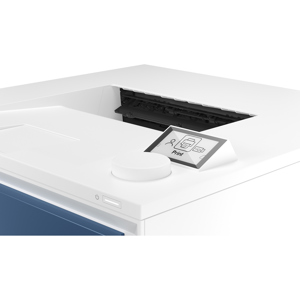
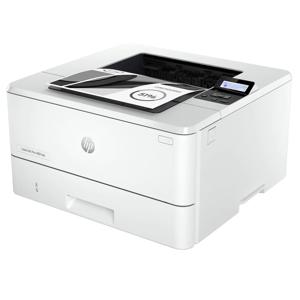
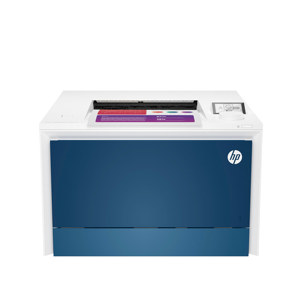
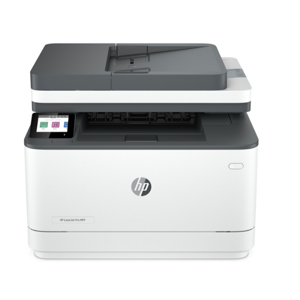
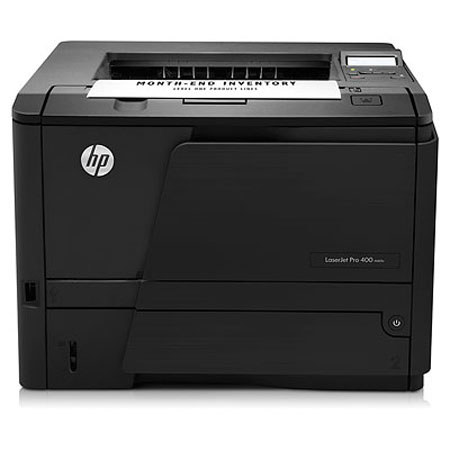
Feature-packed and easy to use, this fast and reliable HP LaserJet Pro 400 M401n Printer helps you meet all your professional printing needs - with touchscreen access to business apps and the ability to print from mobile devices - while reducing environmental impact.