



This item is no longer available.
Review Summary
2014-01-17T19:00:00
Set up/wireless connection was immediate from both my HP laptop and my iphone. I expected to have some issues connecting based on some other reviews (i.e. needing to use a cable to get the computer /printer to recognize each other) but this was not necessary for me. I was also able to print from my iphone 4s with no issue. Print quality is excellent as well for my needs. Highly recommend this printer.
Manny22

2014-01-11T19:00:00
Overall printer performs superbly with only one issue. Seems if the printer is not used in several days and I choose to print something, I receive prompt that "printer can not be found" after submitting a printing request. The printer is connected wirelessly to my computer . Usually have to turn printer completely off and restarted, and then printing request is accepted.
Bryant67
2014-01-11T19:00:00
This printer was easy to set up right out of the box. Instructions were clear and concise. The wireless printing worked flawlessly from the first test page. I would strongly recommend this printer for anyone with basic home printing needs.
BillNC
2014-01-11T19:00:00
I am happy with this all-in-one printer. I do not intend to print photos. This printer will copy and scan with the best of them. I would recommend this product.
Donald46
2014-01-10T19:00:00
The only reason I gave this a medium rating for features is because the screen that tells you of the functions is up high since my printer is on a shelf above my screen. If it was able to swivel it would make may life easier. I do like that it turns itself off. The scan and copy parts work really well and of course the print from the PC is great. And for the price I am quite pleased.
recluse
2013-12-12T19:00:00
Since I got uverse(att tv) I can't find a way on the keypad to type in the new ssid and password
David61
2013-10-18T20:00:00
It works fine, a little noisy at start of printing but you know it is printing ! Not quite Photo Quality .
Gems72
2013-10-17T20:00:00
my son left for college and took my printer with so i had to purchase another one, i love the wireless, we all can be in my big house and print from it from anywhere. but i dont do a lot of picture printing,my son does and he took it with him so it must be good.he has used it for making pictures for his cd cases for his band.
pamela327
2013-10-16T20:00:00
I've had printers before, and they were slow or hard to set up, difficult to operate, and sometimes all of those. This one wasn't any of those things. It's easy to set up, easy to use and relatively fast. It's almost effortless. For me, that's a great plus...since I'm technologically challenged. I will always buy HP products from now on!
SandiG
2013-09-22T20:00:00
The HP 3510 is a really good, compact basic printer. I bought it to replace an older Canon because I wanted to scan checks for deposit in my bank. I was surprised to find that for a reasonably priced printer it has more features than I thought. It is practically idiot-proof to set up. It is faster and sharp looking for the home office. Great buy!
SewSue
2013-09-21T20:00:00
Pleased how easy to hookup and the high quality it produces.
69Joe
2013-09-20T20:00:00
I print about 50 pages per year, mostly black&white, and scan perhaps 15 pages per year. Any less and I might just visit an office store for each print job. In light of that low volume, I was looking for something basic. GNU/Linux is my primary operating system; GNU/Linux driver support was mandatory, and I wanted to be able to both print and scan with only free software (sometimes known as "open source") drivers. Setup was a bit easier than I expected. Based on information available online, I expected that I would need to attach the device to a computer for initial setup. As a welcome surprise, that did not prove to be necessary. Using Wi-Fi Protected Setup, I connected the printer to a wireless network without involving a computer. The device only worked when I enabled SSID broadcast on my wireless router. Disabling SSID broadcast after setup made the device lose contact, so I will need to leave it enabled indefinitely. That's not a big deal in practice, but I expect better. Wireless networking is handy for storing the printer out of the way. Though compact as printers go, I like not needing to place it right in the vicinity of my workspace. The HP print drivers I installed a year earlier for a friend's printer were already adequate for this printer, which was a welcome simplification. The drivers are free software/open source. Basic text/graphics print quality seemed typical for an inkjet. I did not try photo printing. Another thing I looked for was a printer lacking the nanny feature of refusing to print when your color cartridge is empty. From what I found online, this printer probably does not have that anti-feature. I have yet to empty the initial color cartridge, so I can't yet speak from experience. Some otherwise-attractive, fancier HP models do. For scanning, I was attracted to the device's "WebScan" feature, which allows you to scan from any computer having a web browser without first installing a scan driver. (The last HP printer I used also had this feature, and I get the impression most HP print/scan multifunction devices have it.) It's tedious if you have many pages to scan, but that's fine for me. I tried to use the "hp-scan" program to initiate a non-web scan, but I could not get it to work within a few hours' efforts. While that feature is supposed to work, it's a known limitation that scanning to your computer using the buttons on the printer does not work with GNU/Linux computers. Both of those limitations would make me choose a different device if I did much more scanning as a GNU/Linux user. As it is, I don't mind sticking to WebScan. Overall, I'm satisfied with the choice. Choosing a printer was hard for me, because there are many models with relatively-minor differences between them. The feature set is not monotonic: the next model up might give you a document feeder but decrease print speed, for example. For 2-4x the price, I could have added features like duplex printing, laser printing (giving up color, though), lower per-page costs, a document feeder, and push-button scanning. If I used the device 10x as much as I do (that would be 500 pages printed/150 pages scanned each year, still relatively little), I would have picked a full-featured model. As things stand, this printer is a good fit.
Noah84
2013-09-17T20:00:00
Shopping and ordering this printer was a pleasant experience. Fast delivery with no hassles. Sorry I cant comment on the set up and initial use of the printer because it was given as a gift to my granddaughter. Very satisfied customer !
dfsimiller
2013-09-15T20:00:00
Followed setup exactly step by step. All went perfectly. Running wireless with desktop and laptop and using HP Print App on tablet. Print app found printer and hooked up essentially by itself. Only installed about a week, but couldn't be happier so far.
FPaltridge
2013-09-15T20:00:00
This printer is phenomenal for the price. It prints pages quickly & is crisp. Set-up was ridiculously easy and I would definitely recommend this to someone looking for an economical, wireless printer/scanner for home use.
busy123
2013-09-14T20:00:00
I got rid of a HP printer because it was not printing anything at all after only 18 months. I bought this new one and have spent over 8 hours trying to connect to my wireless I-Pad. It connected to my main computer easily but cannot connect. After 2 of my adult children, who are computer smart, spent 4 hours trying to get this connected with no success. I would not recommend this printer if you want to print from main computer and wireless.
cckwek
2013-08-30T20:00:00
Very easy to use. Suggest you use the "scan" option from your computer rather than the scanner itself.... it gives you more options for cropping, flipping, rotating, etc.
Raindrop
2013-08-29T20:00:00
I am not happy that I can not get it instilled to my Samsung chrome book.
slater
2013-08-19T20:00:00
I like the printer.But when i opened up the box,the paper guide tab was broken on one side.This is a plastic piece. that holds the paper.
wirewoman
2013-08-19T20:00:00
This printer is just right for my office. Thanks H P for your fast servers.
mudcat15
2013-08-05T20:00:00
easy to set up, easy to use, perfect for the price. I'm one happy customer..
Alfie44
2013-07-31T20:00:00
Bought this for printing coupons paid 39.99 at walmart, the best decision I made. I love the scanner now all my kid's note's can be saved to the pc.The only problem I'm running into is I added wifi seems my printer doesn't like to log on when I do ha and it's only a cppl times prolly the user's fault..I love this printer and low cost well can't beat that!!
Michigal
2013-07-25T20:00:00
Ordered this as a gift for a relative. Only one ink cartridge actually worked. Cleaned contacts and still did not work. Happy I had sent along additional ink cartridges that worked immediately. Not too happy sending products from my company to hear a complaint like this.
Ann99
2013-07-23T20:00:00
This was easy set up and not too big. It was not loud at all like some other reviews stated and the quality of the print job was crisp and clear. I would recommend this to anyone that is looking for a printer on a budget. It is awesome.
dorjus
2013-07-22T20:00:00
took about an hour to getting it to work.instructons were lacking
ray6
2013-07-18T20:00:00
We like the wireless. and It prints good also.
karolM
2013-07-15T20:00:00
After spending hrs. on phone w/tech support, it was decided this product was defective and is on its way back to HP. I replaced it w/another HP printer, more expensive, etc. Wireless worked only on occasion. That has been returned also. I am now VERY HAPPY with my new EPSON!
Ali52
2013-07-12T20:00:00
Set the printer up on Friday and by Tuesday was on the phone trying to get help as it would not do wireless printing and all of the photos printed looked like zombies. Worked with a phone tech and when it was finally finished and started working, my two cartridges that came with the printer were already EMPTY and I had to use more than I wanted of a new cartridge trying to get the printer to print properly. Then on Thursday night we were back on the phone for tech support again. Seems this printer has more issues than what the rep told me at HP when they suggested this as a replacement option for my worn out printer. I was told it was a great printer for home use and that the ink would last so much longer than on my old printer (so far it has not !!). Not as pleased with this purchase as I would have liked.
Memaw2
2013-07-10T20:00:00
This is exactly what I needed and does what I want. It's a basic easy to use, Very easy to set up essentially plug and play. There were no surprises and I am completely satisfied.
Diogenes1
2013-07-08T20:00:00
I have an HP Photosmart Premium printer at home. I purchased the 3510 for the lake house and use my laptop for both locations. I wrongly assumed the computer would select the correct printer according to location as they are both set up in the respective wireless systems. Not so. Any suggestions? Otherwise, the printer works fine and is a very good value for limited printing tasks.
Denis20
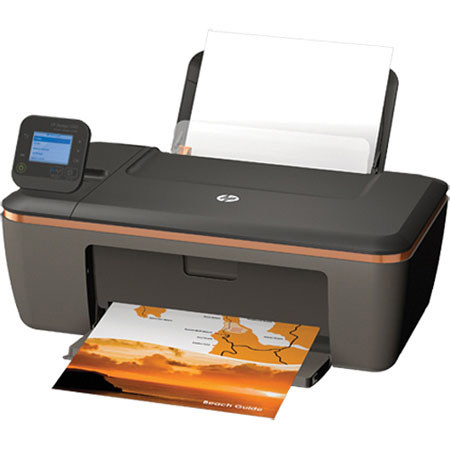
Get affordable and reliable performance from the HP Deskjet 3510 e-All-in-One Printer. You can wirelessly print from virtually anywhere, enjoy impressive results from Original HP inks, print borderless photos and even save energy and conserve resources. It has reliable and affordable scanning, copying and wireless printing from mobile devices.