
This item is no longer available.
Review Summary
2015-05-09T20:00:00
This is a very good printer -- easy to set up, excellent print quality. Much quieter than other laser printers I've used. My only complaint is the durability. My first printer gave out after about 2 years, it started printing with a solid yellow background. Very pretty, but really used up the toner cartridge. HP tech support was of no help whatsoever. I did find a local shop that was able to diagnose the problem. Unfortunately, it was more cost effective to replace than repair, so I'm now on printer #2. Still, a great value for the money.
lixvet

2015-04-30T20:00:00
The printer makes a loud noise during printing. I checked with someone locally and they said it was just the sound of the printer laser head. And nothing that could be done. Other than that, great printer.
TomAll
2015-04-27T20:00:00
Nice color printer. Using for marketing pieces in a small law firm. I only wish the set-up to print to different trays was a little more user friendly. Definitely not the best for a secretary or someone needing to do a lot of letters.
wentwojm
2015-04-27T20:00:00
I have been using the HP451dw for several months now and have had very good luck with it. I would like to have a better driver for use with my old Win XP computer but my new Win 8.1 works perfectly. My printing needs are rather basic with only a small amount of picture printing. Anyway, so far I like this printer.
Throckmorton
2014-03-17T20:00:00
Love all the features!!!!But it would be more awesome if they have scanner or copier!!!!!.That's the only disappointed for not having a scanner or copier comes with it for the price of the printer.
Lalaine
2014-01-27T19:00:00
(HP Laserjet Pro 400 M451dw) is what all printers in this value should live up to. I have no issues with it at all. thank you HP
wheel44
2013-11-06T19:00:00
To whom it may concern I consider HP products as some of the best , and use them in my architectural office for many years but........my experience to date with this product has me wanting to send it back, I have no idea as to how to load the paper in the trays "properly" and your pamphlet shows nothing, I went and called the HP number given only to wait on the phonr for 35 minutes and then get a women who had no idea of the product, I am sure this will fall on deaf ears but this makes me think before secifying your product again
ojom
2013-09-16T20:00:00
I've used many black/white laser printers over the years, I've used several inkjet printers too. This is my first color laser printer. I'm very impressed by the quality and speed of printing. I'm not so impressed with the software installation using the software-from-the-printer option. It failed (Windows 7 PC). However, the installation from the CD worked perfectly. All is well that ends well.
Cebula
2013-07-15T20:00:00
Didn't work initially, there was a recurring error: error 79 turn off then turn on Worked fine after downloading latest software (new software allowed firm upgrade as well)
RicoInWoodland
2013-04-16T20:00:00
Delivery was surprisingly quick after placing the order. The wireless features were easy to setup and was recognized by all users. It is hard to get the "eprint" feature going but with practice, it worked fine. The hook up with the tablet worked out. I strongly suggest downloading the user manual because you can figure how to use the buttons on the printer. if you upgrade the memory, you will need to read the user manual to get the memory recognized. It is not difficult but you need to see where on the menu you do it. The retaining clips to hold the memory chip in place are very fragile and will break. I think the clips would have been better in metal than the plastic. The cartridges are easy to replace but you will need room to pull out the cartridge drawer/rack.The problem with the automatic duplexing feature being the default was not a default on my printer. You will have to open the menu to access this feature but you will have to turn it off after using it. The menus that I am referring to are in the software that is accessed by your computer. All users through the wireless connections can change the setup. Also as with all new electronic equipment, especially printers with toner cartridges, you have to get used to the initial burn smell and that will fade. Enjoy!
Rebelman
2013-03-06T19:00:00
I am very happy with this new printer!
DJ T.
2013-02-04T19:00:00
I am running Vista Business on 3 computers I put the CD in each and ran the wizard, Wired Network . Everything worked no problems. Very heavy, getting a few more paper jams than I had with my HP 2600, we will see long term how that goes. happy over all
oily
2013-01-01T19:00:00
In the past I have always used Dell printers, but I took a chance on the HP LaserJet Pro 400 color Printer M451dw, and could not be happier for the decision! I run a small business that produces a small/medium output of printed material. This HP printer not only keeps up with my demand, the quality is excellent too. I used to have trouble printing on envelopes, and postcards, but not any more. This HP has printed everything that I have thrown at it. And so far I'm very happy with the toner use, it doesn't seem to be buring through toner, and I still have the toner that came with the printer and they're not even half used (and I've gone through 2+ reams of paper just in December). I will be purchasing the extra paper drawer, I really don't have to, but it would be nice to have when I'm using different print media throughout the day. The other things that I love - the duplex printing! WOW! and the small size of the printer, and I thought the cost was pretty reasonable. The printer is not super quiet (it's not super loud either), but then again neither were the other printers that I've owned. Definitely a perfect fit for me. I would recommend this printer to anyone.
DMJ572
2012-12-26T19:00:00
Upon initial use of printer, print-outs were streaking; color distorted; totally unsatisfied. Printer had to be returned; awaiting another printer to see if better performance. Could be that it was one bad apple in the bunch... Not what I expected from HP, as HP as been at the top of my printer listing.
LittleMom
2012-11-01T20:00:00
The set up for legal paper is ridiculous. You are required to leave the tray sticking out to use legal paper. This design is a joke.
Griffin1
2012-08-02T20:00:00
This product was delivered quickly and as promised, It was expertly packaged and protected. The set up went quickly and easily. The product performance is exceptional. The whole process should be used as a model for all electronic service and product providers. I am a "mature" user with intermediate computer skills. It was good to be able to tell someone they "did good".
Winkles
2012-07-22T20:00:00
I bought this for its color and wireless capability to replace a 2200d that would not run on Windows 7, but otherwise was running great. Quality is great. Outstanding color. Ease of set up is very good. I found that to avoid the default color/double sided printing, it was necessary to set up the printer shortcuts to print the way I do - normally black and single sided. East to set up the shortcuts but you MUST set printing to grayscale. It took me hours to figure this out, but it's the only way to stop color default. But using the printer shortcuts is definitely the way to go.
MargaritaMark
2012-07-03T20:00:00
I have hard time to understand WPA, WPS, etc. I never notice these until this printer. I had to call HP support. They told me that my router is WPA. They bypassed it. The printer is working great. Later I will get a WPS Router. Then reinstall. Thank you.
Larry37
2012-06-14T20:00:00
One warning: this sucker is *heavy*. I had a color LaserJet prior to this (logic board died), and it was lighter *with* an extra paper tray. LIft with your legs -- I'm not kidding. The setup is easy enough, though when you're using the front panel for the first time (or after a while), you'll be guessing a lot which way the menu structure goes. Some menu titles in the front panel configuration could have been better thought out. Compared to my previous LaserJet, this one spits the printed pages forward, as opposed to in the back, which is good. It seems to take up less space, as well, and I hope the auto-sleep will save me a few cents on electricity compared to the old one. The toner trays look puny, so I'm curious how long they will actually last. But the printer is quick, compact, and easy to setup and use. Just remember to lift with your legs.
qweoruaz
2012-06-01T20:00:00
This printer has really good features. Print quality is excellent. It is easy to use. The toner is quite expensive compared to my last hp LaserJet. My biggest complaint is that I can't get it to print on one side only if I print more than one page. For example, if I am printing pictures for a photo album, I cannot send more than one page of pictures or it will print on both sides. I have went in to turn the double sided print off, but it prints on both sides anyway. My last printer had the double sided printing on it and it was extremely easy to use. This one is set up the same way, but doesn't want to work correctly. It is for that reason only that I give it 3 stars.
LarryG
2012-05-24T20:00:00
A smart looking, capable printer which produces exceptional products. Easy to set up and use. Highly recommend for anyone looking for a new printer.
JVI10
2012-05-06T20:00:00
The printer is excellent for our small office use. The setup instructions for wireless setup were hard to follow but once I called and received support the printer worked great. Everyone in the office can print wirelessly and quickly to this printer. An added bonus is the ability to print from anywhere via HPePrint and to print from my iPad and iPhone. The print quality is GREAT. I would recommend this product.
djsanchez
2012-04-19T20:00:00
So far the printer works very well. The prints are beautiful, the machine is quiet (relatively) and setup was a cinch. There are however a few quirks. For one, you must recheck the two-sided setting before every print; the printer likes to decide on its own whether to print two-sided or not. When this function is activated, it works flawlessly. Also, I have on occassion tried printing every other page and that does not work at all. If you use Windows 7 (64) as I do, you may want to consider another printer if you will need to use these types of functions very much. This is my second LaserJet and the first one did not like Windows 7 (64) either. I never could get the duplex printing to function, even after lots of back and forth with HP. Maybe a future driver upgrade will fix it all. I hope so.
Orvin
2012-04-18T20:00:00
We are very happy with the printer. It does a very good job. We purchased it to make mailers and brochures for our small business. The print quality is very nice. The duplexer is a little difficult to figure out to get it to do automatic duplexing, depending on the paper, etc. Overall, it is a good printer for the money.
IbyD
2012-03-08T19:00:00
Fits in relatively small space. Excellent print quality. Software on CD does not work with OS X Lion. Had to download appropriate software. Other than that easy setup. Paper trays stick out and leave paper exposed to dust & dirt when legal paper loaded.
LT99
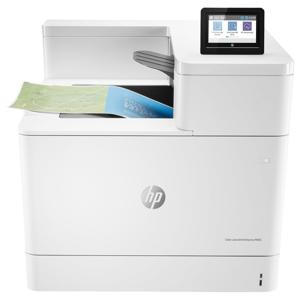
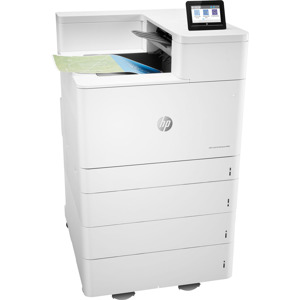
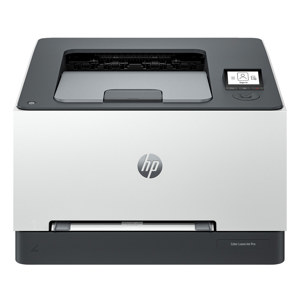
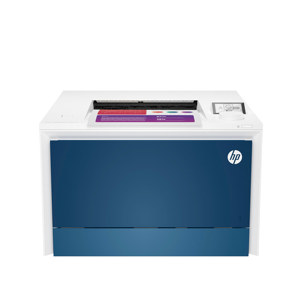
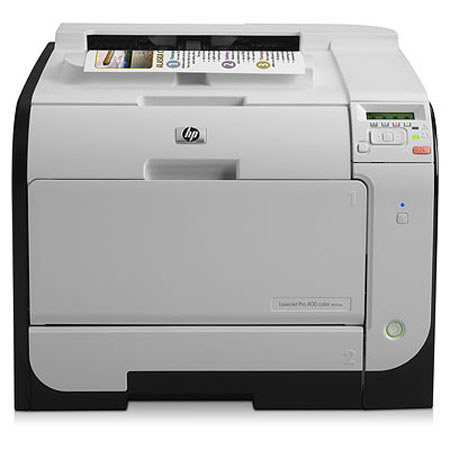
The HP LaserJet Pro 400 Color M451dw printer produces professional color documents quickly and quietly with its 21 ppm print speed. Make great looking prints in sizes ranging from 3" x 5" to 8.5" x 14" legal documents. Use the wireless or wired network connections to share the M451dw with multiple users, or use the USB connection for single users. The 300 sheet combined media capacity allows you to breeze through bigger jobs without having to refill the trays.