



This item is no longer available.
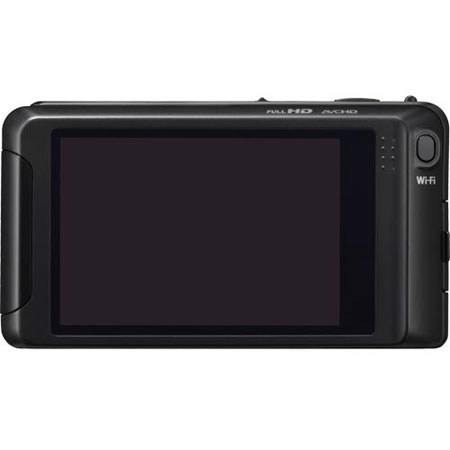
Panasonic's Lumix FX90 digital camera is aimed at the photographer who wants to be able to share their photos immediately after capture and as such, is likely to prove particularly popular with younger photographers who appreciate the immediacy of social networking sites like Facebook, or on sharing venues such as Flickr, Picasa and YouTube.
Built-in wireless transfer connectivity is still a relatively rare feature in digital cameras, which is perhaps one of the reasons for the popularity of camera phones, which excel in allowing immediate sharing, but typically don't match the image quality of a dedicated camera. Of course, third-party solutions such as Eye-Fi's WiFi-capable SD cards exist that allow many cameras to offer wireless connectivity, even if they weren't designed to provide this, but arguably aren't as well-integrated as a camera designed ground-up with WiFi usage in mind.
The Panasonic FX90 is based around a 12.1 effective megapixel, 1/2.33-inch type CCD image sensor, whose total resolution is 12.5 megapixels. Panasonic has placed this sensor behind a Lumix DC Vario-Summarit branded 5x optical zoom lens which includes true optical image stabilization, helpful for fighting the effects of blur at slower shutter speeds and longer focal lengths.
The FX90's lens offers a focal range from a generous 24mm wide angle to a moderate 120mm telephoto for still imaging and 26 - 130mm equivalents for video capture. Maximum aperture varies from f/2.5 to f/5.9, across the zoom range. In video mode, the image stabilization function operates in what Panasonic refers to as an "Active" mode, which takes advantage of the lower resolution with respect to still imaging and thereby provides a greater degree of correction.
The camera itself includes 802.11b/g/n WiFi connectivity to connect to a WiFi-capable Android or iOS device. An application running on the mobile device, called LUMIX LINK, is used to share images and videos through the LUMIX CLUB cloud service, with the LINK application able to store and remember login credentials for the various sharing destinations. If you're sharing via a home wifi network, things are even easier - just hit the dedicated WiFi button on the camera and the camera will automatically connected to WiFi Protected Setup (WPS)-compliant devices.