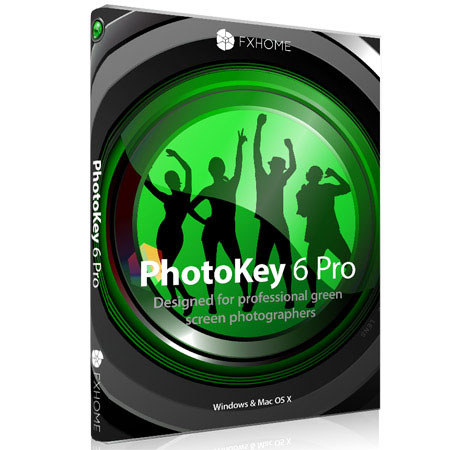
FXHOME Ltd Photokey 6 Pro Green Screen Removal Software
SKU: ISWFXHPK6P
This item is no longer available.
Share:
Overview
Compare
Specs
Protection
About FXHOME Ltd PhotoKey 6
Shooting on green screen just got easier with FXHOME Photokey 6 Pro Software. This new version of PhotoKey contains all your favorite features such as the highly automated keying ability, fully customizable canvas and powerful color grading filters and incorporates new features like spill suppression, integrated emailing and an improved chromakey filter. Batch process hundreds of photos and import multiple backgrounds so you can be more prepared at your next event. It's easier and faster to composite and print right on the spot with PhotoKey 6 Pro.
• Photoshop plug-in included
• Fully automatic batch processing
• Handles hundreds or thousands of images
• Hot folder support for tethered cameras
• Depth of field effect & shadow casting
• Email clients & publish to Facebook and Flickr
• 31 effects & filters
• 3 concurrent installations
• 50 included images
• 70MP resolution support
• Color adjustment
• Instant green screen removal
• Cutting edge green screen technology
• Superior spill suppression technology
• Matte & Status views
• Multiple layers & overlays
• Text editor
• Freehand masking
• Printing support
• Help ful support & free training videos
FXHOME Ltd PhotoKey 6 Features
- Portraits: Shooting portraits on a green screen is ideal for fashion, promotional and family photography. Keep your options open and give clients more choice
- Adaptive color sampling: PhotoKey 6 Pro compensates for uneven green screens, which means faster shooting, easier keying and higher quality edge detail
- Simplicity: PhotoKey removes the green screen instantly. You can then fine tune and choose a new background for your photo
- Quality results: High quality photos of semi-transparent objects such as lace, glass and wispy hair create accurate results in PhotoKey 6 Pro
- Chroma key: Chroma key is a technique which automatically removes a specified color from an image and is often used in photography and filmmaking. After shooting your subject against a green screen you can easily replace it with any background using PhotoKey on your Mac or PC
- Events: Take the stress out of big events. PhotoKey 6 Pro handles the technical side so that you can focus on the photography
- Batch processing: Choose your backgrounds, set up your canvas, then take your photographs. Hundreds of photos can be processed without requiring direct interaction with your computer
- Hot folder: Tether your camera to your computer and PhotoKey will begin processing your photos the moment you click the shutter
- Is green screen difficult: Using a green screen is simple and affordable. All you need is a matte green background and lights to illuminate it evenly
- Products: If you shoot products for catalogues or website stores, actors for movie posters or models for magazine advertisements, a clean subject layer keeps your options open and your clients happy
- Photoshop integration: Send a layer from Photoshop to PhotoKey for easy green screen removal, with the result sent straight back. No interruptions to your workflow
- Super fast processing: No more cutting people out manually or wrestling with the lasso tool. PhotoKey instantly prepares your images, ready for use in a catalogue or on a website
- Creative: PhotoKey is about more than just green screen removal. It's also packed with filters, effects and tools for creating original compositions
- Filters & effects: Blend your green screen photo into its new background and add additional elements such as shadows and depth of field
- Combine layers: Incorporate extra graphical elements to create deep compositions or apply studio watermarks, captions and overlays