



This item is no longer available.
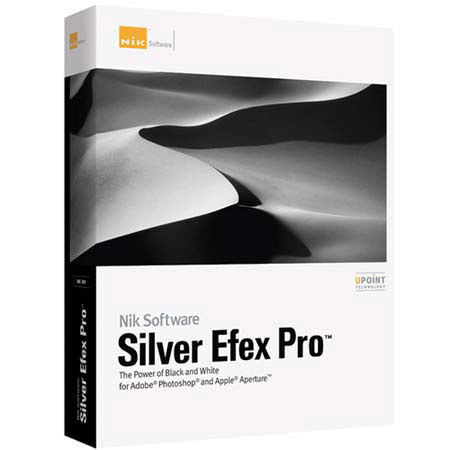
Silver Efex Pro
Silver Efex Pro provides photo enthusiasts and professional photographers alike with complete power and control to create professional quality black and white images in one convenient tool.
Incredible Speed and Results with U Point® Technology
U Point powered Control Points enable you to selectively control the tonality and contrast of an image without the need for any complicated selections or layer masks. Gain a new level of precision and efficiency in your photographic image editing. By placing acontrol point on any part of the image you wish to alter, and moving a few simple sliders, you can achieve incredible results in a fraction of the time required by other tools.
State-of-the-Art Grain Engine
Silver Efex Pro features a revolutionary new grain engine that accurately recreates your digital photographs to look like a traditional black and white image. In contrast to other methods which merely overlay a grain pattern over your image, Silver Efex Pro recreates your image out of grain mimicking the traditional silver halide process.
Film Emulation
Silver Efex Pro emulates 18 of the most popular black and white film types, including the grain, color sensitivity, and tone curve for each.
Advanced Stylizing
Stylize your images with popular tints and toners, add a classic vignette, and burn in the edges with natural darkroom-inspired tools. A collection of over 20 preset styles, with thumbnails using the current image, let you quickly experiment with new looks. Easily create your own style presets too.
Powerful Selective Tool (Adobe® Photoshop® only)
The Selective Tool gives you instant access to Silver Efex Pro and allows you to brush filter effects into your image using any brush tool available in Photoshop or Photoshop Elements. Layers and layer masks are created automatically, enabling you to quickly and easily apply enhancements to precise areas in your image (not available in Apple Aperture).
Smart Filter Compatibility (Adobe® Photoshop® only)
Silver Efex Pro is Smart Filter compatible which allows you to go back and fine tune black and white images even after effects have been applied (not available in Apple Aperture).
Multi-image Support (Apple® Aperture only)
Silver Efex Pro is compatible with Apple Aperture's ability to work on multiple images at once. When more than one image is opened, "Previous" and "Next" buttons appear that allow photographers to easily copy and paste settings between images to maintain consistency.
Wacom Intuos3 USB 4"x 6" Graphics Tablet with Pentools, for PC & Mac
For the serious photographer, designer, and artist...
Intuos3 gives you the power to quickly and professionally edit photos and create digital artwork by turning on the full power of Adobe Photoshop, Corel Painter, and over 100 other leading software applications.
Intuos3 tablets now put ExpressKeys and Touch Strips right at your fingertips for convenient keyboard shortcuts, scrolling, zooming, brush size control, and more.
Wacom's Penabled technology gives you the natural feel and superior performance of Wacom's patented cordless and battery-free tablet technology. You'll find that using an Intuos pen, mouse, and tablet gives you more control, comfort, and productivity.
Alternating between the comfortable Grip Pen and the ergonomic five-button Intuos3 mouse reduces repetitive motion. It's an easy and natural way to work.
Using a pen tablet is easy: It's easy to use a pen tablet because every point on the tablet has a matching point on the screen. When you move your pen over the tablet the cursor moves in precisely the same way on the screen. Where you touch your pen tip to the tablet is where you click.
Pressure sensitivity: The Intuos3 Grip Pen gives you the power of pressure-sensitive control. Pressure sensitivity lets you control your software tools by changing how hard you press the pen tip to the tablet surface. Using pressure sensitivity you can dynamically control things like brush size, opacity, and more.