Shortcut Software

Adorama

Our Price

$39.95
Quantity:

Need Help? Call Our Experts!

800-223-2500 / 212-741-0052

Hours of operation

Item Includes Description Features Specifications

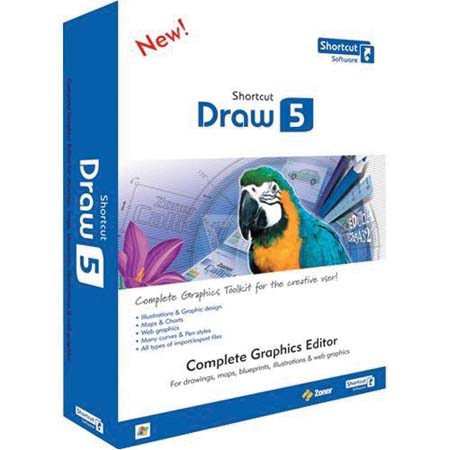
Shortcut Draw 5, Complete Graphics Editor Software for Drawings, Maps, Blueprints, Illustrations & Web Graphics, for Windows

Mfr. Part: SSRPD5WIEN     SKU: ISWSHD5

Shortcut Draw 5, Complete Graphics Editor Software for Drawings, Maps, Blueprints, Illustrations & Web Graphics, for Windows
enlarge image

Product Rating Write a Review

Description

The Shortcut Draw 5 offers a wide range of tools for drawing even the most complex of documents, illustrations and other graphics, to help you achieve truly professional results. Graphics for a Wide Range of Uses An ideal tool for creating graphical documents such as greeting cards, flyers, illustrated price lists, letterheads, price tags, envelopes, greeting cards, new years' greetings and more.

This includes an advanced text tool, comprehensive barcode support, a broad range of options for printing, including dynamically generated documents and calendars. You can easily add bitmap and vector clip art to a drawing using the clip art gallery. And you can export to the universal PDF format.

Features

Illustrations and Graphic Design: Tools for creative illustrations, logos, presentation graphics, etc.
Maps and Charts: Everything you need for creating floor plans, marketing diagrams, process diagrams and more: transformations, alignment, size unification, a grid with customizable density, guidelines, pen styles and fills. Simple export; support for very large documents
Web Graphics: Draw 5 is a popular tool for preparing a variety of Web graphics. All of the objects you create can easily be exported to a bitmap format and during export, you can preview your work in a preview pane and set options such as anti-aliasing, JPEG compression and more
Working with Text and Images: Drawing and editing of squares, rectangles, circles, ellipses, regular polygons and numerous types of stars
Artistic and paragraph text, editing right inside of a document, fitting of text to curves
Barcoding tool
Table drawing tool
Blends between objects, including combined objects
Conversion of objects into basic curves
Creation of new objects from multiple existing ones using Boolean operations: intersection, trimming, welding and combining
Multiple copying - both "linear" (along a grid) and along a curve of your choice
Functions for aligning and distributing objects and unifying their sizes
Both visual and numerical transformations
Work with Curves and with Pen Styles: Drawing and editing of lines, Bezier curves and freehand curves
Solid and dashed lines, calligraphic pen
Definable line width, type, corners and endings ("arrows")
Document Formats: work with layers: customizable names, visibility, etc.; individual layers can be edited and printed separately
Multi-page documents, master pages
Large documents can be printed using billboard printing
Maximum document size: 40.3 ® 28.5 meters (about 44 ® 31 yards)
Supported measurement units: centimeters, millimeters, points, picas and pixels
Guidelines and grid, including snap-to-grid option
Data Import / Export: import of vector and metafile formats: AI 7, EPS, PS, CDR 8, CMX 7, CGM, DRW, DSF, WMF, EMF, DXF 13, DWG 13, PLT, HGL, ZBR, ZMF, ZCL and ZMP
Import of bitmap formats: PCX, GIF (including transparency), TIF, WPG, MAC, TGA, ICO, BMP, RLE, PCD, JPG, PNG, BMI, DIB, PSP, PSD, CRW, ORF, NEF, MRW, RAW, THM and ZMP
Export of vector and metafile formats: WMF, EMF, DXF, AI, EPS, PDF, HGL and PLT
Export of bitmap formats: PCX, GIF, TIF, WPG, TGA, BMP, JPG, PNG and BMI
Imported Bitmap Objects: An integrated advanced editor for editing the bitmaps in a document, with features on par with Photo Studio 7 Professional
Transparency mask tool
Support for standard Adobe plug-in filters
Customizable palette with colors defined using any of the four major color models: RGB, CMYK, HSB or HSL
Fountain fills: solid, linear, conical, radial, rectangular, cross-shaped, flexible and bitmap
Transparency: solid, linear, conical, radial, rectangular, cross-shaped, fractal and bitmap
Shadows: colored, based on object brightness, transparent and soft
Panning, views manager, document navigation features including mouse-wheel zooming
Options for Working with Bitmap-type Objects: an integrated advanced editor for editing bitmaps placed in a document, with features on par with Photo Studio Professional
Import of bitmap formats (PSP, PSD and RAW)
Methods for importing bitmaps: bitmap stretching, placing and cropping
Options for Printing and Export: full-featured, built-in export of documents to PDF (more pages; fonts can be embedded; curves are preserved; wide range of settings available)
Expanded printing; includes dynamic print jobs: template-based, calendars, contact sheets and paper saver (printing optimized to fit a given set of images into the minimum possible space)
Editing of print jobs assembled in Photo Studio 6 or 7
Detailed preview of results when exporting to a bitmap
Option to reduce DPI when printing bitmaps
Tutorials gallery
Increased speed for Clip Art gallery and higher-quality previews
Launching directly from Photo Studio
Welcome dialog that helps you open and create documents right when starting Draw 5
Sample documents

Specifications

System requirementsOS: WindowsTM 98/ME/2000/XP
Processor: Pentium or equivalent 300 MHz or higher
Memory: 64 MB RAM
HDD: 70+ MB of free disk space
Resolution: 800 x 600 High Color (1024 x 768 recommended)
Microsoft Internet Explorer 4.01 or higher must be installed for certain features to work correctly
WarrantyShortcut warranty