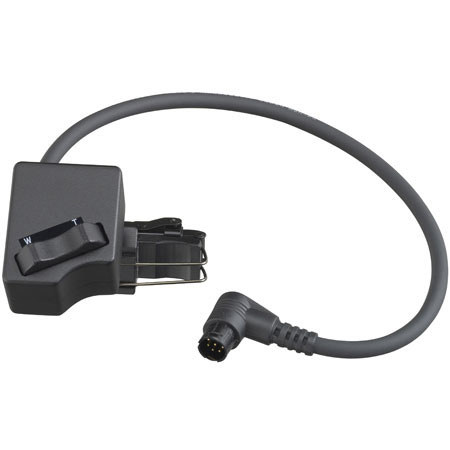
JVC Manual Control Unit for the Handle of the GY-HD100 & GY-HD110 Video Camcorders

SKU: JVHZZS100U

This item is no longer available.

Overview
Compare
Specs
Protection

Reviews about this item

Review Summary

Select a plan in the Add Protection section above and purchase with this product by clicking “Add to Cart”.

image-protection

TRUSTED PROTECTION PLANS, EXCEPTIONAL SERVICE.

Invest In Your Gear and Peace Of Mind!

Accidents happen where life happens. Protect your favorite Adorama products and purchase a protection plan to stay covered from accidental damage, mechanical or electrical failure, and more.

Repair or Replacement

Repair or Replacement

If we can’t fix it, we’ll replace it at no additional cost.

Accidental Damage

Accidental Damage

Protect your product from drops, spills, and more.

Peace of Mind

Peace of Mind

Enjoy your gear without fear. We have you covered!

Malfunction Protection

Malfunction Protection

When regular use of your product over time results in mechanical or electrical failure.

Zero Deductible

Zero Deductible

We will never charge you a deductible after the purchase of a plan.

Customer-Focused Support

Customer-Focused Support

Our claims process is simple & easy and our customer service team is happy to help.

Adorama Protect powered by Extend is available for purchase to customers in the United States. Not available for purchase Internationally or in U.S. Territories.

JVC Manual Zoom Control Unit Specifications

About JVC Manual Zoom Control Unit

HZ-ZS100U: Top-of-camera manual remote zoom control:

When you are holding your GY-HD100 in this position and you want to operate the zoom, you may start wishing you had 3 arms. JVC'slatest lens accessory acknowledges this problem by delivering a simple and low cost solution.

HZ-ZS100U fits both of the current 1/3" bayonet lenses, the 16x and the 13x. The W -T rocker switch is in effect a repeat of the on-lens rocker switch, and it attaches to the front left side of the GY-HD100's handle.

Speed of zoom external selection:
There are two rates at which the zoom operates. Speed control is achieved by pressing lightly for slow and heavily for fast.

Speed of zoom internal adjustment:
There is some further adjustment possible from inside the small control box, making both speeds (heavy press or light press) slightly faster or slightly slower. This adjustment is intended to be done by end users. It is obvious and easy to do.






