
Computer Systems
Software & Tutorials
Operating Systems
Microsoft Operating Systems
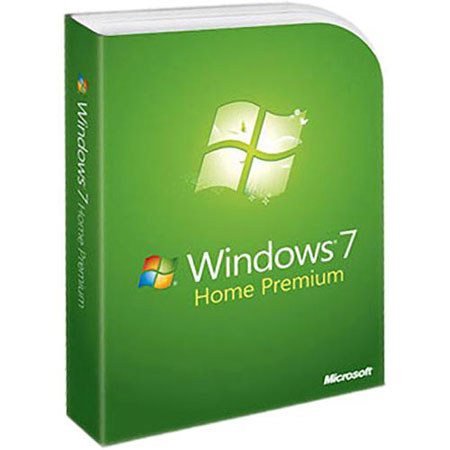
Microsoft GFC00019 Windows 7 Home Premium Software
Microsoft

Microsoft Windows 7 Home Premium Software Full Version, 32-bit/64-bit

SKU: MIW7HPFV MFR: GFC00019
Please note: Although this item is temporarily out of stock, you can order it now and it will ship as soon as it arrives. Your card will only be charged once item is shipped.
Why Adorama?
Easy Returns, Fast Shipping, Trusted for over 35 years.

Need help? Call 800-223-2500 / 212-741-0052

$188.95 Was
- $39.00 Price Drop

Our Price

$149.95
Free Shipping (USA)
Qty:

Add to Wishlist

About the Microsoft WINDOWS 7

Microsoft Windows 7 Home Premium offers a rich, dynamic entertainment experience on your PC, making it easy to create a home network and share all of your favorite photos, videos and music. You can even watch, pause and rewind TV or record it to watch whenever and wherever you want. The Home Premium edition of Windows 7 is designed to meet the needs of the modern home.

Designed with entertainment and Internet use in mind, the OS features improved desktop navigation, improved speed, the Internet Explorer 8 web browser, Windows Media Center and HomeGroup networking. Both the 32-bit and 64-bit editions of the operating system are included on the disc, allowing you to install the edition which best suits your needs.
Microsoft WINDOWS 7 Features

  • Record TV on your PC: Watch, pause, rewind and record TV, movies and other video content with Windows Media Center, updated to manage a single TV guide containing both standard and digital high definition TV shows
  • Personalize your desktop: Easily change backgrounds, window colors and sounds to reflect your personal style. You can even turn your desktop into a slide show of your favorite photos.
  • Enjoy better Web browsing with Internet Explorer 8: Get impressive new features such as Web Slices, which lets you track information such as auction items, sports scores and weather reports without revisiting a site
  • Access recently used files with just two clicks: Right-click the relevant program icon (such as Word) on your taskbar and Jump List will show your most recent, frequently used and pinned Word documents.
  • Stream music files on any network-connected device: Just open Windows Media Player, right-click on what you'd like to hear, select Play To and you'll see a list of devices and PCs on which you can play your music
  • Find virtually anything on your PC - from documents to photos to e-mail: Just click on the Start button and enter a word or few letters in the name or file you want into the search box and you'll get an organized list of results
  • Share files across the various PCs in your home: Use HomeGroup to connect your PCs running Windows 7 to a single printer. Specify exactly what you want to share from each PC with all the PCs in the HomeGroup
  • Pin any program to the taskbar: Any program is always just a click away - and you can rearrange the icons on the taskbar just by clicking and dragging.

Microsoft WINDOWS 7 Specifications

System requirements Processor 1GHz or faster 32-bit (x86) or 64-bit (x64) processor
System requirements Video card DirectX 9 graphics processor with WDDM 1.0 or later driver.
System requirements Memory 1GB RAM (32-bit) / 2GB RAM (64-bit)
System requirements Hard disk 16GB available disk space (32-bit) / 20 GB (64-bit)
System requirements Other For some Windows Media Center functionality, a TV tuner and additional hardware may be required. Windows Touch and Windows Tablet require specific hardware
HomeGroup requires a network and PCs with Windows 7
DVD/CD authoring requires a compatible optical drive
Depending on resolution, video playback may require additional memory and advanced graphics hardware
Internet access required to use certain features
Music and sound require audio output
Feedback
Adorama.com is top rated for customer service HACKER SAFE certified sites prevent over 99.9% of hacker crime. BBB Accredited Business