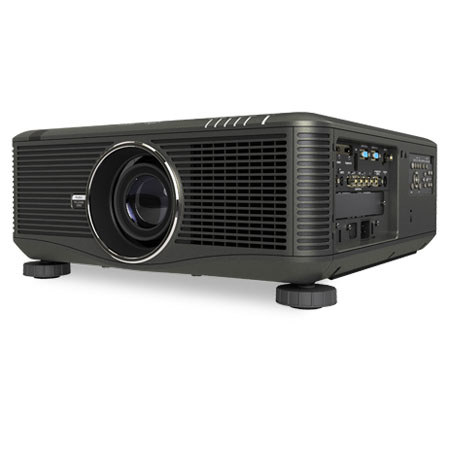
NEC NP-PX750U 7500-Lumen Widescreen Professional Projector, HQV Technology, HD/SD SDI Input Card with OPS Technology, HDMI Input
SKU: NCNPPX750U
This item is no longer available.
Share:
Overview
Compare
Learn
Specs
Protection
About NEC NP-PX750U
The NEC NP-PX750U 7500-Lumen Widescreen Professional Projector is one of NEC's stackable projectors. No, you don't stack them on top of each other. You can place up to four of them side by side in a row to project one luminously bright and perfectly aligned image. With four NP-PX750Us that's an image. That's an incredible 30,000 lumens bright. It's ideal for larger sized screens. This feature also prevents the complete loss of an image, which can happen when using only one projector.
One of its greatest achievements is the inclusion of HQV video processing, a high-performance video processing/scaling system designed for computer signals as well as standard or high-definition video. This technology brings home theater quality images to meeting rooms and classrooms using pixel-based, motion-adaptive de-interlacing to remove undesirable motion. The projector offers much more, however. Its network ready thanks to an RJ-45 jack for wired networks. Each projector has its own HTTP page and a group of projectors can be managed from a single remote location. You can even have a projector email you a status report when certain events occur, like when the lamp is nearing the end of its life.
The PX750U's advanced input panel includes HDMI, DisplayPort and three computer inputs for quick-switching between presentations. Also, the PX750U offers the Open Pluggable Specification (OPS) technology, which is the first industry-wide standardization in option slots to simplify installation, use and maintenance, while offering input flexibility.
NEC NP-PX750U Features
- Integrated device technology HQV is a high-performance video processing/scaling system designed for computer signals as well as standard or high-definition video
- Bright enough for most applications: 7500 lumens
- Geometric correction tool allows you to project on spheres, cylinders and more
- VIDI technology, a Phillips innovation designed to work in conjunction with the color wheel, uses a brilliant pulse to increase the brightness of the image and a dark pulse to increase the contrast ratio
- Integrated RJ-45 connection for quick connection to the LAN (10/100 base-T capability). Integrated high-speed wireless LAN IEEE 802.11b/g
- Desktop control allows you to securely transmit information wirelessly to the projector from a docking station or PC in another room
- Image Express Utility (IEU 2.0; compatible with Windows or Mac operating systems) dedicated projector software provides wired and wireless data transmission via peer-to-peer or over the network
- Broadcast mode allows you to send information from one computer to several projectors
- Windows network projector function within Windows Vista connects directly to networked projectors without the need for additional proprietary software
- Windows remote desktop function allows you to control a networked computer by connecting a USB mouse and keyboard directly to the projector's USB input
- Windows network drive function displays multimedia files (.jpeg, .bmp, .png, .mpeg2 or .wmv9) in the Windows shared folder on a local network using the viewer function-all without bringing your PC into the conference room
- Windows media connection function displays multimedia files (.mpeg2, .jpeg or .wmv9) stored on the Windows media connect server or a local network using the viewer function-all without bringing your PC into the conference room
- Crestron RoomView Connected
- Cabinet control lock setting enables user to deactivate buttons on cabinet to prevent unwanted changes to projector settings
- Logo lock restricts changes to logo saved in projector memory
- Password protection restricts unauthorized use of projector
- Email notification informs the system administrator when the lamp approaches the end of its useful life
- Enjoy greater installation flexibility with up to 50% vertical lens shift and +/- 10% horizontal lens shift. Lens throw distances range from 2.6 to 179.8 feet (0.8 to 54.8 meters)
- Extended lamp life with eco-mode technology increases lamp life up to 4000 hours, while lowering power consumption
- Power management enables projector to automatically turn off when an incoming signal is not detected from any of the inputs
- Auto power on via the RGB (15-pin) input connector when a signal is detected from a computer. Carbon savings meter calculates the positive effects of operating the projector in eco-mode, which is encouraged by an optional message at startup
- Quick start (3 to 4 seconds) lets you begin presenting in seconds while quick shutdown (immediate power off with no cooling required after shutdown) ensures efficient energy usage. Sleep timer can be set to automatically turn off the projector at set countdown times
- Low power consumption (0.2W in standby mode) minimizes energy costs
- Direct power off provides instantaneous shutdown of the projector