Software & Tutorials
Audio & Video Software
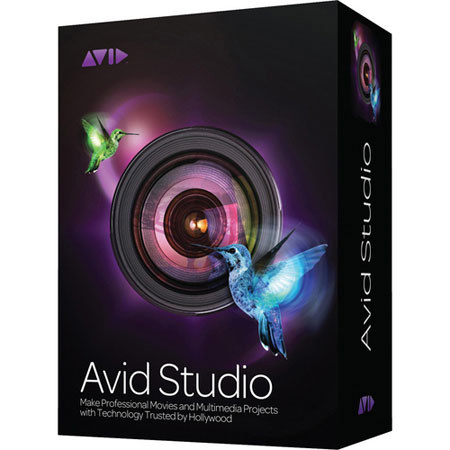
Pinnacle Systems Avid Studio Software
Pinnacle

Pinnacle Systems Avid Studio, Video Editing Software for Windows

SKU: PIAVST MFR: 8210-30008-01
We ran out of this Item Temporarily. Please note: You can order this now and have us ship it as soon as it arrives. We will not charge your card for any backordered items, until it is ready to actually ship.
Why Adorama?
Easy Returns, Fast Shipping, Trusted for over 35 years.

Need help? Call 800-223-2500 / 212-741-0052

Our Price

$124.99
Qty:

Add to Wishlist

About this item

The Pinnacle Systems Avid Studio movie production software allows you to edit professional movies and multimedia projects using sophisticated photo and video correction tools such as Smart Edit mode and timeline editor and comes with a powerful library that organizes all media files in one place. It features a Media editor and enables you to edit videos, photos and audio.

In addition to the unlimited timeline tracks for advanced composting and editing, the Avid Studio comes with professional add-ons and plug-ins. The movie production software offers 100 additional HD video transitions and a wide-ranging collection of how-to videos from Class on Demand. It is optimized for 64-bit operating systems and allows you to create multi-layer effects and play multiple tracks in real time.

The Avid Studio software features advanced Red Giant plug-in and Avid content packages. In addition to the audio tools for professional sound quality, it comes with a function for 5.1-channel surround sound import/export. It allows you to add animated graphics and text using the Motion Titler and enables you to apply chroma-key effects via the 5' x 6' green screen sheet. Providing support for various export formats, the software features AVCHD burning as well as DVD and Blu-ray disc authoring and burning tools.

What's Included With This Item

  • Pinnacle Systems Avid Studio Install DVD
  • Scorefitter Volumes 1 and 2
  • Creative Pack Volume 1
  • Avid Studio Quick-Start Guide
  • Avid Studio Installation Guide
  • Green-Screen Backdrop
  • Special-Edition Getting Started with Avid Studio Training DVD by Class on Demand
  • Pinnacle Systems Warranty

Key Features

  • Movie production software
  • Allows you to edit professional movies and multimedia projects
  • Sophisticated photo and video correction tools such as Smart Edit mode and timeline editor
  • Powerful media management library - organizes all media files in one place
  • Media editor - enables you to edit videos, photos and audio
  • Unlimited timeline tracks for advanced composting and editing
  • Comes with professional add-ons and plug-ins
  • 100 additional HD video transitions
  • Wide-ranging collection of how-to videos from Class on Demand
  • Optimized for 64-bit OSes
  • Allows you to create multi-layer effects and play multiple tracks in real time
  • Advanced Red Giant plug-in and Avid content packages
  • Audio tools for professional sound quality
  • 5.1-channel surround sound import/export functionality
  • Motion Titler - allows you to add animated graphics and text
  • Enables you to apply chroma-key effects via the 5' x 6' green screen sheet
  • Provides support for various export formats - AVCHD burning as well as DVD and Blu-ray disc authoring and burning tools

Technical Specs

Operating Systems Windows 7 32/64-bit
Windows Vista 32/64-bit (SP2)
Processor Intel Core Duo 1.8 GHz, Core i3, or AMD Athlon 64 X2 3800+ 2.0 GHz or higher
Intel Core 2 Quad 2.66 GHz, Intel Core i5 or i7 1.06 GHz or higher required for AVCHD
RAM 2GB of RAM or higher
4GB for Windows 64-bit
Graphics DirectX 9 (or higher) graphics with Pixel Shader 3.0 support, such as:
ATI X1000 series (or higher)
Nvidia GeForce 6 series (or higher)
Intel GMA X3000 series (or higher)
VRAM 128 MB VGA VRAM; 256 MB or higher recommended, required for AVCHD
Display Resolution 1280 x 800 or higher
Sound Card Windows-compatible sound card (surround output required for surround preview)
Disk Space 5.8 GB of disk space
Optical Drive DVD-ROM for installation
Input Options Capture from DV, HDV and Digital8 camcorders or VCRs (requires a FireWire port)
Capture from analog camcorders, 8 mm, HI 8, VHS, SVHS, VHS-C, SVHS-C, or VCRs (NTSC/PAL/SECAM) (requires Pinnacle or Dazzle video hardware)
Import from AVCHD and other file-based camcorders, digital still cameras, mobile devices and webcams
Import Formats DVD titles (incl. DVD-VR/+VR), QuickTime (DV, MJPEG, MPEG-4, H.264), DivX Plus MKV
Audio: MP3, MPA, M4A, WAV, AC3, WMA
Graphic: BMP, GIF, JPG, PCX, PSD, TGA, TIF, WMF, PNG, J2K
Export Formats AVCHD, AVCHD Lite, BD Blu-ray, DVD (DVD-R, DVD-RW, DVD+R or DVD+RW, dual layer)
Apple iPod, Sony PSP/PS3, Nintendo Wii, Microsoft Xbox-compatible formats
DV, HDV, AVI, DivX, RealVideo 8, WMV, MPEG-1, MPEG-2, MPEG-4, Flash, 3GP, WAV, MP2, MP3, QuickTime, MP4, H.264, YouTube HD, DivX Plus MKV
Dolby Digital 2/5.1 channel audio