
Computer Systems
Software & Tutorials
Audio & Video Software
Sony Audio & Video Software
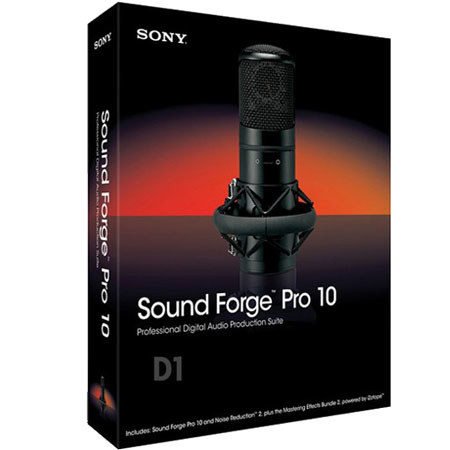
Sony Sound Forge Pro 10 Educational Version
Sony

Sony Sound Forge Pro 10 (Educational Version) Software, Professional Digital Audio Production Suite

SKU: SOSF10E MFR: ASF10000
Please note! This item will be Drop-shipped to you directly from the Manufacturer/Distributor.
Estimated Delivery time is from 3 to 5 Days.
Why Adorama?
Easy Returns, Fast Shipping, Trusted for over 35 years.

Need help? Call 800-223-2500 / 212-741-0052

Our Price

$249.95
Free Shipping (USA)
Qty:

Add to Wishlist

About the Sony Sound Forge Pro 10

The Sony Sound Forge Pro 10 software efficiently and reliably provides audio editors and producers complete control over all aspects of audio editing and mastering. Whether in the studio or field, it's the ultimate all-in-one production suite for professional audio recording and mastering, sound design, audio restoration and Red Book CD creation. New features in Sound Forge Pro 10 include precise event-based editing, integrated disc-at-once CD burning, musical instrument file editing and processing and pristine audio conversion and time stretching.

Sony Sound Forge Pro 10 Includes

  • Please Note! This Educational Version Software requires proof of current educational Status, and is not refundable

Sony Sound Forge Pro 10 Features

  • Sound Forge Pro 10 software is fully compatible with the Microsoft Windows 7 platform
  • Floating window docks: It includes enhancements for customizing the layout and positioning of the traditional Sound Forge workspace. Dock and group windows within the Sound Forge interface, customizing the environment to fit the way you work
  • Customizable window layouts: Design editing environments to maximize your productivity. Create & save multiple interface layout configurations for single- & dual-monitor systems. Easily recall a window layout for specific editing tasks including audio editing, CD layout, multichannel file editing
  • Default fade types: Set the default wet/dry mix and fade in/out curves that will be used when editing audio files, providing a more efficient workflow during an editing session
  • Gracenote CD album identification: Sound Forge Pro 10 software supports the Gracenote MusicID Media Recognition Service. When extracting audio from a CD, you can view information including track title, artist and also submit song information
  • Regions List and Playlist windows: The Regions List and Playlist windows in Sound Forge Pro 10 software have features for fast in-place editing and sorting. Quickly edit regions by typing new values in the Name, Start, End, or Length fields
  • Interface color customization: The Sound Forge Pro 10 user interface is fully customizable. Most Interface elements including waveform and envelope colors, markers and default window heights can be customized to fit your workflow
  • Tabbed browsing: With Sound Forge Pro 10 software, you can group maximized data windows together and easily browse them via tabs, increasing speed and efficiency when editing multiple audio files
  • Custom selection grid lines: Creating loops from existing material is now easier than ever. Use grid lines to visually divide audio selections into equal parts based on time signature for more efficient and accurate editing
  • Interactive tutorials: These tutorials provide walkthrough demonstrations of common features and functionality, including DAO CD burning, vinyl recording and restoration for easy analog to digital conversion and more
  • Media explorer with automatic previewing: Quickly and easily find, preview and open media files using the Media Explorer window. Drag files and regions from the Explorer into the workspace or onto another open file for easy pasting, mixing, or crossfading
  • ACID loop creation tools: Create your own music loops for use in ACID software. Display and edit ACID .wav file properties including tempo and root note, finely edit audio clips and shift selections to get the sound you want

Sony Sound Forge Pro 10 Specifications

Processes iZotope MBIT+ Dither (bit-depth conversion)
Channel converter
Auto Trim/Crop
Mute
Normalize peak or RMS Level
Stereo Pan/Expand (supports mid-side mixing)
Graphic, Paragraphic and Parametric EQ
DC Offset
Resample
Reverse
Graphic Fade with noise-shaping and dithering
Smooth/Enhance
Fade In/Out
Time Compress/Expand
Insert Silence
Volume
Invert/Flip
Bit Depth Converter (to 8, 16, 24, or 32-bit)
Effects - 1 Includes Mastering Effects Bundle 2 powered by iZotope
Zplane elastique Pro timestretch and pitch shift DirectX plug-in
Resonant Filter plug-in
VST plug-in effect support
DirectX plug-in effects automation
DirectX Plug-in Manager
Real-time effects previewing
Modeless audio Plug-In Chainer
Wet/dry mix and crossfade options
Acoustic Mirror environment simulator
Effects - 2 Amplitude Modulation
Chorus
Distortion
Delay/Echo (Simple and Multi-Tap)
Graphic Dynamics
Multi-Band Dynamics
Envelope
Flange/Wah-Wah/Phaser
Gapper/Snipper
Noise Gate
Pitch Bend/Shift
Reverb
Vibrato
Wave Hammer Compressor/Volume Maximizer
Tools - 1 Integrated disc-at-once CD burning
Noise Reduction 2.0
Spectrum Analysis tool
Phase and mono-compatibility meters
Gracenote MusicID technology
Includes CD Architect 5.2
Application scripting
Script Editor window
Batch conversion
Copy statistics to clipboard
Drag-and-drop CD extraction
Clipped peak detection and marking
Tools - 2 FM Synthesis with envelope
White, pink, brown and filtered noise generators
Simple synthesis sweep
Auto Region (using beats and measures, or peak detection)
Crossfade Loop
Extract Regions
Find Tool
Preset Manager
Sampler Tool
Statistics Tool (Max, RMS, DC offset, Zero Crossings)
DTMF/MF Tone Synthesis
Editing/workflow - 1 Event-based editing
Musical instrument file editing and processing (.DLS, .SF2, .GIG)
Metadata editing via new Metadata windows
Customizable window layouts
Floating window docks
Tabbed browsing for maximized data windows
Default fade types in Preferences
Custom selection grid lines
Multichannel file editing and processing
Enhanced user interface with color customization
Editing/workflow - 2 Audio scrubbing tool
JKL keyboard commands for scrub
Customizable keyboard mapping
Save project paths in rendered media
Real-time nondestructive editing
Simple drag-and-drop operations
Multitask background rendering
Media Explorer window
Undo/redo history
Docking windows
Recording/playback Performance optimizations (global media cache)
Multichannel audio recording
Hardware meters with output gain control
ASIO driver support
Automated time-based recording
Audio threshold record triggering
Prerecord buffer
Auto calibration for DC Offset
Generate SMPTE/MIDI Time Code
Glitch/gap detection
Punch in option
Pre-roll to cursor
Real-time record/playback meters (VU/PPM and standard)
Remote record function
Regions and playlists Marker and region rulers with snapping functionality
Regions List and Playlist windows
Editing of fields
List sorting
Nondestructive playlist
Name markers, loops, regions
Trigger with sequencers
Trigger with MIDI event-generating devices
Trigger with time code-generating devices
Sample editing Pop-up MIDI keyboard to test samples
Sustaining Loop
Release Loop
Real-time loop tuning window
Generate/Receive MIDI Time Code
SCSI/SMDI or MIDI/SDS sample transfer
Sustaining Loop, Release Loop
Timing basis Absolute Frames
Measures and Beats
Samples, Time, Seconds
SMPTE Drop/Non-Drop
SMPTE EBU/Film Sync
Time and Frames
Encoding/video support - 1 Enhanced Broadcast Wave Format (.bwf) support
Dolby Digital AC-3 export
Multichannel Windows Media format support
Video saving and render options (fast video resizing, deinterlace, source video resampling and video stretching)
Windows Media 9 Series import and export
QuickTime 6 import and export, RealMedia 9 export
Support for 24fps DV video files
Encoding/video support - 2 Option to compensate for nonsquare pixels in Video Preview window
Display exact video frame animation above waveform
.MOV and MPEG-1 and MPEG-2 format import
External monitor support using DV and IEEE 1394 devices
Maintain perfect sync while working with full NTSC and PAL video
Sound and video synchronization with subframe accuracy
Various video and audio compression option
Tools for ACID software Publish to ACIDplanet.com
Create loops for ACID software
Assign root notes, number of beats and tempo
Supported file formats Opens: AA3, AAC, AIF, ASF, AU, AVI, CDA, DIG, DLS, DV, FRG, GIF, GIG, IVC, M2A, M2P, M2T, M4A, M4B, MMV, OGG, MOV, MP1, MP3, MP4, MPEG, MPEG-1 and MPEG-2 video, Sony MXF, PCA, QT, RAW, SD, SFA, SF, SND, TIF, VOB, VOX, W64, WAV, WMA, WMV
Saves: AA3, AC3, AIF, ATRAC, AU, AVI, DIG, DLS, FRG, GIG, IVC, M1A, M1P, M2A, M2P, M2T, MMV, MOV, MP1, MP2, MP3, MP4, MPA, MPEG, MPEG-1 and MPEG-2 video, Sony MXF*, OGG, PCA, RAW, RM, SF2, VOX, W64, WAV, WMA, WMV
General editing - 1 Support for up to 32-bit, 192 kHz source audio
CD Text support
Multiple levels of undo/redo
CD transport controls
CD image file rendering
Reading and extraction of PQ data along with audio tracks
Complete control over tracks, marker placements and indices
General editing - 2 Preview multiple tracks or ranges of audio before extraction from a supported CD device
Multiple file format support without conversion
Autosave crash recovery
Undo/redo history list
Supports MP3, AIFF, Ogg Vorbis, Windows Media Audio and more
CD design and mastering Full PQ code editing support, including track and index positions and pause times
Over 20 real-time DirectX plug-ins
Set up alternate CD mixes in the same workspace
Audio scrubbing
Absolute times for replication
Print cue sheets and format CD liner notes
Up to 99 tracks
Up to 99 subindices per track
Smart track reordering
Automatic pause time indication
Relative times for liner notes
Timeline event locking
Adjustable pause times
CD writing Burns disc-at-once premaster CDs for professional replication
USB, FireWire, SCSI and IDE/ATAPI CD-R and CD-RW drive support
Overburn support of 80 min & other size CD-Rs
Buffer underrun protection
Test burn mode
PQ list verification for Red Book compatibility prior to burn
Burn speed selection
Copy-inhibit flags
Pre-emphasis flags
Audio clipping detection
International Standard Recording Codes (ISRC)
Universal Product Codes (UPC)
Media Catalog Numbers (MCN)
System Requirements Microsoft Windows XP (SP2 or later), Windows Vista (SP2 or later), or Windows 7
1 GHz processor
350 MB hard-disk space for program installation
512 MB RAM
Windows-compatible sound card
DVD-ROM drive (for installation)
Supported CD-recordable drive (for CD burning)
Microsoft DirectX 9.0c or later
Microsoft .NET Framework 2.0
Feedback
Adorama.com is top rated for customer service HACKER SAFE certified sites prevent over 99.9% of hacker crime. BBB Accredited Business