Software & Tutorials
Audio & Video Software
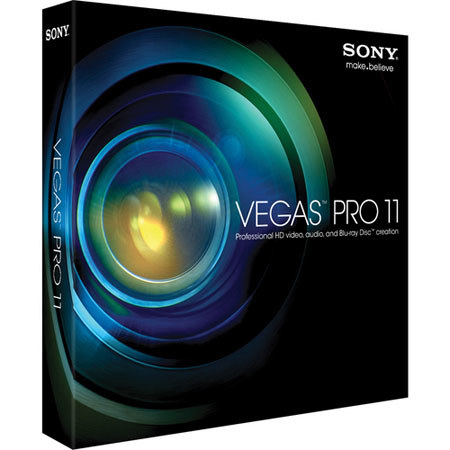
Sony Vegas Pro 11 Software
Sony

Sony Vegas Pro 11 Software

SKU: SOSVDVD11000 MFR: SVDVD11000
Why Adorama?
Easy Returns, Fast Shipping, Trusted for over 35 years.

Need help? Call 800-223-2500 / 212-741-0052

Our Price

$529.95
Free shipping
Qty:

Add to Wishlist

About this item

The Sony Vegas Pro 11 is a professional video editing software package that includes the Dolby Digital Professional Encoder (for 5.1 surround sound encoding) and DVD Architect Pro 5.2 for Blu-ray Disc and DVD authoring. Featuring extensive native support for video formats up to and including 4096 x 4096 resolution, the video-editing side of the software allows you to work easily - without re-wrapping or transcoding - with a variety of professional formats such as AVCHD, XDCAM EX, RED R3D and more. As extensive as its feature set is and as flexible and customizable the workflow, Vegas Pro 11 remains an approachable NLE, with simple, drag & drop operations for many editing tasks to go along with sophisticated options for ripple editing models.

With its full support for stereoscopic 3D editing, comprehensive multi-track audio editing & recording environment and GPU-accelerated rendering & real-time effects preview, Vegas Pro 11 is worthy of consideration for any professional video editor working on the Windows platform. There's little you can't do, as the software provides just about every tool you need to import video (including video & RAW files from DSLR cameras and almost every popular configuration of left-eye/right-eye 3D footage), monitor it, edit it, edit audio & create mixes, add effects, transitions & titles, render with the help of an OpenCL-compatible graphics card and output projects as web-friendly AVC & MP4 files and as professionally authored DVDs & Blu-ray Discs.

Like the remarkably full-featured disc-authoring features, the audio-production capabilities of Vegas Pro 11 are truly first-rate, especially for an NLE package. There's support for unlimited tracks, 5.1 surround-sound mixing and encoding to AC3 via the Dolby Digital Professional Encoder and a multithreaded audio engine that maximizes the available resources of your system to render projects quickly and enable the real-time preview of large numbers of tracks. Version 11 of the software package introduces a wealth of features, such as easy image stabilization, support for GPU acceleration, two titling tools for both 2D and 3D titles and stereoscopic editing tools that let you correct screen-edge violations easily.

Key Features

  • Image Stabilization Enhancements: Use image stabilization technology to reduce jitter and shaky video footage. Users with video footage shot from handheld camcorders without the assistance of a tripod will have the ability to quickly salvage this media using several optimized presets
  • Text Tools: Two new titling tools have been added to the Vegas Pro 11 toolkit. Add 3D titles with NewBlue Titler Pro, a great addition to your stereoscopic 3D workflow
  • Multicam Editing: Edit multicamera productions intuitively and efficiently by specifying shots as you play back your project. Switch between as many as 32 video sources with a keyboard command or a click of your mouse
  • Rich Effects Workflow: Apply video and audio effects at multiple levels in your project in order to gain significant control during the editing process. Apply video effects at the media level, event level, track level, to the entire project, or all tracks and events at the preview level
  • Keyframeable Real-Time Effects: Vegas Pro 11 software includes video effects, along with 2D and 3D video transitions, to enrich your movies. All of the video effects are keyframeable, which means you can select the exact video frames where an effect begins and ends
  • Sync Link: This powerful editing feature enables users to easily organize and synchronize events on the timeline during editing. "Child" clips associated with a "Parent" clip can be moved independently on the timeline, while moving the Parent clip also moves the child clips in perfect sync
  • 4K Support: Vegas Pro 11 software natively supports frame sizes up to 4096 x 4096. The 4K image standard for digital cinema projection is 4096 x 2160 pixels. This level of resolution provides more detail and flexibility to pan and crop
  • Powerful Editing Tools: Edit and arrange events on the Vegas Pro timeline using drag & drop operations. Apply real-time effects, transitions, envelopes, color changes, reverse, time-stretching and motion effects
  • User-Defined Window Layouts: Dock multiple windows and save up to 10 layout configurations for single- and dual-monitor systems. Easily recall a customized window layout for a specific editing task and instantly switch to new layouts during playback
  • Support for RAW Photo Files: Use RAW photo files in your Vegas projects. Download the free Microsoft Camera Codec Pack for Windows 7 and Windows Vista in order to view and edit RAW photo files from more than 120 DSLR cameras natively on the Vegas Pro timeline
  • Streaming Support for AVC/MP4 Encoder: Vegas Pro 11 can now render AVC/MP4 files with streaming support, compatible with most streaming servers
  • Track Management: Group and collapse tracks under a single header track to save space on the timeline. This is a quick and easy way to organize and manage complex projects by grouping specific sections of video and audio
  • Playback & Editing: Play back and edit video effects, transitions and composites on the fly while viewing each change instantly. Vegas Pro software takes advantage of the PC's processing power by caching complex processes or effects directly to RAM for smooth frame-rate playback and previews
  • Envelope Automation Recording: Record track envelope and keyframe parameters in real time, using a mouse or external control surface hardware, with touch and latch record modes and automatic post-record keyframe thinning
  • Flexible Input & Output Formats: Vegas Pro 11 software provides support for industry-leading stereoscopic 3D formats. For input, it offers Separate Left and Right, Top/Bottom (Half), Top/Bottom (Full), Side by side (Half), Side by Side (Full) and Line Alternate
  • Stereoscopic 3D Enhancements: Utilize the software's enhanced stereoscopic editing tools to easily correct stereoscopic 3D screen-edge violations. You can also shift the horizontal offset in select 2D effects and transitions, which allow the perceived depth of the effect to be adjusted
  • Auto-Correct Footage: Automatically correct 3D video by quickly applying calculated 3D adjustments. This salvages minor camera setup discrepancies and ensures that the 3D footage is correctly aligned
  • NVIDIA 3D Vision Support: Vegas Pro 11 supports NVIDIA 3D Vision for single-display 3D devices, including the VAIO F-series 3D laptop
  • CineForm Neo3D Support: Vegas Pro 11 provides integrated support for CineForm Neo3D files. After the CineForm Neo3D product (not included) is installed, Vegas Pro can read and write files including smart rendering for I-frame-only CineForm AVI content
  • True Stereoscopic 3D Camera for 3D Track Motion Compositing: Create 3D motion effects with precise control over Z-depth, plane intersection, compositing and more. The Vegas Pro 11 track-grouping model allows multiple tracks to move and rotate in 3D space
  • Integrated 3D Adjustments: Improve your 3D project by utilizing the integrated tools for basic 3D adjustments. Typical corrections include horizontal and vertical offsets, zoom discrepancies, keystone and rotation
  • VU Meters: VU meters, available in the Mixing Console, provide a useful measurement that averages peaks and troughs to provide a visual representation of the perceived loudness of your audio material
  • 24-bit/192 kHz Audio Support: Vegas Pro 11 software supports full-resolution 24-bit 192 kHz files for the ultimate in audio fidelity. Import, save and even record to this resolution if your hardware supports it
  • Burn Directly from the Timeline: Burn either a DVD or Blu-ray Disc directly from the Vegas Pro timeline. This is a fast method to create a single-movie DVD or Blu-ray Disc to share your productions
  • DVD Scripting: DVD Architect Pro software supports the ability to create and run scripts in final DVD or Blu-ray Disc design. With scripting, you can build robust interactivity into your projects

Technical Specs

System Requirements 1 Microsoft Windows Vista 32-bit or 64-bit SP2, or Windows 7 32-bit or 64-bit
2 GHz processor (multicore or multiprocessor CPU recommended for HD or stereoscopic 3D)
500 MB hard-disk space for program installation
2 GB RAM (4 GB recommended)
OHCI-compatible IEEE 1394 DV card (for DV and HDV capture and print-to-tape)
USB 2.0 connection (for importing from AVCHD, XDCAM EX, NXCAM, or DVD camcorders)
Windows-compatible sound card
DVD-ROM drive (for installation from a DVD only)
System Requirements 2 Supported CD-recordable drive (for CD burning only)
Supported DVD-R/-RW/+R/+RW (for DVD burning only)
Supported BD-R/-RE drive (for Blu-ray Disc burning only)
Microsoft .NET Framework 3.5 SP1 (included on application disc)
Apple QuickTime 7.1.6 or later for reading and writing QuickTime files
Internet Connection (for Gracenote MusicID Service)
Supported NVIDIA or ATI cards for GPU acceleration (please see the Supported Graphics Cards spec for more information)
Supported Graphics Cards 1 GPU-Accelerated AVC Rendering
NVIDIA: GPU-accelerated AVC rendering requires a CUDA-enabled GPU and NVIDIA driver 270.xx or later with a GeForce GTX 4xx Series or newer GPU.
ATI: OpenCL GPU-accelerated rendering requires an OpenCL-enabled ATI GPU and AMD Radeon Catalyst driver 11.7 or later with an AMD Radeon HD 57xx or newer GPU. AMD FirePro GPU should have 8.85 or newer
Supported Graphics Cards 2 GPU-Accelerated Video Processing
NVIDIA: GPU-accelerated video processing requires an OpenCL-enabled GPU and NVIDIA driver 270.xx or later with a GeForce GTX 4xx Series or newer GPU.
AMD: OpenCL GPU-accelerated video processing requires an OpenCL-enabled AMD GPU and AMD Radeon Catalyst driver 11.7 or later with an AMD Radeon HD 57xx or newer GPU. AMD FirePro GPU should have 8.85 or newer