


This item is no longer available.
Review Summary
2013-08-19T21:00:00
Perfect way to connect your tablet to your HDTV. Bought a chromecast just in case this converter didn't work out, but it works great. Gets a little warm after an hour of use.
Jay P.
2013-07-15T21:00:00
Adapter works perfectly to display my notebook on a 37" LCD TV. Image is sharp and stable. Note that the adapter requires wall power for use.
E&S
2013-06-24T21:00:00
This is used with certain Galaxy Tabs from Samsung You have HDMI Connectivity Price should be lower.
Samika
2013-06-24T21:00:00
Also works on my TAB 2.
CD
2013-06-08T21:00:00
This works with the Samsung Galaxy Note 10.1. Here's how I connect it: 1. Connect USB 30-pin power cable into adapter 2. Connect HDMI cable to adapter 3. Connect HDMI cable to TV 4. Connect USB power to electrical outlet 5. Turn on TV 6. Turn on Note 10.1 7. Connect adapter to device I am able to successfully watch Neflix and see everything that is on my tablet's display on the television. What's interesting to note though is that subtitles through Netflix do *NOT* display on the television though they do display on the table. Weird! Also, the Note 10.1 must remain on for it to display on the television. Food for thought regarding Netflix: I expected the resolution from the tablet to the television to be much better than what is displayed for watching Netflix. It isn't bad per se, just slightly skewed/cropped. This I blame either on the tablet's output via the adapter or the adapter itself. The television is 1080p. The picture from the Note 10.1 is somewhat stretched and cropped vertically in order to fill the whole screen on the TV. Changing the TV display to show the whole image places black bars on the sides. Of course this could be Netflix's fault too I suppose. Overall the image quality on the screen is great and I would not forgo the adapter's usage for minor things. So far I'm happy with the device and it is working as designed and intended.
JEREMY S.
2013-02-12T19:00:00
There were no instructions so I didn't know in order for it to work the power had to be plugged in also, the picture kept going on and off so I ended up watching from the tablet. There is a strong possibility that I didn't have it hooked up right but I haven't had a chance to use it again.
Gail
2013-01-21T19:00:00
I bought this HDMI adapter for use with my Galaxy Tab 7.7 running stock Android 4.0. Although it mostly works, it's unrefined to say the least, and basically a disappointment. When I first plugged it in, I got a picture and no sound. I unplugged it to try a different HDMI cable, and when I plugged it back in, the tablet spontaneously crashed and rebooted. After that, it mostly worked, with sound and without further crashes, but it hardly inspires confidence. Once I had it mostly working, I tried a variety of the apps that I thought would most benefit from output through a proper TV and stereo system. Touch-based games work but don't really make sense -- if you're looking at your TV screen, then you're not looking at the touchscreen, and you can't see what you're doing. Other games (e.g., joystick-driven games and emulators) seem to work but with about a quarter-second lag, which makes most action games unplayable. The built-in video player worked OK, but the aspect ratio feature didn't work. That is, if your movies have an aspect-ratio override (as many DVD rips do), your picture will look right on your tablet screen, but will be too tall and thin on the TV. Netflix videos had the same problem. Whatever app you run, the Android soft buttons (home, back, menu) and status bar (battery and WiFi indicators) stay visible. In the video player, they fade to grey dots, but they're never completely gone. Showing touch buttons on the TV output seems pointless, and it's distracting when watching a movie. Also, the tablet's own screen stays on even when the HDMI adapter is plugged in, so you have two screens showing the same content (one with a quarter-second lag) -- also distracting when watching a movie. The HDMI adapter outputs at 1080i, at least for my 1080p TV. That means that whatever source material you have (video, picture, game) is getting scaled to the native resolution of your tablet (1280x800 for me) and then scaled again to 1080i. The scaled pixels and tearing artifacts are definitely noticeable. The tablet seems to work extra hard to pump out a higher-than-native resolution, making some graphically intensive games slow down. Finally, as other reviewers have mentioned, it only works when plugged into a power outlet. Fine, whatever, one more cable to plug in, but it sure seems like Samsung could've avoided that. So I haven't found any app for which this adapter works well enough that I'd actually use it. It kind of works, but feels like some knock-off, not the high-priced OEM product it purports to be. In comparison, Apple's iPad HDMI adapter -- which can't substitute, but is a good example of an HDMI adapter done well -- has none of these issues.
Patrick R.
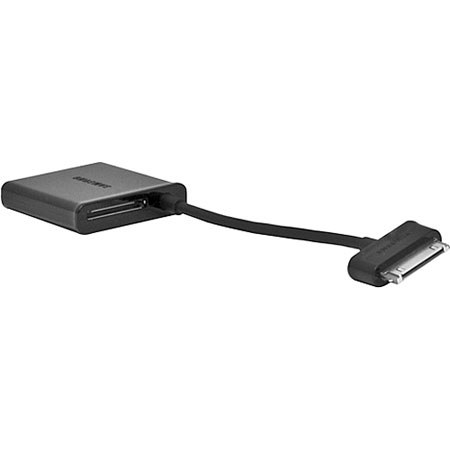
The Samsung HDTV Adapter for the Galaxy Tablet supports HD signals up to 1080p. It connects directly to a standard HDMI cable for easy connectivity to home theater or monitor. It can connect directly to the Galaxy Tab to create an HDMI docking station.