2013-09-23T21:00:00
Rated 4 out of 5
Learning curve to capture
I use this mainly to edit images within software such as Adobe Lightroom and Photoshop. It provides a more intuitive interface through the pen than trying to edit with a mouse, especially for dodging/burning small areas.
However, there is a distinct learning curve once you get it. The interaction between the pen and the pad takes some getting used to.
The shopping experience with Adorama in store was, as ever, pleasant. Although there was some more time taken over a mix up as to where the product would be - either at the counter or the checkout.
EDWARD B.
2013-09-23T21:00:00
Rated 1 out of 5
Be Fore Warned
This would make a great "toy" for an 8 year old, but it isn't something an adult would have any use for!
Urban P.
2013-04-22T21:00:00
Rated 5 out of 5
Cool Bamboo
Replace my computer mouse completely. Love the ease of use in photo editing. Much more accurate for that purpose than a mouse.
fwbigd
2013-01-28T19:00:00
Rated 3 out of 5
Wacom CTH470 Bamboo Tablet
It is really easy to use, but difficult to get used to. I wish it had either a longer wire or was wireless. It does a lot more than I thought that it would.
Msinger
2012-09-18T21:00:00
Rated 5 out of 5
New good experience
I have never ever used a wacom before and I liked the results, simply amazing.
Harry J.
2012-03-11T21:00:00
Rated 4 out of 5
good for starters!
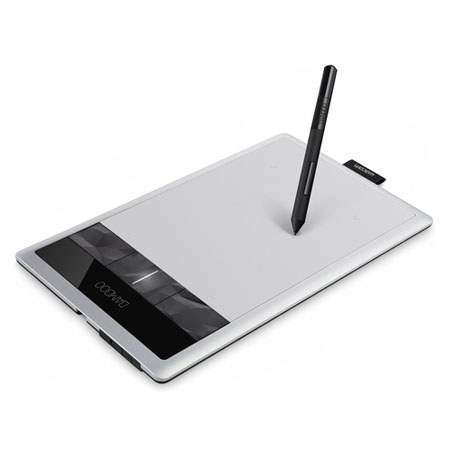
cool tablet, very nice feel to it, really like the wireless option now on this version, the design for the quick 4 buttons is a bit weird but not bad, the only downside is no eraser but easy fix via the left click on the pen, my daughter is learning traditional manga so with this tablet she can get into digital right away
Dr.Pixels
2011-12-16T19:00:00
Rated 5 out of 5
I don't know how I survived without it!
I'm a professional photographer that does a lot of beauty work, which tends to be VERY time consuming. I can take up to maybe 8 hours of daily retouch. The only mouse that will stand by me more than 2 months is the one from mac, which is kind of heavy.
This tablet is SO amazing, I can't stop complimenting it. I was so skeptic about changing, because when I was at school we used some very cheap tablets that were difficult to use. It's just the right size for my cluttered desktop, yet big enough to have some nice working space. The pen is so light, I can't even feel it.
I thought it would be a while to get used to it, but its like second nature. It also helps that I draw frequently, so editing becomes almost like painting. Hair, skin retouch... it cuts my time almost in half.
The only thing is, I hate navigating with it, its kind of messy. I prefer using the mouse for that.
Naomy Q.