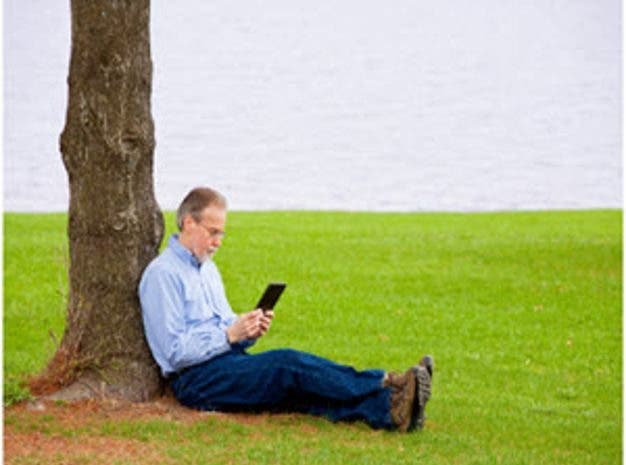
With libraries loaning out e-books, college textbooks slowly making the transition and a growing catalog of titles to choose from, it’s clear that e-books are winning over converts by the thousands. How will you read these virtual books?

The growth in popularity of electronic books can be found in the fact that one of the leading providers of e-books has almost 200,000 exclusive titles, and not just ones from authors that you have never heard of before. Publishing in this format has become so prevalent that libraries and even leading on-line booksellers have lending services. Schools are now making textbooks available in electronic form and often a book now comes out first in the electronic format. What to read it on? An eReader!
Interested in photography? Adorma offers a growing selection of free eBooks. Visit our Photography eBook collection and download to your new eReader!
To meet the growing demand, the Electronic Book Readers department at Adorama carries some of the top eReaders available today, as well as useful cases and other accessories for the most popular eReaders. The continued transition of titles both current and out of print into the electronic format have led electronic book sales to outpace printed book sales starting mid last year, and the sales of e-books is expected to increase as well.
The reasons for the popularity of the format are pretty clear. To start with, the devices come in well under a pound, and now less than 10 ounces is not too rare. That makes it lighter than most printed books, and then you can add in the fact that a single e-reader can hold 1,000 books it makes for a great combination. The ease with which a user can download a book makes it almost effortless, and with a good Wi-Fi connection it might take less than a minute to get the book on your reader. Eliminated is the wait for delivery of a book or the disappointment when a new best seller is sold out at the local bookstore.
e-Reader displays usually range in size from 6 inches (think about the size of paperback book page) to about 10 inches. While the majority are black-and-white displays, there are a growing number of color e-book screens coming on to the market (much better for illustrations and photographs).
A dedicated e-Reader usually uses a form of “e-ink” for its display. One of the major changes that have occurred over the last year is the addition of backlighting to e-readers. Initially they were designed for use in normal light and even bright light conditions so this was not needed. However, as their popularity grew users complained about how difficult it was to use while reading in bed and that has now been addressed.
Touch-screen displays are also available on most e-readers. Using a touch screen you can simulate page turning with the swipe of your finger. Other readers have small buttons for flipping pages, which minimizes smudges on the screen. Readers with touch screens will provide “virtual” keyboards for you to use when searching for the latest bestsellers.
Connectivity or How You Get New Books
Using Wi-Fi downloading of e-books is now pretty much the standard for getting new material on your reader. While older systems might require a connection to a computer that is clearly changing, and for the better, Who wants a light mobile device that is tied down to a PC, and a PC that might not be with you when you are ready for a new book?. With the use of wireless they are also increasingly allow at least some web activity such as checking e-mail.
Which books are available?
As far as your options in e-books themselves, they’re expanding. Rapidly. First, you can tap into a growing library of free publications from Google Books (these are public domain titles, including many of the classics which you know you need to read but probably haven’t yet). Depending on the e-book reader you own, you can also download free e-books from your local library. Sony’s Reader, for instance, supports this useful function, and Amazon announced in April that it would team with over 11,000 libraries in the U.S. for Kindle e-book lending. All you need is a library card from that particular library and an account with Adobe.
Not every library in the country is offering e-books for download, but many are, and like a regular library book, the e-book is free to borrow for a time-limited basis. If library rentals are important to you, check with your local library to ensure they support a particular e-book reader you’re considering.
As far as e-books to purchase, buying an e-reader usually determines the e-book store you will access. Purchase a Kindle, you’ll be using the Kindle store (aka Amazon). Purchase a Nook, you’ll be buying your e-books through Barnes & Noble. Purchase a Sony e-reader and you’ll be buying from the Reader store. And so on. However open source books are increasingly popular and industry standard formats that are increasingly supported by developers help open up books that are not platform specific.
E-Book Reader or a Tablet?
You may be asking yourself which device is right for you since both can tackle e-books. The answer depends on what you want to do and how much you want to spend as e-readers cost significantly less than a tablet. E-book readers will be lighter, less expensive, and the e-ink displays provide more of a “print page” feel. It seems that avid readers most often opt for an e-reader so that they have a dedicated device for books. Occasional users might not mind having to use a tablet and then have access to all of its other features such as a camera, productivity apps and use as a second screen for video or viewing television, however most users I have talked with like a dedicated device for e-books.
An Open Book: Here’s a look at some hot-selling e-book readers
The following eReaders are all available from the Electronic Book Readers department at Adorama. Pricing and availability are accurate as of November 14, 2012.

Aluratek’s Libre, at the Adorama price of $49.99, is a bit smaller at 5 inches but comes bundled with both a 2GB SD card and 100 pre-loaded e-books. There’s no internal memory, but the SD slot on the Libre supports cards up to 32GB in size. It has an “e-paper” display for simulating the look of real book pages and a sports a battery capable of 24 hours of continuous use with an auto-shutoff to prevent battery drain when the device is not in use. In standby mode, the battery on the Libre lasts for two weeks.

The $119.99 Ematic eGlide Reader Pro 7″, available at Adorama, has an interesting look with its integrated keyboard, something that is not a common feature on e-readers and allows the user to send emails and other functions. The Ematic eGlide has 802.11b/g Wi-Fi and can serve as a video player with 720p high definition video capabilities on its 7-inch color display that has 800 x 480 resolution. It has 4GB of storage and supports DRM protected e-books.

At an Adorama price of $129.95, the Sony PRS-T2 is an eReader with a 6-inch monochrome screen that features WiFi connectivity. You can borrow eBooks from public libraries through this eReader. It supports EPUB, PDF and Text file formats, and accepts both wireless and hardwired file transfers. Portable at less than half a pound, the T2’s touch screen lets you pinch, scroll, and rotate; you can use the included stylus for handwriting, and a virtual keyboard can be called up as well. Sony says the E Ink Pearl E-Paper mimics real paper, allowing you to read as long as you wish, very possible since the battery is claimed to last two months with WiFi turned off. Bonus for Harry Potter fans: Purchase of this product entitles you to a free download of the book “Harry Potter and the Sorcerer’s Stone.”

If you are a bit more cost conscious, the Adorama-priced $69.99 Aluratek 5″ Libre eBook Reader Pro is another e-reader with a unique look. It comes with 2GB of storage that is expandable to 32GB with a SD card and has 100 free e-books. It supports a wide variety of electronic book formats as well as BMP, JPG and GIF picture formats. A built-in MP3 player allows a reader to listen to music while reading books on its 5-inch display.
Gotcha covered
With a larger screen than a smartphone an e-reader is vulnerable to damage and so it makes sense to look into a jacket or cover for the device. There are dozens of options available and here are just a few that you might want to consider. The iLuv Festival Notebook Folio Case, $39.99 gives a somber professional look for Kindle users. For added protection yet easy access to viewing you might look to the OtterBox Defender Case for Amazon Kindle, seen below. The $69.95 case is just one of many models that OtterBox makes to protect e-readers. You can find all cases for eReaders at the Electronic Book Readers department at Adorama.