
 Print This Page
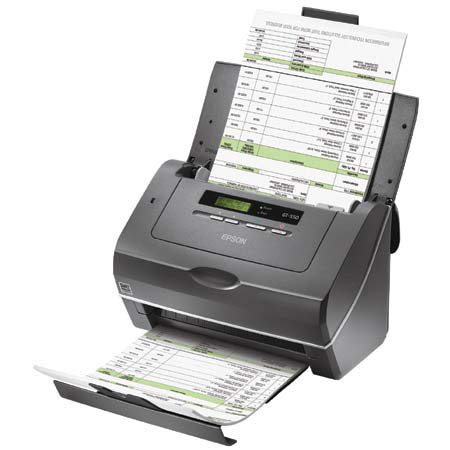
 from Fredericksburg, VA on 3/13/2011
Comments about Epson Epson WorkForce Pro GT-S50, Duplex in One Pass Document & Image Scanner, 8.5" x 36", 25ppm, USB 2.0 Interface for Windows & Mac:
I've been scanning family photos... thousands of them. This scanner has been invaluable for this task. I'd tried a couple of times to take on the project with a flatbed scanner, but it was WAY to SLOW. This is where this scanner excels. I've used the scanner's software interface to scan batches of photos to files, using Windows Explorer and Windows Photo Gallery to organize and view them. Any editing I do is done with Photoshop Elements. So... basically, since I use the scanner just for scanning, I cannot comment on its bundled software. When things go right, its scan speed/quality is excellent and again INVALUABLE.
In order to keep things going right, I've had minimize scanning batches of photos of different sizes simultaneously. The pics scan through striaght when the guides limit sideways motion, but without the guides, there is some distortion visible on the pics' edges if the scanner's software had to "straighten" the image because it went through unguided. I doubt this would be noticeable/objectionable if scanning text pages, but for family photos, it was not tolerable. Scanning photos in groups of similar size has been a suitable workaround for me, because they scan so fast. B/W photos at 300 dpi greyscale fly through. Color pics @ 300 dpi are quick, about 2 secs each. By far, the longest time is removing photos from albums, and adding captions. The scanning is really no longer part of the equation, and good riddance, lol.
I typically successfully run anywhere from 4 to 20 photos at a time, then view them to ensure successful, quality scan. Photos with gummy residue left from the album pages result in a build up on the scanner glass, which has been able to be cleaned up with some effort. There is occasional micro streaks from dust or gummy junk. If it contiues as a disturbing pattern, I stop and clean the glass. Clean photos lead to uninterrupted scanning. Single pass-2 sided scanning is invaluable for capturing notes on the backs of pictures without needing any more scanning time. There's also an option to allow the software to detect and skip blank pages, when photos are mixed, some with, some without notes. I'd say it's been ~85% accurate, totally dependent on the amoun/location/contrast of the writing. Small notes on the back edges are usually the ones that get skipped. Notes away from the edges are caught.
A double layered plastic sheet protector with onion skin seperator between is included for delicate or damaged items, or pics that are too small (i.e., tiny school pics). This is a very thoughtful item for them to have included, and it's been handier than I anticipated.
When I shopped for feed through, high speed/resolution scanners for photos, I compared this model to Kodak's s1220, i1220, and 1120 models. I found the specs for the GT-S50 scanner itself (not the software) to be superior with fewer complaints about the dust streaks. I've not actually tried the other scanners, so I can't give first hand comparisons. The GT-S50 is also much less $. Not sure of how much value the bundled Kodak software is with the s1220, but I've had no complaints using the software I already had instead.
There is no auto correct for portrait/landscape orientation, but it's been a quick keystroke fix when reviewing the scans in Windows Photo Gallery.
Again, when loaded correctly, it's been very fast and effective for me. It has not been quite as versatile as some other models' demos where a handful of all sizes and orientations are loaded and left to auto processing, but with a modest effort of care in loading, the scanning is quick and great quality.
actual scanning in action

Tags: Made with Product, Picture of Product, Photo, Scanning, Using Product, GT-S50, Scanners