
 Print This Page
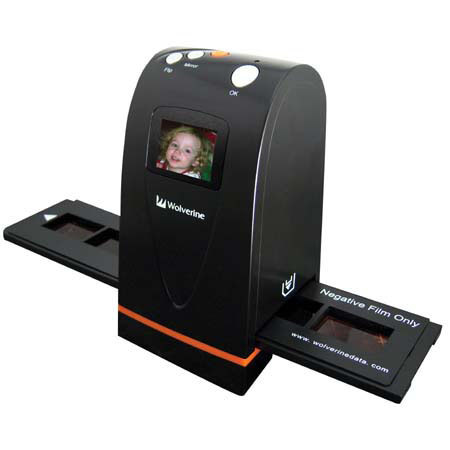
Customers most agreed on the following attributes:
 from Tacoma Wa on 1/25/2010
Comments about Wolverine Wolverine 35mm Film to Digital Image Scanner with USB Interface:
Works great right out of the box.
250 slides and 100 negatives and no problems.
Some times the trays are a little hard to open and close.
[5 of 5 customers found this review helpful]
from Northern Minnesota on 5/5/2009
Comments about Wolverine Wolverine 35mm Film to Digital Image Scanner with USB Interface:
I found that the feature of scanning the photos into a memory card without the need for a computer very good. The cards are low cost and can be used as a back up storage medium for the scanned photos. Scanned photos were printed with good results.
[5 of 5 customers found this review helpful]
from phila,pa suburb on 5/4/2009
Comments about Wolverine Wolverine 35mm Film to Digital Image Scanner with USB Interface:
For quick digital images to make one or two small prints, this is fine for the price. as a professional to make images that will need to result in 8x10 or larger prints this is not for you. even smaller images will be fuzzy if not from a bright, sharp, and clear negative.
i would recommend this to a friend but only with the provisos above.
[4 of 4 customers found this review helpful]
from Brooklyn, NY on 3/30/2009
Comments about Wolverine Wolverine 35mm Film to Digital Image Scanner with USB Interface:
As a scanner, it's ordinary. As a gadget, it's great. Since you don't have to connect it to a computer (though you can), you can scan as many slides as you want, and do it very quickly. Don't expect pro quality, but it can be a good thumbnail producer, then you can pick a slide for more precise scanning.
[8 of 8 customers found this review helpful]
from Pennsylvania on 2/22/2009
Comments about Wolverine Wolverine 35mm Film to Digital Image Scanner with USB Interface:
>>> I love the fact that it is a stand-alone device and doesn't have to connect to a computer or software to do it's job. I did some of my first slide conversions sitting at the service bar in my kitchen!
>>> When you have a lot of images to scan, speed is important. I really like the speed. About 5 seconds per image capture. I read the instructions and then converted 40 of my slides to digital files in the first 15 minutes.
>>> "Good" image quality (2520x1680). If all you want to do is convert a color slide to a digital file in order to just keep the "image" on a CD (media transfer) for friends and family, get a 4x6" (or 5x7") print, or down-size for an email attachment, the quality of this device is generally "good enough".
>>> Conversion "exposure" accuracy - Everything on this device is automatic. There is nothing to adjust, so you'll either like what you get, or you won't. I found I liked what I got about 75% of the time. There are just some slide exposures that it can't figure out. For me, that's OK, and I can live with that.
[6 of 6 customers found this review helpful]
 from Brooklyn, NY on 2/20/2009
Comments about Wolverine Wolverine 35mm Film to Digital Image Scanner with USB Interface:
I have slides and negatives from 30+ years of shooting. I don't have the money to get them scanned professionally, and I don't have the time for most scanners. This device solves a problem for me. If I want to get a more detailed scan later, I'll do so. For now, I'm getting all of my 35mm negs and slides onto my external hard drive, something I had given up all hope of accomplishing.