

This item is no longer available.
Review Summary
2014-11-04T19:00:00
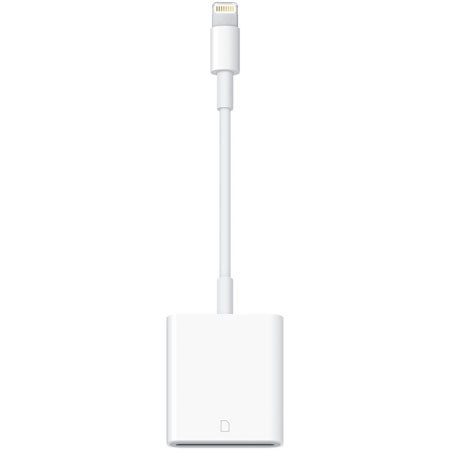
I use the following procedure: turn on iPad and enter password, put SD card in reader, plug reader into iPad with card symbol up. iPad will recognize reader and put up the right screen. Tap " import all".
FRANCIS E.
Accidents happen where life happens. Protect your favorite Adorama products and purchase a protection plan to stay covered from accidental damage, mechanical or electrical failure, and more.
If we can’t fix it, we’ll replace it at no additional cost.
Protect your product from drops, spills, and more.
Enjoy your gear without fear. We have you covered!
When regular use of your product over time results in mechanical or electrical failure.
We will never charge you a deductible after the purchase of a plan.
Our claims process is simple & easy and our customer service team is happy to help.
Adorama Protect powered by Extend is available for purchase to customers in the United States. Not available for purchase Internationally or in U.S. Territories.
Browse our FAQ

By saving time you will make more money. You will produce better videos and have more time to focus on good creative aspects of your project. Through iPhoneography you can do this all while ditching the editing stations and terminals for something a lot more portable
Shoot. Connect. Enjoy. iPad and iPad mini camera adapters give you the means to import photos and videos from a digital camera directly from an SD card. iPad and iPad mini support standard photo formats, including JPEG and RAW, as well as SD and HD video formats, including H.264 and MPEG-4. So you can get photos and videos off your camera and onto your iPad moments after you take them.

Use the SD Card Reader to import photos and videos directly from your camera's SD card. Connect it to your iPad, then insert your digital camera's SD card into the slot.
After you make the connection, your iPad automatically opens the Photos app, which lets you choose which photos and videos to import, then organizes them into albums. When you sync iPad to your PC or Mac, the photos and videos on your iPad are added to your computer's photo library.
iPad and the Camera Connection Kit support standard photo formats, including JPEG and RAW, along with SD and HD video formats, including H.264 and MPEG-4.





