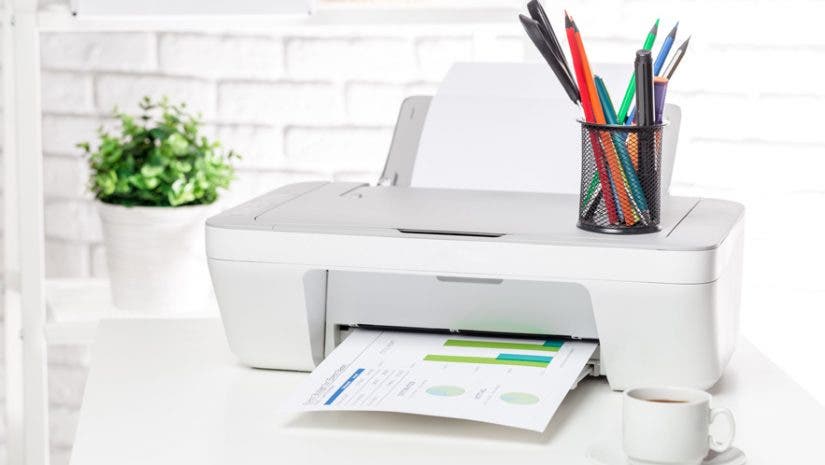
Home offices are no longer a novelty, they’re a necessity, which means it may be time to bite the bullet on that home printer. Today’s home-office printers pack multiple features into one; they’re printers, scanners, fax machines, and more, with connectivity across smartphones, laptops, and desktops — all without those cumbersome cords. If you’re ready to take working from home to the next level, here are the nine best all-in-one printers to consider for your home office this year.
Perhaps one of the best things about having a good multifunction printer is that it adapts to your business and personal needs. Anyone can have it and operate it by themselves in the comforts of their own home or business space.
Veteran printer brands like Canon, Hewlett-Packard, and Epson offer a wide range of more compact multifunction inkjet and laser printers.
What is an All-In-One Printer?
An all-in-one printer combines the functionality of multiple devices in a single unit. At a basic level, this includes printing, scanning, and copying. It’s not too uncommon to also see faxing thrown into the mix, alongside other modern features like wireless connectivity to phones, tablets, laptops, and desktops. The best all-in-one printer for home use can eliminate a lot of clutter!
What to Look for in an All-In-One Printer
There are a number of features to consider when looking at the best all-in-one printer for your home office. Let’s say that printing, scanning, and copying are a given. What are other useful tools to make life easier?
Automatic Document Feeder
An important feature to some users is having an automatic document feeder. This function allows you to set up and automate scanning and copying if you have large batches of paperwork. That way the printer does all of the work while you focus on other tasks.
Duplex Printing
Another handy feature, if not a must for some, is duplex printing. The best all-in-one printer can print to both sides of a sheet of paper automatically without a manual flip.
Print Speed & Resolution
Other considerations are print speed and resolution. Speed is measured as pages per minute (ppm), copies per minute (cpm), and images per minute (ipm). Higher values mean higher speeds. When it comes to resolution, higher values correlate to more richly detailed images. For text printing and average use it may not be important to have super high-res capabilities, though it’s definitely a feature to be aware of.
Inkjet vs Laser
Last but not least is selecting inkjet vs laser as the best all-in-one printer for home use. Inkjet printers use replaceable ink cartridges and tend to be cheaper than laser printers. They’re recommended for small-volume printing and are preferred for high-quality images. Laser printers use toner cartridges rather than ink; the internal lasers melt toner powder to the page. Color laser printer all-in-one machines are more expensive than inkjets. However, they are preferred for high-volume printing and will save you money on ink in the long run.
The best all-in-one printer for home use should strike a balance between these features and also be economical. At the end of the day, though, it comes down to how you intend to use the printer to make a final decision.
Inkjet printer pros and cons
The inkjet printer is the most common choice for household and general printing needs. They’re those printers with replaceable ink cartridges that have mini nozzles that spray ink onto practically any type of paper.
The advantages of using an inkjet printer are that they’re a lot cheaper; they usually come in smaller sizes, operate quietly, deliver high quality prints, and they require low cost papers. However, the ink is not waterproof. The printing also takes a while (usually not any more than 6 pages per minute). Additionally, the ink dries up when the printer is not used for a long period of time, leading to ink clogging.
Laser (monochrome) printer pros and cons
The regular, black-and-white laser printer or monochrome printer usually costs the same as inkjet printers. This is also the usual go-to choice for printing documents with very small fonts. It also prints in a completely different way compared to inkjets, but similar to photocopiers—it blasts bright laser lights against a page and allows static electricity to attract powdery ink from its toner cartridge onto the page. The surface is then “fused” to set and bond the toner to the paper. This means laser printers don’t require any ink, so it prints sharper, higher quality, waterproof documents at remarkable speeds and much lower costs.
While both inkjet and laser printers are good for household and office needs, your choice solely depends on the pros and cons of each specific printer type as well as your printing needs.
Best All-in-One Printers for Your Home Office:
Adding an all-in-one printer to your home office means school projects, business paperwork, and daily household printing tasks can be completed without a trip to the local print shop. Below, we’ll break down each of these features behind each of these best all-in-one printers:
HP ENVY Inspire 7955e Wireless All-In-One Color Inkjet Printer
The HP ENVY Inspire is one of the best all-in-one printers for home use. It’s perfect for standard home and work documents, as well as printing hi-res images using its advanced photo features. The Inspire machine offers printing, scanning, and copying, in addition to duplex printing. It also features an automatic document feeder to save time during big scan/copy jobs. HP provides six months of free ink delivered to your door via the HP Instant Ink program.
Key Specifications:
- Up to 10 ppm
- 1200 x 1200 dpi (black)
- 4800 x 1200 dpi (color)
- Automatic document feeder
- Automatic duplex printing
Epson EcoTank Photo ET-2760 Inkjet Printer
The Epson EcoTank provides print, copy, scan, and wireless features in an economical package. Because of its cartridge-free design, you can print at a much higher volume than the average inkjet printer before refilling the ink tanks from a bottle. The 1.44-inch color display is easy to navigate and change settings from, and the completely wireless functionality makes it effortless to print directly from smartphones, tablets, or laptops. Epson offers one of the best all-in-one printers for photo printing and regular use.
Key Specifications:
- 4-color MicroPiezo inkjet technology
- 5760 x 1440 maximum dpi
- Automatic duplex printing
- Borderless 4” x 6” photo printing
- Most economical replacement ink available
Canon TS Series PIXMA TS9521C Inkjet Printer
The Canon TS Series PIXMA is one of the best all-in-one printers for those who love crafting and scrapbooking. Included are built-in scrapbooking patterns, which are printable up to 12” x 12”, plus the ability to print images straight onto a CD or DVD. There are also tons of templates included in Canon’s Creative Park software that lets you print greeting cards, personal calendars, and more.
Key Specifications:
- Up to 10 ipm (color)
- Up to 4800 x 1200 dpi
- Bluetooth/Wi-Fi enabled for wireless printing
- Three apps: Canon PRINT, Easy-PhotoPrint Editor, Message in Print
- Automatic duplex printing
HP DeskJet 2755e Wireless All-In-One Color Inkjet Printer
The best all-in-one printer on a budget is HP’s DeskJet 2755e. It offers most of what anyone would need for average home office use, including print, color scan, copy, and wireless features. The HP Smart app makes it easier than ever to print, scan, and copy straight from your phone, so the documents you need are always at your fingertips. Many would consider this the best home office printer for occasional printing due to its ease-of-use and affordability.
Key Specifications:
- Up to 7.5 ppm (black)
- Up to 5.5 ppm (color)
- 1200 x 1200 dpi (black)
- 4800 x 1200 dpi (color)
- Monthly Duty Cycle: 100 pages
HP DeskJet 3755 Wireless All-in-One Thermal Inkjet Printer
Home office space can come at a premium. That’s why HP developed the world’s smallest and best home office printer for those short on room. Print, scan, copy, and wireless features are all there, as is the ability to print everything from documents to high-quality photos. For such a small all-in-one printer, it’s capable for being a great all-around home office device — it’s even available in different colors to match your room!
Key Specifications:
- Up to 8 ppm (black)
- Up to 5.5 ppm (color)
- 1200 x 1200 dpi (black)
- 4800 x 1200 dpi (color)
- Manual duplex printing
Canon Color imageCLASS MF741Cdw Laser Printer
For those with greater demands, the best home office printer is sure to be a laser. This color laser printer all-in-one device by Canon performs multiple functions including printing, scanning, and copying without breaking a sweat. It adheres to today’s wireless expectations and makes printing from mobile devices a breeze, whether it’s untethered from an app or from the cloud. The multifunction laser is perfect for small or medium-sized businesses.
Key Specifications:
- Up to 28 ppm
- 600 x 600 dpi
- Automatic duplex printing
- Automatic document feeder
- Monthly Duty Cycle: 750 – 4000 pages
Canon imageCLASS D1650 All-in-One Laser Printer
Those in small to midsized workgroups or high-volume home offices need a color laser printer all-in-one machine up to the task. The Canon D1650 meets that demand, and includes a balance of super-fast printing, low energy consumption, minimal maintenance, and the option to expand paper capacity. Its scanner can read two pages at once for up to 70 ppm in black and 26 ppm in color. The 5-inch touchscreen is easy to operate, and the printer can act as a Wi-Fi hotspot for direct (wireless) connection to any device.
Key Specifications:
- Up to 45 ppm
- 600 x 600 dpi
- Automatic duplex printing
- Automatic document feeder
- Monthly Duty Cycle: up to 7500 pages
Brother MFC-7240 Monochrome Laser Multifunction Printer
Despite laser printers’ tendency to be expensive, Brother produced an economical option for home offices or small businesses. The MFC-7240 is an all-in-one that includes printing, scanning, copying, and faxing. It’s perfect for standard monochrome printing, like professional reports, spreadsheets, and other important documents. As such, it’s very low-maintenance and highly reliable, making it one of the best home office laser printers in its class.
Key Specifications:
- Up to 21 ppm / 21 cpm
- Up to 2400 x 600 dpi
- Automatic document feeder
- 250-sheet capacity tray
- High-yield 2600-page replaceable toner cartridge
Shop More All-in-One Printers & Home Office Essentials
Looking for more home-office upgrades? Check out our guide to eight must-have gadgets to perfect your home office.