Picture this: you return home from a shoot and open your computer. Then, you plug in your external drive, and get the message “The file or directory is corrupted or unreadable.” You unplug the drive and plug it back in, and you get the same message. After two more tries, you navigate to Google. There, you are alerted that your drive may be corrupted. You think back to the last time you backed up your photos: four years ago on when you saw an ad for World Backup Day.
Just like that, the last four years of your work cease to exist. You’ll spend the next two months sending your drive to various file recovery companies, which will all come up empty-handed. No matter what you take photos or videos of, whether it be one-in-a-lifetime weddings, the best sunsets you’ve ever seen, the family vacation to the beach, or the grandkids’ soccer game, your photos are gone.
As a creator, few feelings are worse than losing years of work in an instant. For many of us, photography and video are more than just a hobby we do on the weekend. Creating is what we do, and the things we’ve created help to tell our story. And the thought of all of those files being wiped away at a moment’s notice is unfathomable for anyone who has never had this happen.
Enough doom and gloom, because today is World Backup Day! And if you want to prevent yourself from ever losing your precious photos and videos, this article is going to cover all the different ways to back up your work.
Making Backups in the Field
Some of the devices most prone to corruption are the memory cards you put inside your camera. Most SD cards last 5 to 10 years, depending on usage. For many photographers, a corrupt SD card can ruin one of the most important moments of their lives. Imagine photographing a wedding, and the SD card becomes corrupt and unreadable during the grand send-off. What will you tell the couple when you’ve lost all the evidence of their biggest moment? Or you get home to upload the photos from a soccer game, only to find that all the files are corrupt, including the game-winning goal.
In these high-leverage situations, in-field backups are the most reliable way to ensure file safety. Experienced photographers know that the more sources you are writing your file to, the safer the file.
Dual Card Slots
Many higher-end cameras have dual card slots. And contrary to popular belief, they are not designed to let you capture more footage. Instead, most cameras with dual card slots let you write to both cards at once, creating a live backup as you go. These are invaluable for wedding and portrait photographers who are capturing a special moment where a second chance isn’t possible. When you’re writing to dual card slots, if one card becomes corrupt, you still have full access to the files on the other memory card, and you can quickly swap out the corrupt card and keep shooting.
Portable SSD
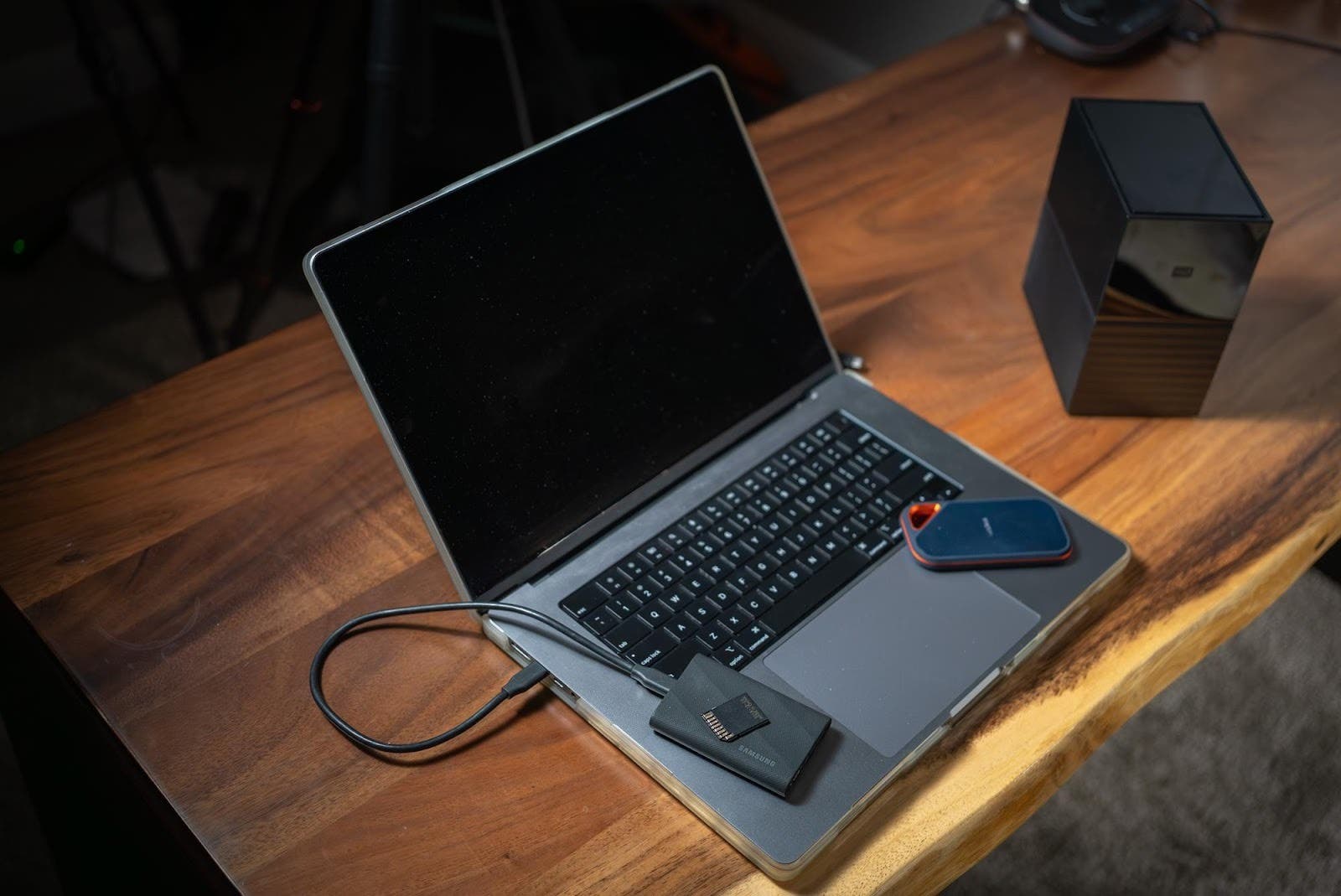
Another option for quick, in-field backups is a portable SSD drive like the Samsung T9, which is about the size of a deck of cards. These drives are fast and durable, making them a great option for offloading your photos. You can connect one of these drives to your computer and quickly import your images while also leaving the photos on the memory card until you return home to a more robust backup system. Remember, the more copies you have of your files, the more secure they will be.
Making Backups in the Office or Studio
Once you return home, there are more secure ways to back up your photos and videos. While SSD drives are excellent for speed and portability, they can be quite expensive, especially if you have a lot of data. And while you’re in the office, you should consider not only backing up your photos and videos, but also your catalogs, presets, brushes, and anything else you wouldn’t want to lose.
At the very minimum, wait to format your memory cards until you’ve done at least one of the backup options listed here. You always want your images to live in at least two places (or more) at once.
Network Attached Storage (NAS) System
A NAS System like the UGREEN NASync is one of the most secure ways to back up your files. This system is a local storage device that connects to the internet. It allows you to store, share, and access your files from a central location. This is ideal for people who work on a team where multiple users may need to access files at once. It’s also ideal to people that switch computers or locations regularly and need to access their files on the go. You can add drives within this system to increase the storage capacity, making it much more economical for users who need many terabytes of storage.
For the most secure options, you can configure your NAS system to back up using RAID data storage technology. There are multiple RAID configurations. However, backing up your files this way will help you retain your data even if one drive fails. Simply replace the drive, and the data will continue to be backed up.
This still isn’t considered a true backup, since all drives are in one place. It leaves you unprotected in case of theft or total loss. The NAS System must still be intact to work. If it gets lost or destroyed, you will also lose your data.
RAID System
For individuals who don’t need the online capabilities of a NAS system, a simple RAID system like the WD My Book Duo is a more economical choice. It functions very similarly to a NAS, but does not back up files online. When you set up your RAID system, you can choose which backup type to use. RAID 1 is recommended for the most secure file storage, creating a copy of your files on another drive in the RAID. Just like an NAS System, this means that you can replace a drive when it fails without worrying about any file loss (unless all drives fail at the same time).
Cloud Options
Backing up your photos to the cloud is extremely reliable and safe. However, it comes at the highest cost over time. While all other options on this list are one-time purchases, cloud storage is typically paid monthly. Plus, the cost increases based on the amount of storage you need. Additionally, since this type of storage requires an active (and fast) internet connection, it can take a long time to back up your files this way. For users with under 1TB of files, cloud storage can be a great option that isn’t too expensive. But with that, most creators find it too slow and expensive.
What is the Best Way to Backup My Files?
The best way to back up files varies by creator. However, all creators should digitally store their files, catalogs, presets, and brushes on at least two different drives. Creators who demand even more security can use and rotate three, four, five, or even more drives for the most secure backups.
For most creators, a portable SSD works best to back up images immediately after shooting and to edit smaller photo catalogs. You can then back up this portable SSD to a larger NAS system. Those who need maximum security can use an additional NAS or portable SSD to create a third, offsite backup.
Regardless of your chosen backup method, you must always keep your files in at least two places simultaneously. Never clear images from your memory card until you upload them to two other locations, and always use dual card slots if you are capturing once-in-a-lifetime moments you cannot replicate. Losing data is one of the worst feelings as a creator, but paying close attention to your backups is the only way to ensure you never have to feel that pain.