2013-10-27T20:00:00
Rated 3 out of 5
disappointing
Great for straight b/w. Colors in printed photos leave much to be desired.
esau
Originally posted at

2013-09-23T20:00:00
Rated 5 out of 5
Brother HL-3075CW laser print
I bought the color printer and it was an easy setup for the wireless. Print quality is good,operation is easy and quick. Also have a Brother Hl 2270DW black and white . I would buy more brother products. My first brother was a dot matrix printer that I still use onc in a while.
harleydog
Originally posted at
2013-07-16T20:00:00
Rated 3 out of 5
Experience
Machine purchased locally. After a month it started making banging noise and quit working. Called Brother and after trying to fix over the phone, Brother sent a rebuilt replacement machine. It is slightly different in appearance and makes a loud sound while printing. I think it is close to the end of its useful life. It does print well, but I believe it is not as good as the 1 month old machine for which it replaced. Brother was polite and reasonably efficient.
MadrasLegal
Originally posted at
2013-07-11T20:00:00
Rated 5 out of 5
new printer
we are using two of the same model printers at home office and like them.
jsid
Originally posted at
2013-06-05T20:00:00
Rated 4 out of 5
Good purchase
good for single pages and just what I was looking for at the time
RevOne
Originally posted at
2013-03-29T20:00:00
Rated 5 out of 5
An Exceptional Printer
I am a 68 year old man, and when purchasing computer peripherals, I am NOT looking for an installation or technical challenge. I have now been using my HL-3075CW printer for a little over a month, and I am extremely happy with my purchase decision.
When purchasing the HL-3075CW Printer, my decision was made based on its price and the print options it supported. My requirements were for a color laser printer that supported both wired and wireless network connectivity. To my surprise, I found the HL-3075CW to be extremely easy and fast to install.
And, once in use, I found that it delivers bright, high-quality color & black-and-white print output.
I was so pleased with the HL-3075CW, that days later, I purchased a Brother HL-5470CW black-and-white laser printer for my considerable black-and-white print needs. Both printers are preforming exceptionally, and for prices I considered to be a bargain.
Clark
Originally posted at
2013-03-22T20:00:00
Rated 5 out of 5
Great Purchase
Needed a printer that printed better than an ink jet printer for photos, this one dies the job. Photo on gloss paper comes out just like a professional film printing. Very well worth the money.
BDHOFF
Originally posted at
2013-03-05T19:00:00
Rated 5 out of 5
Toner cartridge trick
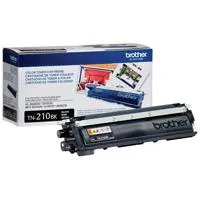
One reviewer noted that (she felt the Brother printer used a lot of toner. In the past, I've placed a small piece of masking tape over the small hole on the toner cartridge. This fools the printer into thinking the toner cartridge is full; I've no way to guess how many thousands of extra sheets of paper I've printed over the many years I've used this trick on the black toner cartridges in other Brother laser printers, but will certainly try this when I bring my HL-3075CW home this afternoon. On sale at a local box store with a $50 credit for trading in a used printer. :-) I've been satisfied with Brother laser printers for years. I understand this isn't a photo printer, but am excited about the possibilities for color printing of brochures and hiking maps!
Hike2day
Originally posted at
2013-02-24T19:00:00
Rated 5 out of 5
Laser Printer
Functional, works well. No problems with printer. Good value for a Laser color printer.
FirstBaptistChurch
Originally posted at
2013-02-23T19:00:00
Rated 5 out of 5
Excellent well priced color laser printer
This machine has turned out to be perfect for a small office.
Hardworking and speedy.
I do use it a fair amount for labels. One has to be careful NOT to reuse a partially used sheet of labels. The glue will adhere to the drums and require very careful cleaning.
dld42
Originally posted at
2013-02-17T19:00:00
Rated 2 out of 5
Difficult installation
I tried following the instructions that came with the device. It was more specific about wn\hat NOT to do than it was about how to install.
After giving up and not using it for a week or more, I went to the web site and fianlly managed to make it work using a USB cable to my computer.
One of the reasons I bought it was for its wireless capability. To date I have not been successful in making it operate wirelessly. During my initial installation attempts I think the symbol on the barely legible status display showed what may nave been a recognition of wireless acknowledgement. But I never got it to print that way wirelessly
oldneezer
Originally posted at
2013-02-12T19:00:00
Rated 4 out of 5
HL-3075CW for Photography
As an amateur photographer, I periodically make go out to take photos. I have always had problems using inkjet printers as the ink would dry out, I would have to purchase new ink. This made the photos fairly expensive to produce.
I decided to get a laser and the HL-3075CW seemed to be a good fit for price and ability. It does do a good job. However, there appears to be some banding and faint lines vertically across the background on landscape photos. Some are much more prominate than others. The photos still look good. On some, there are wheel imprints where it moved the paper when I used heavier presentation paper. I tried one using glossy paper, but it was pointless since the laser has no gloss to apply over its print area.
I also used it to prepare some business documents with color and they looked great. One even had a color picture in the background.
This would be a good printer for casual use or business use. It works fine for color proofs of photos as well. However, for really good photos, an inkjet is still the better choice.
rayw796
Originally posted at
2013-02-04T19:00:00
Rated 5 out of 5
HL-3075CW
Nice machine for the money
can do alot more than I can figure out
Crisp copies-good bang for your $
I only buy brother products--easy to use, understand and customer service help is always very good
CaptBrad
Originally posted at
2013-02-04T19:00:00
Works as advertised.. Very easy to set up.... The iPhone app is awesome....
Laslo
Originally posted at
2012-12-31T19:00:00
It is too soon to make any recommendations on this product. I like the laser color and it gives good quality color pages. However the drums and working parts could possibly result in the future as problem, don't know until more time passes and usage.
wetingle
Originally posted at
2012-12-30T19:00:00
Rated 4 out of 5
Good Quality - Easy Set-up
Thr printer was realtively easy to set-up on a wireless network using Windows 8 operating system. One problem was that disk did not include a driver for Windows 8. This was overcome by installing the driver on a computer with a Windows 7 operating system. Once installed on the other computer, the Windows 8 operating system recognized the printe and installed the driver for Windows 8. The printer was easy to set-up out of the box. Ink is very expensive. Requires four cartriges with each cartrige costing more than $70.00. Offset is number of pages that can be printed without running out to buy supplies.
Butch1
Originally posted at
2012-12-26T19:00:00
Rated 5 out of 5
Prefect home color wireless printer
Super easy setup on our wireless network, just install print drivers on all of your computers set them default to the HL-3075CW and your done. Great for reports, school work with great color and crisp clean lines, we did not buy this for printing photos we have a inkjet for that. So if you are looking for a solid work horse for the home or small business this is the one for you.
Rinatude
Originally posted at
2012-12-21T19:00:00
Rated 5 out of 5
Great Value
I have owned a few other Brother printers so I felt very comfortable making this purchase. I have not been disapointed. Set up was quick and easy and in about 15 minutes I was printing. The B&W is sharp and the color is vivid. I haven't set up the wirelesss yet but will be in the near future. I highly recommend this printer if you want a small footprint and your print quanities are smaller jobs. This printer is for my daughter for school and she loves it.
DR818
Originally posted at
2012-12-21T19:00:00
Rated 4 out of 5
Great Printer
Excellent printer, if you are looking for speed. Quality of pictures and sharpness of color is good but not as excellent as my inkjet - but its 5X faster!
Antonio
Originally posted at
2012-12-05T19:00:00
Rated 4 out of 5
HL-3075CW
This printer is easy to use, fast and not any problems so far. My only issue with it is that I print out color pictures for my documents and they don't seem to have the intensity my old printer had. On the other hand my old printer had many mechanical problems but the picturtes were great.
Bro2
Originally posted at
2012-12-03T19:00:00
Rated 3 out of 5
OK Purchase
The printer works great, but I was told it did pictures well....NOT! It is not a photo printer at all. I really hate that, since I used to print a lot of photos from my camera. Guess I'll have to come up with another "Photo Smart" or something for all of that.
Drue
Originally posted at
2012-12-03T19:00:00
Rated 5 out of 5
Excellent Printer
Replaced a much larger Brother printer. Liked this one so much that I purchased another to be given as a gift to a family member. Unlike my previous printer, this one alerts you to low toner. The output is nice and reasonably fast. Much cheaper to use than an ink printer
Robert21
Originally posted at
2012-12-02T19:00:00
Rated 5 out of 5
Very Pleased with our HL-3075CW
We are very pleased with our HL-3075CW printer. The quality of the colored sheets is superb. Brothers Support has been great too.
SQUAREDANCEWI
Originally posted at
2012-12-02T19:00:00
Rated 5 out of 5
Brother Sleep issues
I like this printer the quality of the print is fine
but some times after it is a sleep when I send a print to it it never wakes up and my windows tells me it is offline. and somethimes I have to reinstall the software to get it to wake and print again.
This has happened many time and is getting old
but at least I know how to fix it. I think you have some issues with either firmware or drivers and I have the latest of both.
Plancaster
Originally posted at
2012-12-02T19:00:00
Rated 5 out of 5
Solid functional purchase
Bought for small business use. Found to produce crisp color/black and white prints in reasonable time. Toner cartridges cost reasonable compared to other laser printers. Found to be constructed to make maintenance straight forward, since we have no IT department this is a big plus. Priced well to serve reliable moderate print throughput
Pharmconsult
Originally posted at
2012-12-02T19:00:00
Rated 5 out of 5
Best Purchase Ever
is my first experience with Brother products and am very happy with my purchase
diegolynwood
Originally posted at
2012-12-02T19:00:00
Rated 5 out of 5
wireless hookup was easy
So far I am very pleased with my HL-3075 CW. I was pleasantly surprized that the toner was included in the box. The wireless hookup was easy and it prints very nicely. You still may want a photo printer but I have not tried photos yet.
Judi
Originally posted at
2012-12-02T19:00:00
Rated 3 out of 5
Not a good fit for my needs
Not a bad printer, but not sufficient for my needs. I do a heavy volume at times and a fair amount of duplexing to save paper, etc. The alternate tray is minimal, short and isn't adequate to handle more than a page or two at the time. I returned the HL-3075 and replaced it with a Brothers HL-4570CDW. Much better, faster and auto duplexing, but obviously a lot more expensive. Still not a perfect fit but much better.
The 3075 is a good printer and does quality work, but I wouldn't recommend it for high volume or long printing jobs. Though rated for up to 30,000 or so per month, I don't think that's realistic
RogerM
Originally posted at
2012-12-02T19:00:00
Rated 1 out of 5
Constant problems
I have had constant issues with this printer requiring calls to the help line with temporary solutions that eventually reoccur. Problems with wifi set up, only printing black and white, paper jams and just overall complexity of use. A real source of pain and and discouragement .
Broexco
Originally posted at
2012-11-26T19:00:00
Rated 4 out of 5
a good basic printer
A great color and black/white printer for every day use. We are very happy with the printer...yet there are a few things we would adjust if we could. It would be nice if the printer could take cardstock, labels, or unusual paper more than one sheet at a time. And the big miss that I have is good photos printing. Photos printed on this printer here are very dark and hard to see.
ziegler
Originally posted at