


This item is no longer available.
Big impact on a budget
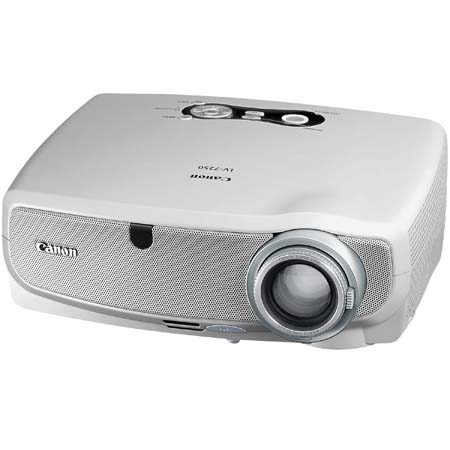
If you are looking to create a big impact on a budget, you should take a look at the LV-7250. This compact and lightweight portable projector is ideal for anyone who wants an affordable business or home theatre projector that doesn't sacrifice picture quality and brightness.
Light up the office or the lounge room
This balance of affordability and picture quality makes the LV-7250 particularly suitable for small and medium size businesses that don't require the ability to present in unusually large spaces. Near silent operation makes it equally effective in the office or lounge room.
Make an impact
Unusual for a projector in this price range, the LV-7250 combines the power of 2000 lumens of brightness and high XGA resolution. Even in brightly lit spaces, this combination produces exceptionally clear still and moving images, diagrams and text.
Genuine Canon 1.6x optical zoom
Particularly useful in small rooms and awkward placement situations, the LV-7250's short focal length lens can project an image thatis 1.52 metres diagonal from less than 2 metres away. From 2.9 metres, it can fill a screen 2.54 metres diagonal.
Easy to set up and operate
You'll also find the LV-7250 is extremely quick and easy to set up and operate. Use the direct source keys on the control panel, forexample to select from four types of input with the press of a button.
Fast to warm up and cool down
When time is of the essence, you'll appreciate the LV-7250's fast warm up time - it's ready to go in only 8 seconds. Cool down takesonly 30 seconds, so it can be put away soon after the presentation is over - perfect for when you are on the run.
Wall colour correction
The Wall Colour Correction feature automatically adjusts colour levels for a presentation so that it appears as it should on blackboards and other non-white surfaces. There are 7 wall colour options to choose from.
Individual colour management
To ensure your presentations look their best, you can use the LV-7250's Colour Management feature to fine tune individual colours inan image. In addition to colour and colour balance, it allows you to adjust brightness, contrast and sharpness
Automatic keystone correction
The Automatic Keystone Correction features adjusts the tilt of the projector to match the screen. Simply place the accompanying scanner on a flat surface and the LV-7250's built-in sensors will detect the tilt and correct it automatically. There is also a manual option if you prefer.
Five automatic image modes
5 automatic image modes help you select the balance of settings for apresentation with the press of a button. They include Standard Mode for viewing presentations under regular conditions. PresentationMode for w when you need added brightness for sharp graphs and photos, and Cinema Mode