2014-01-20T19:00:00
Rated 5 out of 5
Excellent monitor
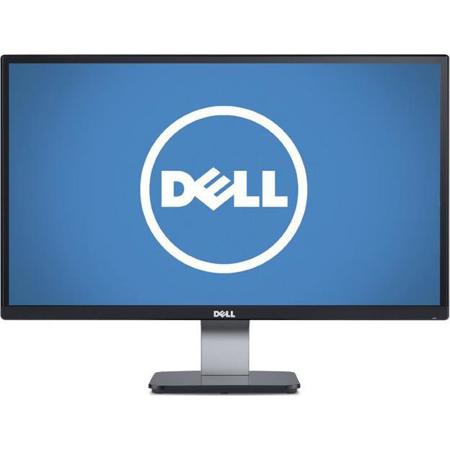
In need of a new monitor, I was pleased that Dell has delivered an IPS monitor at a reasonable price. It gives me a plenty of screen real estate and solid color performance. I needed the monitor to set up a temporary workstation away from home. I have been working with Lightroom and InDesign, and while the screen on a MacBook Pro is excellent, it is too small for me for extended work sessions. The new monitor makes all the difference, not to mention allowing a dual monitor setup which really works well when working in InDesign and Bridge. This monitor will go into my standard work set up when the current situation is resolved.
Bottom line: Excellent performance at a good price. A solid value.
Typographer M.
2013-06-03T21:00:00
Rated 5 out of 5
Great value for IPS
For the value, the monitor is definitely worth the buy. I use this monitor for 3D gaming, digital photography, and HD video. So far, I have no complaints about it. VGA and DVI inputs both show good quality.
Since this monitor is mirror gloss finish, you have to be careful not to place it where there is any light facing the monitor or you will get glare/reflections of the room.
VICTOR C.
2013-06-02T21:00:00
Rated 3 out of 5
excellent monitor. ...no mounting option
I would rate it as five star if mounting options is available....how can LG monitors can be mounted in different ways......geez....dumbest idea. I wonder if oil paintings and bathroom mirrors are not mounted to the wall.....anyway I'm improvising my own idea of mounting this monitor......maybe attached it to my coffee table ! ! LOL. ..DUH.!
one m.
2013-05-11T21:00:00
Rated 4 out of 5
great deal for the monitor
I bought two monitors because I require two screens for work. The colors are very vivid and a good size.
The stands do not adjust up and down but you area able to move the screen to bend up and down. I would suggest buying a separate monitor screen.
finance m.
2013-05-06T21:00:00
Rated 3 out of 5
Dell S2340 LED Momitor
While the price was reasonable, I am disappointed with this item.
Can't understand why digital input is DVI when all PC's have HDMI outputs. This required me to purchase an additional cable so that I could realize full benefits of the monitor.
I was unable to get the monitor colors , contrast, and brightness to match what I see on my laptop display. This makes use of the monitor questionable for photo editing.
NEIL S.
2013-05-06T21:00:00
Rated 5 out of 5
Best monitor for the money you can get
Simple as it is the best monitor for the money you can get. It has everything that is essential for a modern monitor: IPS Panel (better color rendering and better viewing angle), LED screen (brighter than LCD and save energy), light weight, and energy star(19w). For whatever, you want to move to the next level, you have to pay at least more than $100. I don't need USB ports, portrait mode, back mounting, speakers, metal stand etc. And for this 1080P, personally, I think 23 is the largest screen size you should get. I compared this to a Apple Monitor, I could not tell a huge difference. I especially like the borderless design and glossy screen(I know someone hates this)
Xiaodan Z.
2013-05-06T21:00:00
What can I say. I LOVE IT! I LOVE IT! I LOVE IT!
Colors are very vivid and sharp! Purchase three of them and WOW! It is a steal! Glare can be an issue with some people, however I have no issues what so ever even on day light! Like i said I LOVE IT! I LOVE IT! I LOVE IT!
theone