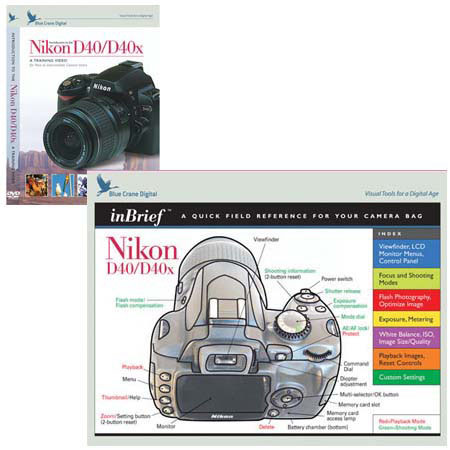
Blue Crane Combo with DVD, Introdution to the Nikon D40, D40x Digital SLR Cameras, & inBrief Quick Field Reference
SKU: DVCND40
This item is no longer available.
Share:
Overview
Compare
Learn
Specs
Protection
About Blue Crane Combo with DVD, Nikon D40/40X DSLR
The Nikon D40 takes great shots right out of the box, but understanding the controls features of the camera can really unleash its potential. This video explains how the camera's controls are designed to work together to capture the best image under all conditions. Each subject is contained in a separate chapter, so you can proceed at your own pace, later come back to an individual topic. This 84 minute DVD can cut weeks or months off the learning curve for D40 owners
Camera operation is broken down into easily understood components. Then the D40 owner is walked through real-world examples, building on the foundation already established. Many through-the-viewfinder examples make this camera much easier to understand enjoy
Here is a sampling of the subjects covered in the video:
· Simplifying the camera controls
· Digital Vari-Programs
· Autofocus brackets modes
· Exposure modes
· Shutter priority setting
· Aperture priority / Depth of field
· Metering / Bracketing
· Exposure compensation
· ISO
· Understanding histograms
· Custom Settings menu
· White balance / Color temperature
· RAW (NEF) files
· Software tools: Picture Project and Photoshop Elements
· Composition
· Printing your favorite photos
· And much more!
The D40 is a feature-rich camera with almost infinite customization. This presentation explains not only what the controls are for, but how to use them effectively to obtain stunning results
Take better pictures than you ever dreamed possible. You'll come back to this video again and again
Your camera manual covers all the functions on your digital camera. It's also over 100 pages long
When you are in the field, you need quick and accurate answers to achieve the best shot. We developed the inBrief line of camera guides so you can get the answers, and more importantly, the shot you want
Each card is divided into 8 color-coded panels. If you have a question about metering or bracketing, simply look at the yellow panel. Questions about custom functions are answered on the green panel. The layout and description for the control panel view finder can be found on the blue panel. And a color-coded index on the front page immediately points you toward the answer you need
The inBrief guide is laminated for long life and protection from the elements. As importantly, the panels are separated by thin strips of clear lamination, allowing the card to be folded easily stored in your camera bag
Your inBreif guide won't be a replacement for your manual, but it will remind you of what functions are available, how you can get them to work for you
Every inBrief includes a line drawing of your camera with the controls for shooting, displaying images, and general operation clearly labeled, a panel that shows you, at a glance, the camera functions available.