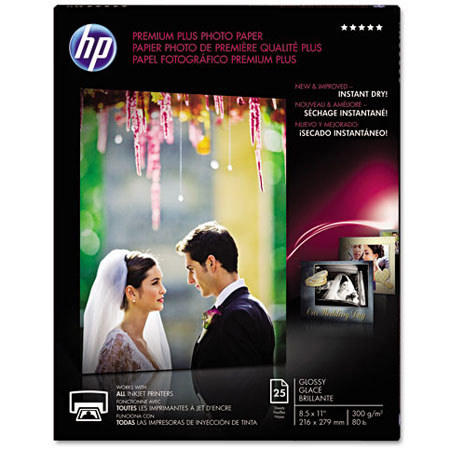
HP Premium Plus Glossy Photo Inkjet Paper, 8.5x11", 25 Sheets
SKU: IHPCR670A
This item is no longer available.
Recommended Alternatives


Share:
Overview
Compare
Learn
Specs
Protection
Reviews about this item
Review Summary
2024-02-27T19:00:00
Rated 5 out of 5
HP Photo Paper ????????
Really good quality photo paper. I also really appreciated the free, speedy delivery. Will order direct from HP again.
JKSuga
Originally posted at
2023-02-22T19:00:00
Rated 5 out of 5
It works photos come out printed well!
It works well for photos that I have printed and I am very pleased with its quality. From my observation photos printed from using this HP Premium Plus Photo Paper, Glossy, are just as esteemed as photos, taken from a photography place/location. It meets my expectations!
ramata05
Originally posted at
2023-02-18T19:00:00
Rated 5 out of 5
Quality
Great photos
FloydLQ
Originally posted at
2022-12-21T19:00:00
Rated 2 out of 5
Prefer larger quantity
Ordered in error since usually order the 50 sheet version which I gather was out of stock. Personally I would prefer a 100 sheet version.
Warren W.
Originally posted at
2021-09-02T20:00:00
Rated 5 out of 5
Great Quality
Did awesome job of printing daughters' graduation photo.
dewtime
Originally posted at
2020-08-06T20:00:00
Rated 5 out of 5
Best Photo Paper Ever
I just love genuine HP products. The paper is so thick and glossy. I've bought cheap paper that actually, you can practically see it happening, starts fading way to quick. Not HP Premium Glossy, my pictures will probably outlast me. I just love the feel and the texture of it. You can definitely tell it's VERY high quality and just Premo!
BassPlayer
Originally posted at
2020-08-03T20:00:00
Rated 1 out of 5
Terrible paper
My pictures came out terrible with this paper. I had setting correct and new ink installed. Pictures came out very washed out. In fact pictures came out great on plain white paper. This photo paper was a waste of money and a big disappointment. Maybe a bad batch.
Dockman532
Originally posted at
2020-05-22T20:00:00
Rated 5 out of 5
Great
It’s just picture paper. Printed a few pictures and they all came out great.
Anaya
Originally posted at
2020-05-04T20:00:00
Rated 5 out of 5
Great photo paper
bought this to print pics of the new grand baby and the not as new grandma by. Wonderful clarity and with the ink program makes HP an A+++
Ba b.
Originally posted at
2019-11-07T19:00:00
Rated 1 out of 5
Failure
The paper failed to produce an acceptable print. I don’t recommend.
Wbirk
Originally posted at
2019-11-06T19:00:00
Rated 5 out of 5
You get what you pay for
Everyone loves to print out their own photos like I do. Buy some discounted photo paper at Wal-Mart or some other store. Streaks, smudges, and a lot of cursing. Purchased my HP Photo paper and HP inks in my HP 4630 series printer and Wala !!! Perfect copies every time. No mess, no fuss, and no cursing. My little Pooch Dash loves the results also.
Dashman
Originally posted at
2018-08-01T20:00:00
Rated 5 out of 5
A Plus
I always buy online and get a discount for having an account set up. There is no shipping charge and it only takes 3 or 4 days to come. I use only HP ink because I have an HP printer and it always lets me know when the cartridge is almost empty. I'm not sure of the alternate brands but I am always sure I've gotten the best when I get HP.
Ediee
Originally posted at
2014-09-22T20:00:00
Rated 1 out of 5
Terrible paper
I spent extra on this paper thinking that it would be worth it to have good prints. It jammed repeatedly in my HP C6180, smearing photos and wasting huge amounts of ink. I thought the problem was with the old printer. Just tried with brand new HP8600 and the paper will not feed through the printer at all. The box says that this will work with all ink jet printers but it doesn't even work with HP printers. Save your money!
unhappyprinter
Originally posted at
2013-12-09T19:00:00
Rated 1 out of 5
Problem
I originally bought the less expensive HP photo paper and it was fine. Then upon reordering, I decided to get the Premier most expensive paper which was a mistake. Now when I opt to print a photo, I get 2/3 s of the photo on the Premier paper and 1/3 of the photo on regular copy paper. This has happened now several times and I am wasting ink. I will never order the Premier paper again.
CherieR
Originally posted at
2013-04-30T20:00:00
Rated 1 out of 5
Very poor quality paper
You new Premium Plus glossy photo photo paper is very poor quality and not worth the money. I used to exclusively use your Premium Plus glossy photo paper for all of my photo prinrting needs. However, with the change to the new "non-premium" Premium Plus glossy paper I have switched to another brand of photo paper. I find that Epson Ultra Premium Photo Paper Glossy is an excellent photo paper and gives the results that I used to get with your Premium Plus glossy photo paper.
Jim2013
Originally posted at
2013-04-26T20:00:00
Rated 5 out of 5
Stunning results with HP Photosmart 7510 printer
I think any problems other reviewers may have had with Premium Plus may be with HP's communication, not with the paper itself. When I bought my HP Photosmart 7510 printer almost a year ago, an HP representative told me it was calibrated for the new version of Premium Plus. At the time, I took that claim with a grain of salt. Only recently did I take the printer out of the box and start using it. I can report that my prints on the new Premium Plus Glossy have been nothing short of stunning. I've ordered some of the new Premium Plus Soft Gloss to see what results I obtain with that. To get the sharpest prints, with the most saturated and accurate colors, I find I have to set the printer's Preferences as follows: Media: "HP Premium Plus Photo Papers" and, under Advanced: Output Quality: "Maximum dpi" and Real Life Technologies (sharpness): "On." I learned this partly by trial and error, partly by finding and downloading the User Guide from the HP web site, and partly from links in the User Guide to HP Support. I only wish this information had been included in the printed brochure that came with the printer.
RonCo
Originally posted at
2013-03-04T19:00:00
Rated 2 out of 5
No longer worth the money.
I've been a loyal user of Premium Plus paper for several years with outstanding results and great comments on the image quality from other photographers. Having run out of the 'old' style PP paper I purchased a good amount of the new and 'improved' PP paper and have had nothing but trouble with it - it won't feed properly into the printer (C5180) despite changing all the settings that HP recommend for pre 2012 HP printers along with cleaning rollers etc and when I have managed to get it to print a page the quality, depth and colour are slightly different when dry to the old PP paper and really a little disappointing. All other papers I use feed nicely through the printer. Using 5-6 sheets a time to get one print that feeds properly isn't on! Annoying because the printer and old style paper gave such faultless results.
foxmg
Originally posted at
2013-02-02T19:00:00
Rated 1 out of 5
This paper is not premium at all
I have been a long time user of hp premium plus photo paper with my HP photo series 7300 for many years. Always satisfied in the past until my recent prints. Will be returning this paper immediately. Prints look laughable in quality compared to prior product. Followed HP's recommendations and no improvement. Quality is FLAT, greenish, lacks depth on blacks and highlights ARE BORING. SO Disappointed. If they can't figure this out switching to all canon products. Printer, ink, paper. You guys ruined a perfectly outstanding product!!!!!
Returning
Originally posted at
2012-12-15T19:00:00
Rated 1 out of 5
jams and will not print
I cannot get this premium plus photo paper to work with my hp psc 1315 printer. The premium works fine, but the premium plus jams and will not even allow the printer to pick it up. It's like it is too thick or something. This paper was more expensive and I don't know what I am going to do with it as I cannot get it to work with my printer. I went to your website to try to get some customer support and I get as far as "your printer is no longer under warranty" and that's it. Not Happy.
Haywire
Originally posted at
2012-09-17T20:00:00
Rated 3 out of 5
Response from HP is entirely unhelpful
After reading the response from HP below, I attempted to print on the new paper as directed. The information must have been written with Windows users (drivers) in mind as they are all but useless for Macintosh users (drivers). The Mac driver from HP does not include "Advanced" in the selection for paper types. There is "HP Premium", "HP Premium Plus", "HP Photo" and "HP Everyday". So, which one is supposed to be "Advanced"? Also, putting the instruction notice here on the web, while nice, is almost useless as people won't know it's here. A note packaged with the paper itself, or on the box would be the appropriate thing to do. As I don't know the recommended settings, I can't rate the paper better or worse than average at this point.
Bink
Originally posted at
2012-05-09T20:00:00
Rated 1 out of 5
very poor
I do not know why this paper is called HP Premium Plus when it is clearly an inferior product. Colour quality is poor and it fades within 3 or 4 months unless kept in an album or envelope. I live many miles from major city and had to order it by the name 'HP Premium Plus' from my local dealer who supplied me with this product, not knowing that it was so inferior to the normal Premium Plus I have bought in the past.. I am unable to travel due to ill health and now sit with two almost full packs which I am unable to use. Total waste of money and ink.
stap
Originally posted at
2012-05-02T20:00:00
Rated 1 out of 5
I even miss the old packaging.
I fully comprehend that with the times comes changes. Those that refuse, die in the past. HP.... I get it. BUT WHY!!!!!! I went crazy stocking up on paper as I do ever four years or so, and regret it. For the first time I am contemplating other brands. Solution? I went on ebay and looked for people selling the older paper. Now I am super happy. Please HP, hear us. Just keep your new fancy boxes and give us our paper back!
Ammara
Originally posted at
2012-04-11T20:00:00
Rated 1 out of 5
Why change a good thing?
I've used HP paper for years, but this product prints poor quality pictures. Very disappointed. I agree with the other review - if it ain't broke, why fix it?
erlthepearl
Originally posted at
2012-01-02T19:00:00
Rated 1 out of 5
If it wasn't broke . .why fix it?
The new 300gm paper gives dark colors a greenish tint! Didn't anyone over there "test" the paper before making it? I would like to know what HP will do for its long time customers?
scoutdawg
Originally posted at
HP Premium Plus Glossy Photo Inkjet Paper, 8.5 x 11 inch, 25 Sheets Specifications
Related Articles & Videos
About HP Premium Plus Glossy Photo Inkjet Paper, 8.5 x 11 inch, 25 Sheets
The HP CR670A Premium Plus Photo Paper, Glossy (25 Sheets, 8.5 x 11") is compatible with all inkjet printers and optimized for HP printers. The paper is smudge-free, water-resistant, dries instantly and when used in conjunction with HP ink and printers, will last for many years.