This item is no longer available.
Review Summary
2014-04-15T20:00:00
In order to get this machine to work properly we had to call hp.com for help. The rep was excellent/took about 1/2 hr. It would be better, HP, if you put a flyer in the box advising people how to set up the machine properly -- the instructions in the box were insufficient.
Ellie787

2014-02-25T19:00:00
This is the 3rd printer of this model I have purchased. For the price...you can't beat the performance, features, and quality that I have found in this printer.
Cantor
2014-01-11T19:00:00
Purchased the LaserJet PRO 400 and I really like it. Very simple set up, and it is a fast printer. While there are certainly great printers(ink jet, or other) at a lower cost point, if you want to go laser, this is the printer you need. Holds plenty of paper and prints double sided. no regrets here.
TheRDC
2013-12-10T19:00:00
I bought this to replace my HP Photosmart C7280, which was finally wearing out after many years of service. I chose a laser as I was tired of water drops ruining my printouts. We don't use it for printing photos so that was not an issue for me. I've only had this for a few weeks now, but so far, am very pleased with it. The M475dw was easy to set up on both Mac and Windows machines. Its wireless connection works much better than the C7280. On the C7280, I used to have to be careful of the order of powering on/off the C7280 in relation to when I sent print jobs to it. I often had to power on/off to get it to print. So far, with the M475dw, I've had no connectivity issues. I can't speak to the toner life yet so I don't know if it is cost effective. However, so far, the hassle-free operation is worth the price to me. I haven't used the AirPrint feature yet, but look forward to having this capability. I did try the HP ePrint, and it worked very well.
surferboy
2013-12-09T19:00:00
This is a great office/home laser printer for the money. The cost of toner for the amount of print outs you get, really out ways the ink jet printer. The wireless connectivity is seamless to all my apple products in my home, and the print outs are what you expect from a great laser printer.
MikeS61
2013-11-24T19:00:00
Yes, HP products may cost a bit more but they outperform the rest with compatibility to everything. This printer, as the rest of the HP product line, is full of features, advanced technology, user-friendly and cost-effective. Since the PC came on the market, I have always bought HP products and have never been disappointed.
Tomika
2013-10-30T20:00:00
Completely satisfied with this all-in-one. Did not have any of the problems that I read about on the HP site that others said they had before I bought it.
peter123
2013-10-01T20:00:00
I purchased this MFP to support a small, single-owner business. After working in corporate America for decades, I was used to HP printers and knew that IT departments loved HP, wouldn't consider any other printer but HP. Somehow, either I have a lemon, or HP just isn't what it used to be. The scanning driver is awful! I had one on a DeskJet that is much more efficient and easy to use. The PDFs created were huge, if I scanned in color the background from a white piece of paper would show up as slightly grey, which meant I had to scan in black and white if I ever wanted to print the document out again and have it look "clean." The driver took forever to load and never worked correctly. Printing PDFs was the WORST. Seriously, it would take it almost half an hour to print a 50 page text only black and white pdf while directly connected to my PC. Finally, at 15 months after it was purchased, it just quit working. After spending the morning navigating the maze that is HP "Support" I was informed that the printer I paid $1000 had no warranty, it didn't work, and I was out of luck. I will NEVER buy another HP product again, EVER. After the business-class HP laptop I bought destroyed 2 hard drives in 2 years, I switched to Dell. This printer is a colossal piece of junk, the Epson Multifunctional I purchased for my home office is much better and will be replacing this boat anchor.
Sandra64
2013-09-21T20:00:00
I have been using the new printer for a few weeks. This is a much superior product to my old HP LaserJet 2840 which did provide me with nearly 8 years of service. The new LaserJet is faster and the print looks much better. The touch screen will be a learning curve from the buttons of the old printer. It has already had a few paper jams that the older printer rarely had and I am hoping that these will not be a recurring problem.
Edmeister
2013-09-20T20:00:00
I researched a long time before selecting this printer. I could not be more happy! It prints fast, was easy to set up and no issues! I highly recommend this printer!!!
MNESOTN
2013-09-03T20:00:00
This is a great product. My second HP all in one. Easy to set up and utilize. Only draw backs are the scan software is lacking compared to my last HP all in one printer and the feed tray scans/loads documents crooked.
Pronto87
2013-09-03T20:00:00
We are returning this product. The automatic feeder works poorly and is inadequate even for our small office. The paper jams constantly. We are very disappointed in this product.
Pasadena531
2013-06-06T20:00:00
I received this and the document feeder and copier do not work. A light stays on saying the ADF door is open , even though it isn't. HP will replace it with a new one, The product is out of stock, however,so I can't exchange it right now; they extended the time for return (although not long enough, as I have to call to extend it again if it doesn't come back into stock) and I am waiting for it come back into stock. I have had little problems with HP products before, so I am willing to wait to get this product (or its successor if it is being replaced as I suspect is the reason for its being out of stock).
Jeff777
2013-05-23T20:00:00
Great product for a home office or small business, and to add, the price point is affordable.
MaC2004
2013-05-12T20:00:00
I have not had a chance to explore all the features yet, but what I have, I am well pleased. The setup was a snap and had me in business in minutes. The unit is quiet and fast.
donny011
2013-04-11T20:00:00
I work with Adobe InDesign and I had a project that would be easier to accomplish with a duplex printer. This printer was exactly what I needed. It performs flawlessly. I was really happy with the wireless option and it's nice to be able to print from my various devices. The scanning was clear and I did not have any problems with the software. I also like being able to use the touchscreen. This printer is definitely a winner and I would recommend it to a friend!
paintingblack
2013-03-28T20:00:00
This is used for biz and personal and there are no concerns. Take time register and call the tech support to set-up all the features they can save you time for all who may think they "know it all."
Mworth
2013-02-06T19:00:00
The only think we missing is that incoming faxes are only printed but not in the same time stored as a pdf or tif on the computer
GAZ1942
2013-01-29T19:00:00
I had to order a replacement LaserJet 400 after trying several times to get the AutoFeed to work with scanning. It just keeps hanging after a page or two. Then stops and does nothing. Resetting the power on the printer seems to work once in a while.... it doesn't even seem like a jamming issue.... it just hangs in the middle (this happens scanning to PDF or Scanning to email). Very frustrating and useless unless you want to feed one sheet at a time, per scan. The replacement also had to be replaced... it came in a timely manner, but appeared to be a used printer! So I am waiting for the third one now.
Daniel1
2013-01-07T19:00:00
For the price, this is a very good printer. For high quality brochures, you still will need a graphics shop, but I do not print enough to justify a $4000+ printer. The received faxes appear to be of reasonable quality and match an existing fax/copy machine. But the scanner has much room for improvements and do not expect 1200 ppi (pixel per inch) results with this scanner. The problems I noticed with the scanner are: 1. Black & white (1 bit) or gray scale (8 bit) bitmap scans have every forth row of pixels shifted to the left by one pixel. Thus a vertical line looks like a double sided saw. I pointed this out to the engineers with a reproducible example and after two months, instead of fixing the firmware, I'm told this is a "limitation" of the scanner. There is also a problem with random pixels being where they do not belong, ie. white pixels in a black filled box and black pixels in the white surrounding the box. If it wasn't for this, I could have just written a program to shift every forth row of pixels over by one and fixed the results myself. 2. Color (24 bit) bitmap scans causes a pixelation of groups of 8 by 8 pixels. Each group of 64 pixels is slightly different color than the adjacent 64 groups of pixels. It is very noticeable when enlarging an image. A 1200 ppi scan with four times the number of pixels is of less quality when compared to a non-HP 600 ppi scan. With No. 1 above not being fixable, there is no hope this will be fixed in the firmware. 3. A 100 ppi PDF color scan of a black and white document produces a file that is 5 to 10 times larger and less quality then a color scan of the same document using a high end multi-function printer. The HP scans are lighter and less clear, even after adjusting for brightness and contrast. Increasing the ppi only marginally improved the quality, but the files became unreasonably large for the barely improved results. 4. A Black and white PDF scan of a black and white document produced results that are significantly less quality than a color PDF scan. This may be related to No. 1 above. For PDF scans of expense receipts, basic documents, etc., the scanner is usable. Just do not expect high quality scans from this 1200 ppi scanner. I spent a fair amount of time diagnosing and convincing the engineers that the problem in No. 1 existed. It is a little disconcerting that instead of someone spending 1 to 5 days to fix the firmware, they just toss in the towel and call it a "limitation" or what we call a "feature" in the software world. I'm told to just do a PDF scan, where you will always end up with a much lesser quality image. Kind of misses the point of having a 1200 ppi capable scanner.
Codybear
2012-12-29T19:00:00
It works and its greatttt! Most of all it don't want to jump off desk while printing. LOL
blkpolarbear74
2012-11-19T19:00:00
Printed pictures for cell phones the color pictures were amazing. User friendly printer.
Cara2012
2012-11-12T19:00:00
All four features (print, scan, copy and fax) are fast, powerful and easy-to-use. Setup was a snap - pull off the protective tape, plug in and adjust a few basic settings using the intuitive touch screen. We couldn't ask for anything more.
JeffinDC
2012-11-07T19:00:00
Bought this mfp to replace a 2840 all in one, It is a good choice for a standalone unit and some restrictive communication.The performance of the 475dw is better than expected. The packaged software is another story. You're able to communicate with the printer in a basic fashion, but cannot rely on the Toolbox or Alert status fucntions. They may work the first time, but don't uninstall the software. You'll never get back, specially if you have a 64 bit system and OS.
GIB65
2012-11-01T20:00:00
My small business was thrilled. The features were just excellent. HP still has some work to do on the network for a Windows 7 office. But, overall it was a dream come true. Then one morning about 2 months of use (about 2,500 pages), the ink printed very light, maybe 1/10 as dark as it use to (see attachment). This is for all features, diagnostic, copy, and print. Bought a lesser quality back up printer after several weeks. It really makes us miss the great features of the Laser Jet Pro 400 M475. This printer was very fast and efficient.
MileHighCity
2012-10-25T20:00:00
I upgraded to the LaserJet Pro 400 color MFP (m475dw) from a LaserJet 2840. This printer prints faster, the color images are equal to inkjet pictures, the fax is faster, the copier and printer allow auto duplex printing and the scanner give perfect images with choices for editable text. This is the best Laser All in One I have ever owned. If you are thinking about a Laser All in one, I highly recommend this one.
ESSOX
2012-09-12T20:00:00
Haven't had it long, but this copier seems to be meeting all my expectations. I've used it for double-sided cards, and I love the results. My son and daughter also printed from their iPhones. Love the wireless!
wvskid
2012-09-04T20:00:00
I'm suprised that with all the latest compatibility like working with flash drives, it isn't USB 3.0 compliant!
donu812
2012-07-14T20:00:00
This printer is great! I plugged it in connected the USB to my computer and started printing. The printer did all of the software set up in my computer automatically, perfect for someone like me who is not very savy. I have printed about 4000 pages so far with no problems at all and the print quality is beautiful. I have had some issue with the wireless, it doesn't work consistently. I had to turn off the printer and unplug it since then I can't get the wireless to work even though it is connected and set up properly. Other than that this printer is a workhorse and I plan to use it for a long time.
eqdoc
2012-07-12T20:00:00
I love the scan feature on this product. Also the fax and printing features are great. I only wish I had a 8 1/2 x 14 paper tray option.
MAR50
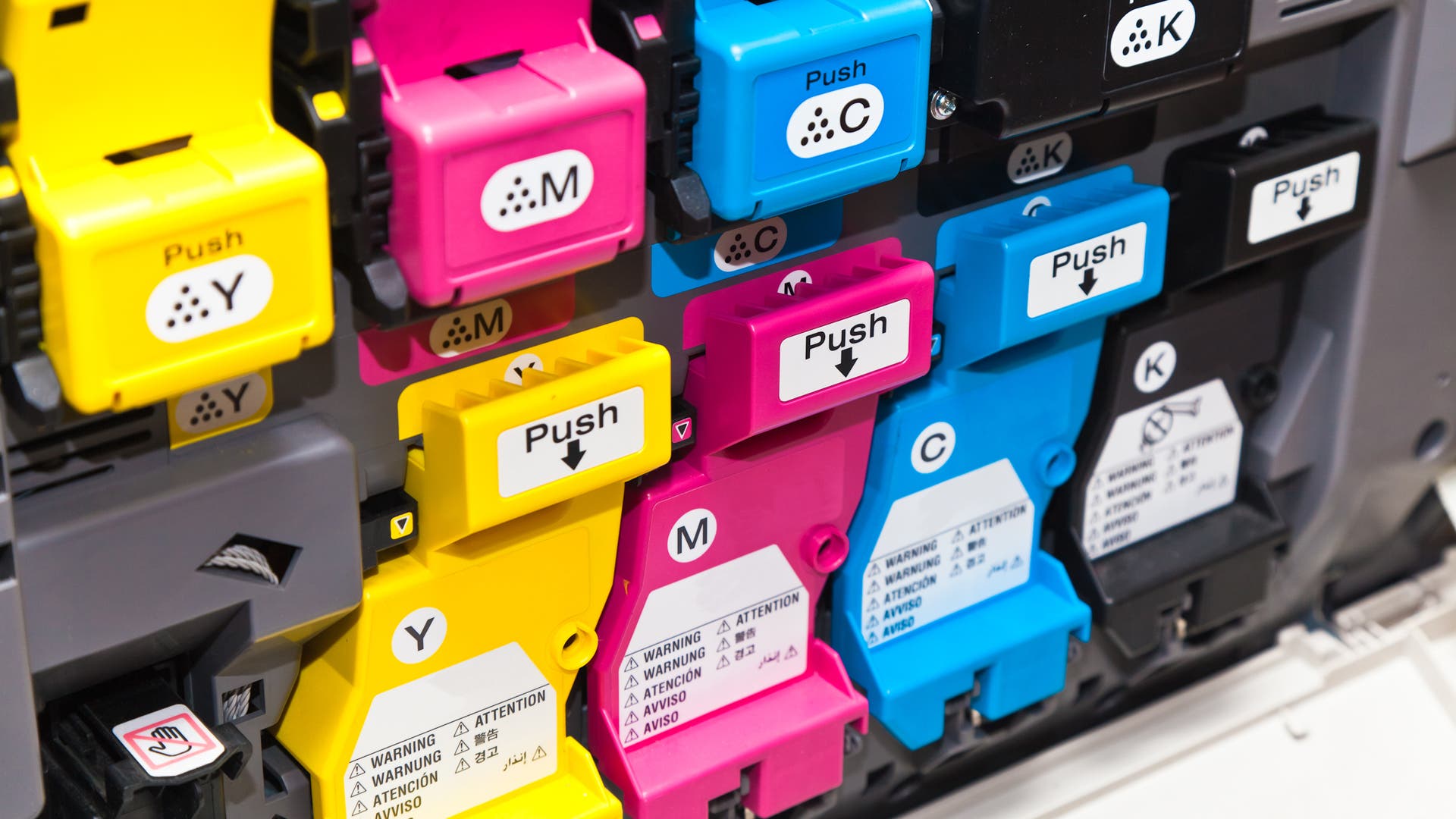
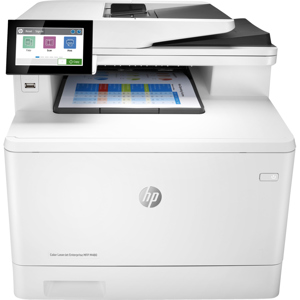
Print professional-looking two-sided color documents in-house with HP LaserJet Pro 400 Color MFP M475dw. Easily print, scan to e-mail, copy and fax with this Web-connected model. And you can print from virtually anywhere using HP ePrint, Apple AirPrint and wireless direct print.