2014-03-16T20:00:00
Rated 4 out of 5
Very difficult to install
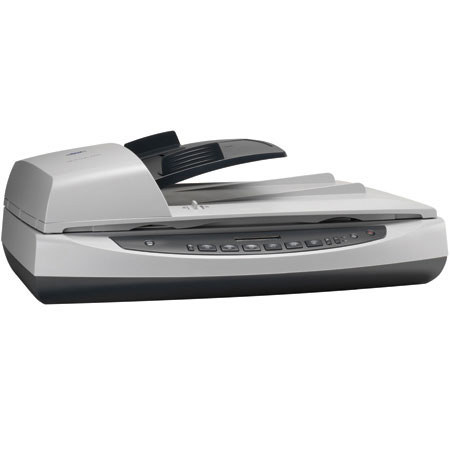
It took 4 Hp technicians 2-3 hours each to remove software from the Hp Scanjet 8290 and to install the software for the Hp Scanjet 8270 for Windows 7 pro which was exceedingly frustrating since there did not seem to be adequate communication between them and no record of communication with "level 2" technicians was available. Once installed, the machine works very well. I used the 8290 as a "workhorse" for years with great success and think that the 8270 will also serve my needs well. Hp needs to improve its software so that it works more efficiently since I think that the 8270 might be a bit slower than the 8290. However, the additional feature of previewing pages and being able to edit pages is a nice addition.
GIdoc
Originally posted at

2013-10-22T20:00:00
Like something out of the 80's. Was looking for an efficient scanner, but this is just unusable. Bad interface with the computer. Buttons on the scanner do nothing - the scanner must be operated by opening the scanning software in windows. As a practical matter, it takes 5 minutes to do a single scan. Unacceptable. This will have to be replaced.
mmpeet
Originally posted at
2009-04-19T20:00:00
Rated 2 out of 5
Get a different scanner
I was sent this one to replace a different one I had. This states it can hold up to 50 pages in the auto-feed unattended... I can put a MAX of 16 in there, and I have to watch every page as it scans or it jams up. I have had this scanner less than a year and I am having the same issues that I had with the last one, taking more than one page at a time to scan. It doesn't so this all the time, but enough that when I scan that is all I can do, I have to watch it very carefully! Do your homework on scanners, it was recommended that we get an HP and all I have had are issues!
jenni
Originally posted at
2009-02-05T19:00:00
Rated 1 out of 5
Us a different scanner
Very disappointed. When using top feeder sheets constantly jam. The HP Director is very slow to repond and sometimes do not open awith all the control icons/links.
b4uheis
Originally posted at
2008-08-06T20:00:00
We have had this scanner for almost a year and have had nothing but problems. It jams easily, is slow, changes settings, has streaks, etc. etc. etc. Would not recommend it to anyone.
JunkKeeper
Originally posted at
2007-04-18T20:00:00
Rated 3 out of 5
Good Quality - Slow Performance
This scanner has very high scanning quality, but is very slow. It doesn't matter what resolution you scan at, it is still very very slow. Do not get this if you want speedy scans.
Bradley
Originally posted at