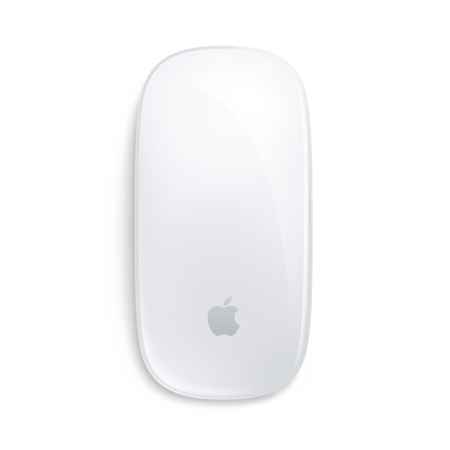
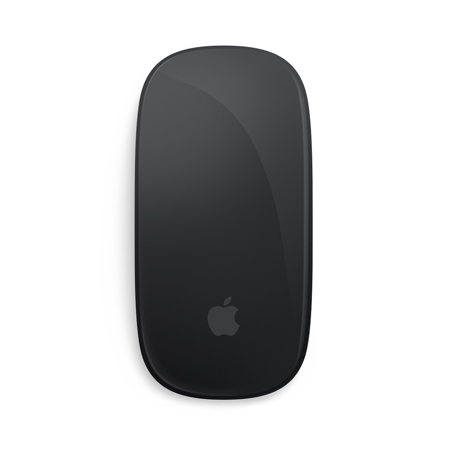
Apple Magic Mouse
When considering the right wireless mouse for your workflow, it’s important to look beyond surface-level features and think about how the device will fit into your daily routine. Wireless mice designed for Mac users are engineered to deliver a seamless connection, often pairing automatically with your computer for an instant, cable-free setup. The rechargeable battery is a game-changer, allowing for weeks of use on a single charge—ideal for those who spend long hours editing photos, designing graphics, or simply browsing the web. The Multi-Touch surface is more than a convenience; it’s a productivity booster, letting you swipe between web pages, scroll through lengthy documents, and perform other intuitive gestures with just a flick or tap. This makes such mice especially appealing to creative professionals who rely on quick navigation and smooth control, as well as to students and remote workers who value efficiency and a clutter-free workspace. For anyone who appreciates the elegance of a minimal desktop, the low-profile design blends effortlessly with modern setups, though it’s wise to consider your own ergonomic preferences before making a purchase—some users find flatter mice less comfortable during extended use.
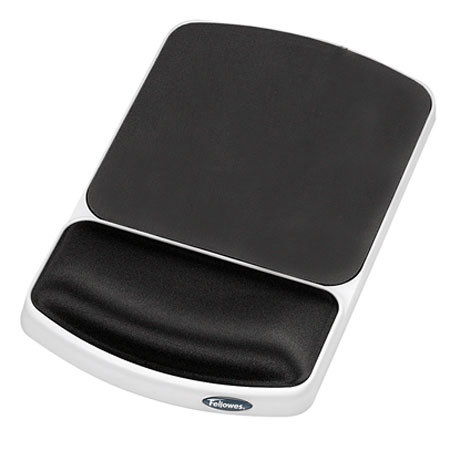
The holiday season is a perfect time to upgrade your workspace or surprise someone with a thoughtful tech gift. Wireless mice with advanced gesture support are a welcome present for Mac enthusiasts, digital artists, and anyone who enjoys a streamlined computing experience. Imagine unwrapping a sleek new mouse on a crisp December morning, ready to pair it with your laptop or desktop and dive into creative projects or year-end reports. These devices are also popular among travelers and commuters, thanks to their lightweight build and smooth-gliding feet that work well on a variety of surfaces. If you’re gifting, consider pairing the mouse with a high-quality mouse pad to enhance precision and comfort—especially useful for those working from home or setting up a new office. For the best results, explore options that are specifically designed for Apple devices; you’ll find curated recommendations on our Best Apple Mouse Pads page, where you can discover pads that complement both the functionality and aesthetics of your new gear.
When selecting a wireless mouse for your Mac or iPad, compatibility and charging convenience are key factors to keep in mind. Most models now utilize USB-C for quick charging and easy pairing, reflecting the shift toward universal connectivity in modern tech ecosystems. This means fewer cables cluttering your desk and a more streamlined charging routine. While some earlier designs faced criticism for the placement of charging ports or the absence of advanced features like Force Touch, today’s offerings have evolved to address these concerns, providing smoother gliding, improved battery life, and refined gesture controls. Whether you’re fine-tuning a photo edit, scrolling through spreadsheets, or simply enjoying your favorite playlists, a well-chosen wireless mouse can make your interactions feel more natural and responsive. As you browse through the options, think about how the mouse will integrate with your daily tasks—whether you need swift navigation for creative work, reliable performance for office productivity, or a stylish accessory that complements your personal setup. With the right choice, your workspace will not only look more polished but also support your workflow through every season of the year.
The holiday season is a perfect time to upgrade your workspace or surprise someone with a thoughtful tech gift. Wireless mice with advanced gesture support are a welcome present for Mac enthusiasts, digital artists, and anyone who enjoys a streamlined computing experience. Imagine unwrapping a sleek new mouse on a crisp December morning, ready to pair it with your laptop or desktop and dive into creative projects or year-end reports. These devices are also popular among travelers and commuters, thanks to their lightweight build and smooth-gliding feet that work well on a variety of surfaces. If you’re gifting, consider pairing the mouse with a high-quality mouse pad to enhance precision and comfort—especially useful for those working from home or setting up a new office. For the best results, explore options that are specifically designed for Apple devices; you’ll find curated recommendations on our Best Apple Mouse Pads page, where you can discover pads that complement both the functionality and aesthetics of your new gear.
When selecting a wireless mouse for your Mac or iPad, compatibility and charging convenience are key factors to keep in mind. Most models now utilize USB-C for quick charging and easy pairing, reflecting the shift toward universal connectivity in modern tech ecosystems. This means fewer cables cluttering your desk and a more streamlined charging routine. While some earlier designs faced criticism for the placement of charging ports or the absence of advanced features like Force Touch, today’s offerings have evolved to address these concerns, providing smoother gliding, improved battery life, and refined gesture controls. Whether you’re fine-tuning a photo edit, scrolling through spreadsheets, or simply enjoying your favorite playlists, a well-chosen wireless mouse can make your interactions feel more natural and responsive. As you browse through the options, think about how the mouse will integrate with your daily tasks—whether you need swift navigation for creative work, reliable performance for office productivity, or a stylish accessory that complements your personal setup. With the right choice, your workspace will not only look more polished but also support your workflow through every season of the year.