Midi Controller For iPhone
As music creation continues to evolve, the concept of an iPhone MIDI controller has become a staple for musicians, producers, and hobbyists who value portability without sacrificing creative power. Whether you’re a seasoned performer looking to sketch ideas while traveling or a beginner eager to explore digital music production, a midi controller for iPhone offers an intuitive way to interact with your favorite apps and software instruments. These compact devices are designed to seamlessly connect to your iPhone, often through USB, USB-C, Lightning, or Bluetooth, transforming your phone into a fully functional mobile studio. With advances in technology, many controllers are now class-compliant or MFi certified, ensuring quick plug-and-play compatibility with iOS devices. This means you can launch GarageBand, Logic Remote, or a host of synth and beat-making apps, and immediately start playing, tweaking, and recording. The convenience of having a tactile interface—keys, pads, knobs, or sliders—at your fingertips on the go is a game-changer, especially as the weather warms and creative sessions spill outside, or as the cooler months invite more time spent indoors honing your craft.
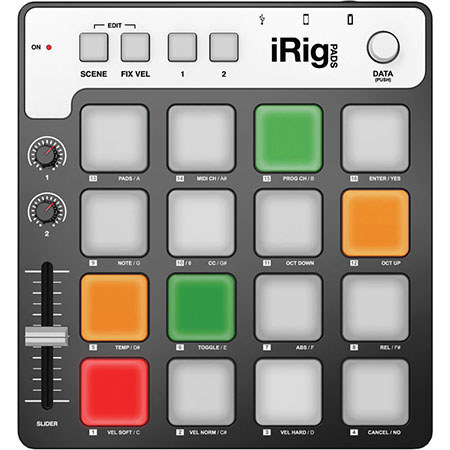
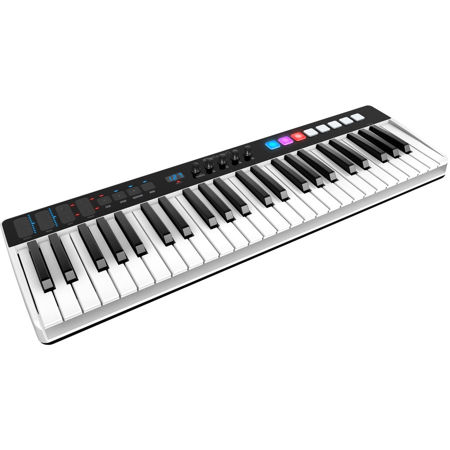
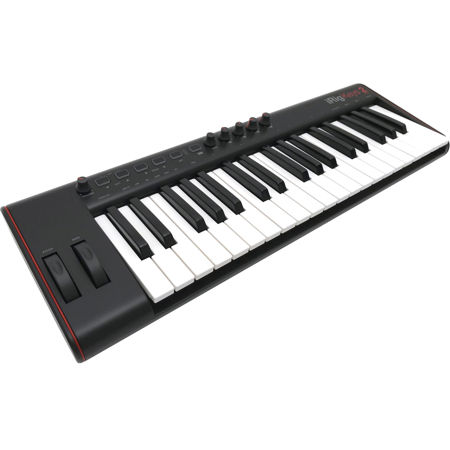
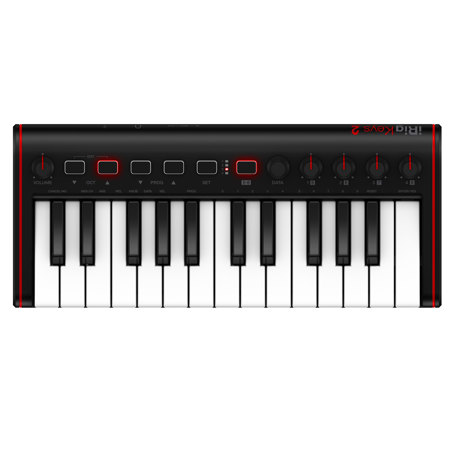
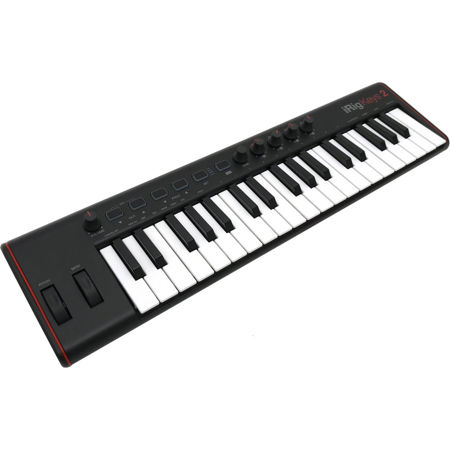
Selecting the right midi controller for iPhone involves considering your musical needs, workflow, and the environments where you’ll use it most. If you’re a songwriter or keyboardist, a compact keyboard controller with velocity-sensitive keys may provide the expressiveness you need, while beatmakers might gravitate toward pad-based controllers for finger drumming and triggering samples. For those who value flexibility, controllers with assignable knobs and faders can add hands-on control over mixing and effects, making live performance or studio sessions more dynamic. It’s also important to think about connectivity: Lightning port iPhones typically require an Apple Camera Connection Kit for USB controllers, while newer USB-C models can use standard adapters or hubs. Bluetooth-enabled controllers offer wireless convenience and are ideal for quick setups or jam sessions with friends. Unlike a phone case vs midi controller, which serves a purely protective function, a midi controller for iphone is a creative tool that enhances what your device can do, making it an inspired gift for students, aspiring producers, or anyone who loves making music on the move. The right controller can fit easily into a backpack or gig bag, ready for impromptu sessions at the park, in the studio, or during travel.
Beyond hardware, the iPhone midi landscape is enriched by a variety of apps that turn your device into a customizable control surface—perfect for those who want to experiment with touch-based faders, XY pads, or modular layouts. These virtual interfaces can communicate with your DAW or hardware synths over Wi-Fi, Bluetooth, or USB, expanding your creative options even further. If you’re seeking more specialized control, exploring dedicated pad controllers can be a great next step; for more information, check out our Midi Pad Controllers page. Whether you’re composing on a quiet evening at home, collaborating with bandmates during a weekend retreat, or performing live at a local event, an iphone midi controller provides the versatility and immediacy today’s musicians demand. With thoughtful consideration of features, portability, and connectivity, your iPhone can become the centerpiece of your creative workflow, bridging the gap between inspiration and finished music wherever you go.
Selecting the right midi controller for iPhone involves considering your musical needs, workflow, and the environments where you’ll use it most. If you’re a songwriter or keyboardist, a compact keyboard controller with velocity-sensitive keys may provide the expressiveness you need, while beatmakers might gravitate toward pad-based controllers for finger drumming and triggering samples. For those who value flexibility, controllers with assignable knobs and faders can add hands-on control over mixing and effects, making live performance or studio sessions more dynamic. It’s also important to think about connectivity: Lightning port iPhones typically require an Apple Camera Connection Kit for USB controllers, while newer USB-C models can use standard adapters or hubs. Bluetooth-enabled controllers offer wireless convenience and are ideal for quick setups or jam sessions with friends. Unlike a phone case vs midi controller, which serves a purely protective function, a midi controller for iphone is a creative tool that enhances what your device can do, making it an inspired gift for students, aspiring producers, or anyone who loves making music on the move. The right controller can fit easily into a backpack or gig bag, ready for impromptu sessions at the park, in the studio, or during travel.
Beyond hardware, the iPhone midi landscape is enriched by a variety of apps that turn your device into a customizable control surface—perfect for those who want to experiment with touch-based faders, XY pads, or modular layouts. These virtual interfaces can communicate with your DAW or hardware synths over Wi-Fi, Bluetooth, or USB, expanding your creative options even further. If you’re seeking more specialized control, exploring dedicated pad controllers can be a great next step; for more information, check out our Midi Pad Controllers page. Whether you’re composing on a quiet evening at home, collaborating with bandmates during a weekend retreat, or performing live at a local event, an iphone midi controller provides the versatility and immediacy today’s musicians demand. With thoughtful consideration of features, portability, and connectivity, your iPhone can become the centerpiece of your creative workflow, bridging the gap between inspiration and finished music wherever you go.