


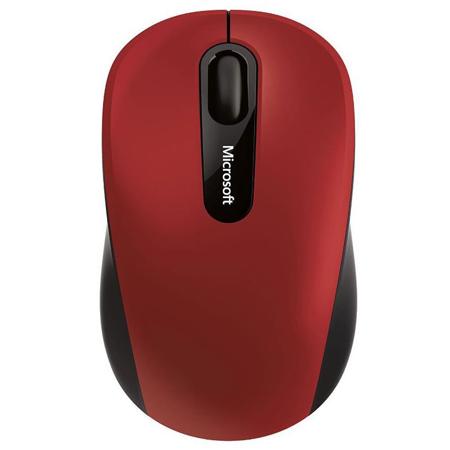

This item is no longer available.
Review Summary
2023-04-16T20:00:00
Good solid mouse! Easy to take along with you!
Brian

2022-12-21T07:48:07
It does mouse things very well.
Christopher H.
2021-11-15T19:00:00
Lives up to everything as advertised. Really wish it was an inch or two longer.
NurseJane
2021-11-03T20:00:00
Great mouse, arrived quickly.
Jatin
2021-09-25T20:00:00
Amazing little mouse, size is great, functions well, only thing is that the roller wheel functions in incremental movement rather than smooth roll for page scrolling. No big deal for me but it's not mentioned anywhere. It's about time that a mouse is connected via Bluetooth though, love not loosing a USB.
C.J
2021-05-05T20:00:00
Mouse worked as advertized and connected using Blue Tooth as expected to my Dell PC but because there were no buttons to move forward and backward on web pages, I found that this mouse did not meet my needs.
Greg
2021-04-05T20:00:00
Works as expected no dongle.
Dell C.
2020-01-28T19:00:00
Love it, exactly what I wanted. Size is perfect for traveling with but not so small that it feels little in day to day use.
Rando
2019-12-19T19:00:00
Mouse works well. I mostly ordered it for rougher surfaces, and on most of them, it works fine. There's a few where it still doesn't quite have the smoothest tracking, but it it certainly an improvement over my old mouse.
JJMNN
2019-11-21T19:00:00
I wanted a bluetooth mouse to use with my Dell XPS 15" 7590, as I didn't want to take up one of the USB ports with a dongle for a mouse. However, I have Linux installed on my XPS 15. So, it is important that the hardware work with Linux. I purchased this mouse to fulfill those requirements. I'm happy to report that the Microsoft Bluetooth Mobile Mouse 3600 worked right out of the box with my Arch Linux installation, and it performs the functions of a mouse very well.
Robert B.
2017-07-06T10:00:04
Easy immediate Bluetooth pairing. Mouse is comfortable to use, the scroll wheel clicks nicely. Accuracy is fine for what I do; mostly MS office applications. Occasionally freezes, but a quick finger swipe of the touch pad brings it right back. All in all quite satisfied with this mouse as is frees up a USB port and doesn't need a dongle.
Frank K.
Bluetooth 4.0 / 4.1 (Bluetooth Low Energy)
Microsoft Windows: 10 / 8.1 / 8
Mac OS X v10.10.3 / 10.10.4
Android v5.0
Requires Mouse and Keyboard Center software installed on a PC that meets the requirements and has one of these operating systems: Microsoft Windows 10 / 8.1 / 8
150MB of available hard disk space
Compatible with Microsoft Windows 10 / 8
Universal Mac logo
Android logo
Microsoft-proprietary BlueTrack Technology
Dynamically adaptable to 4000 frames per second
1000 points per inch (39.4 points per millimeter)
Up to 30" (762mm) per second
10G maximum
Bluetooth Low Energy
2.4GHz frequency range
33' (10m) in open air, up to 16' (5m) in office environment typical
HID Over Gatt Profile (HOGP)
3 buttons and tilt wheel button
3,000,000 actuations at no more than 2.5 actuations per second
350,000 actuations at no more than 2.5 actuations per second for tilt wheel button
Horizontal and vertical tilt scrolling
300,000 rotations backwards, 100,000 rotations forwards
-40 to 140 deg. F / -40 to 60 deg. C
<5% to 65% relative humidity (non-condensing)
32 to 104 deg. F / 0 to 40 deg. C
<5% to 80% relative humidity (non-condensing)
1x AA alkaline battery (included)
12 months typical
3.75 x 2.24 x 1.59" / 9.53 x 5.69 x 4.04cm
2.22oz / 629.36g not including 1x AA alkaline battery, typical battery weight may vary
Compact for portability
You'll appreciate how the Bluetooth Mobile Mouse 3600 comfortably fits your hand and your mobile lifestyle. Use it just about anywhere, even on a rough park bench or your living room carpet, relying on Microsoft BlueTrack Technology. No transceivers or wires to manage. Keep using your mouse for up to twelve months with a single battery.