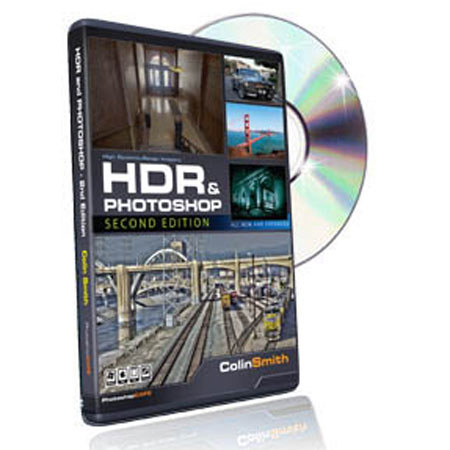
PhotoshopCafe Instructional DVD: HDR and Photoshop (CS5) Second Edition by Colin Smith
SKU: PCCS5CSHDRD
This item is no longer available.
Share:
Overview
Compare
Specs
Protection
About PhotoshopCafe CS5
Have you ever looked at a stunning HDR image and wondered, "how did they do that?" Wonder no more! This video will serve as your easy to follow and informative guide to the world of HDR. You will be getting results better than you dreamed of with maximum ease. Colin explains in Plain-English all you need to get going in HDR. All new and expanded for Photoshop CS5 and Photomatix 4.
When used correctly the 32 bit tools in Photoshop will enable you to create drop-dead gorgeous images with effortless ease. Learn everything from completely natural to jaw-dropping surrealistic looks. You will also learn some clever tricks that will enable you to boost the dynamic punch of Low Dynamic images. You'll be able to supercharge any image with this bag of tricks in your arsenal.HDR (High Dynamic Range) is not just a trend. It's the future of Photography. Get a jump start on the newest Photographic technology with this 4 hour in-depth guide and learn why as well as how!
This fast loading DVD ROM/or Download contains 4 hours of sharp widescreen video. The advanced interface allows the user to instantly jump to any of the lessons with complete control over the playback. All the lesson files are included, so you can follow along at your own pace!
PhotoshopCafe CS5 Features
- Pull the most natural result from your images
- Create stylized Tone effects
- (HDRI) High Dynamic Range imaging explained
- 7 tips for shooting HDR images
- Full HDR Workflow explained
- Post processing workflows
- Photoshop CS5 HDR Pro
- Using Camera Raw and Lightroom with HDR
- Painting with light and shadow. Use layers and masks to paint your perfect exposure
- Single image techniques for dynamic range and for effect
- Pseudo Bracketing techniques
- Pseudo Masking techniques
- Use Photoshop to create true 32-bit HDR images
- Master the HDR curve and get the very best results from your HDR images
- Photoshop 32 bit Adjustments
- Avoid the pitfalls and maximize your results in Photoshop
- Unleash the powerful Photomatix tone mapping plug-in for Photoshop
- Extreme Tone Mapping
- Natural Tone Mapping
- Tone Mapping and Photoshop Workflow
- Photomatix Pro 4 overview and Batch Processing
Key Features
- Pull the most natural result from your images
- Create stylized Tone effects
- High Dynamic Range Imaging (HDRI) explained
- 7 tips for shooting HDR images
- Full HDR Workflow explained
- Post processing workflows